



 Written by admin
In this guide you will learn How to Install HDHub Stremio Addon on any device with the Stremio Application.
HDHub is a web scraper addon that serves up streaming links for Movies and Shows without torrent support.
It is currently one of the Best Stremio Addons available for those who do not use a Debrid Provider.
HDHub serves up direct links but also has compatibility for TorBox integration for premium links.
Configuration and installation is extremely simple and we provide instructions for doing so in our step by step guide below.
Prior to installing the HDHub addon, make sure you have Stremio App Set Up & Installed on your media device(s).
In this guide, we will configure and install HDHub on an iPhone which makes it easy to copy/paste API Keys and Manifest URLs into the Stremio Web Browser.
However, you can also follow along on an Android phone/tablet or PC if you prefer to use these devices to add your preferred Addons.
If you have logged into Stremio correctly, the addon will automatically sync to other devices with Stremio including Android/Google TV Boxes and Fire TV systems.
1. Visit the official HDHub addon website – https://hdhub.thevolecitor.qzz.io/
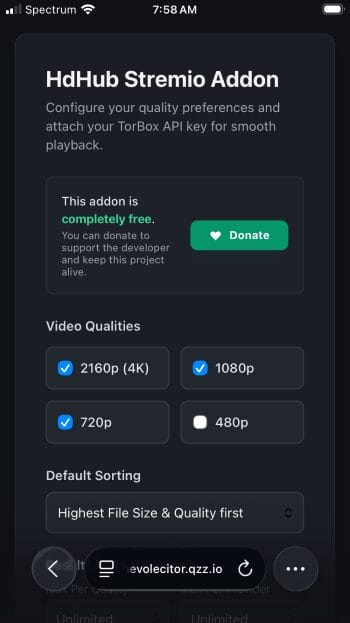
2. Adjust Configurations to your preference. (Video Qualities, Default Sorting, Result Limits).
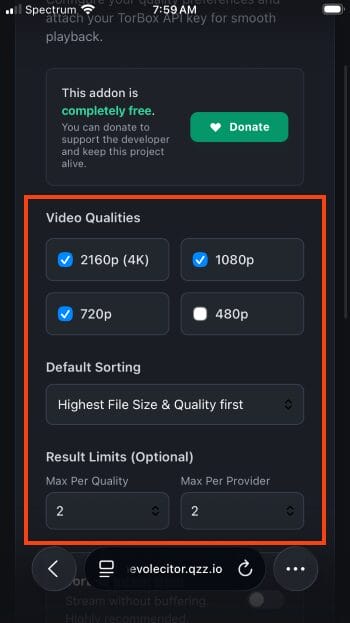
3. Enable TorBox if you want HDHub to scrape links from this Debrid Provider.
NOTE: We recommend using the TorBox Official Addon if you only want to see links directly from this resolving service.
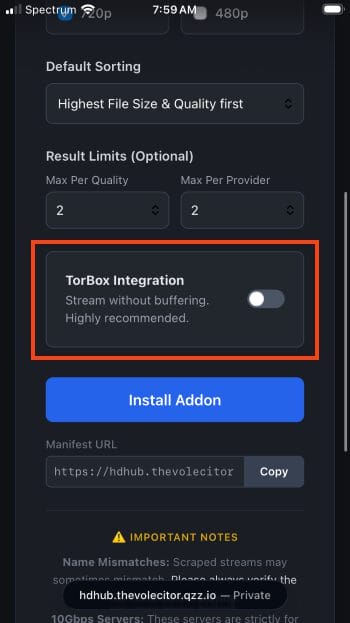
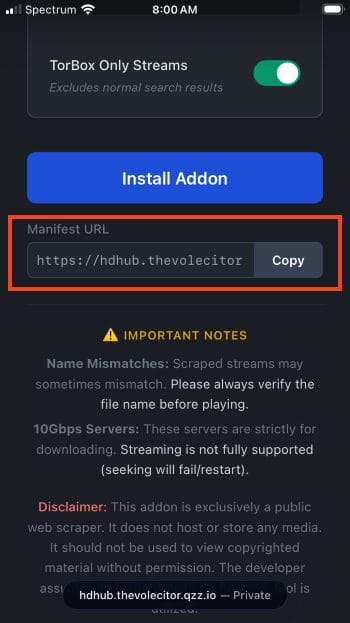
4. Select Copy Manifest URL or click Install if using an Android device.
Your online activity is monitored by your ISP, app/addon/IPTV devs, government, and all websites.
🔒 Become anonymous while streaming & downloading with Surfshark VPN
Save 87% with 24-Month Plan + Get 3 FREE Months
Use on Unlimited Devices & Share 1 Account with Entire Family
CLAIM DEAL HERE
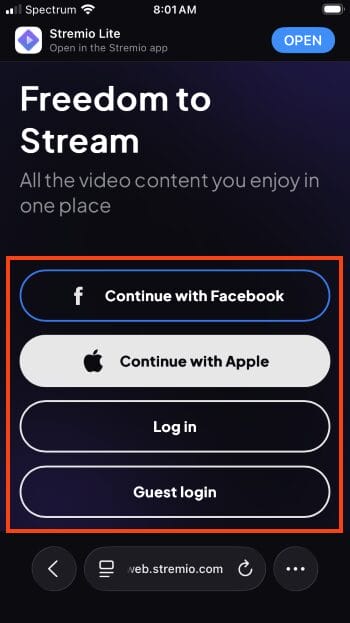
5. Open the Stremio App on your mobile device or visit web.stremio.com for the official browser if using an iOS device. Log in with your account credentials.
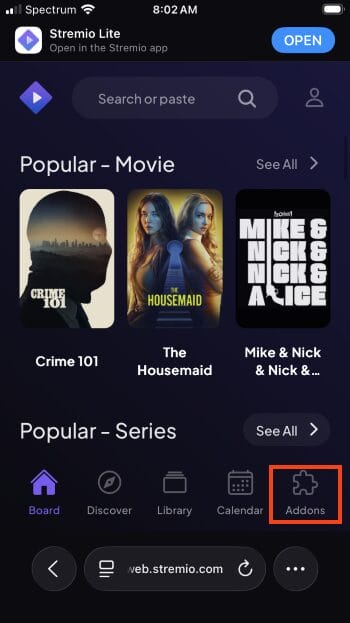
6. From the home screen of Stremio, choose Addons.
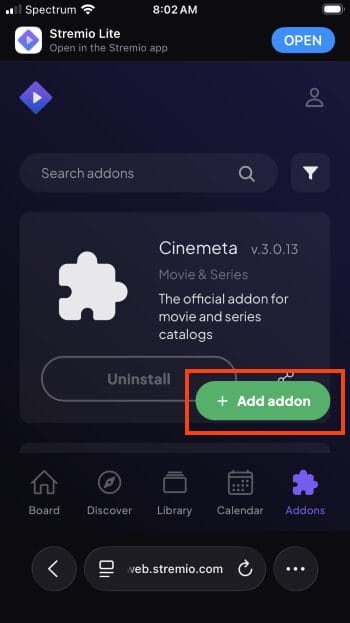
7. Click Add Addon.
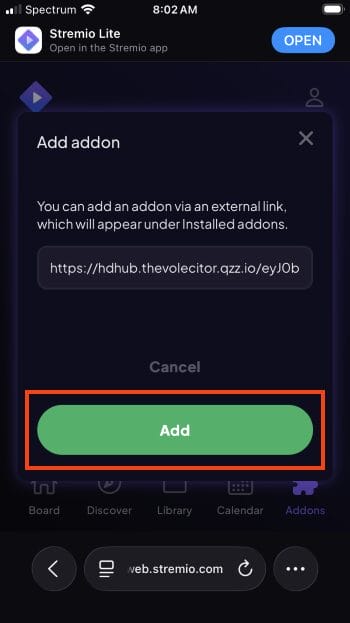
8. Paste the HDHub Addon URL we copied in the steps above. Click Add.
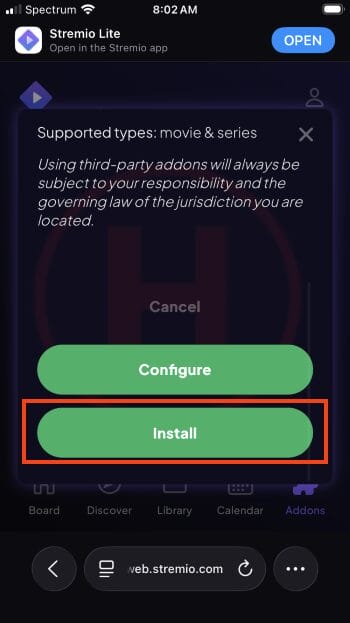
9. Select Install.
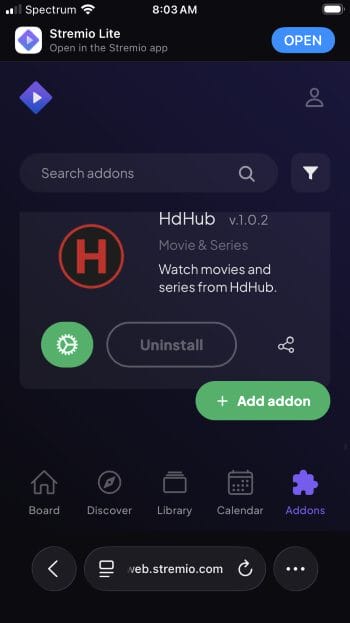
10. You will now see HDHub installed within your addons list.
Enjoy!
HDHub is an extremely lightweight addon capable of serving up direct links (via HTTP sources) or from TorBox if you use this provider.
You can simplify your selections by adjusting the max results per quality and max results per provider to ensure only links you want to see are listed.
We tested this within the Stremio App on our Onn 4K Pro and found links provided were high quality and played with no buffering.
This is especially true for those who integrate TorBox.
There are both positives and negatives regarding HDHub which we discuss below.
Those who install/use this addon will want to make sure they have a VPN connected to ensure your data is secure!
If you are in the market for a simple addon to stream Video on Demand content, give HDHub a try and let us know your thoughts in the comments below!
This page includes affiliate links where TROYPOINT may receive a commission at no extra cost to you. Many times, visitors will receive a discount due to the special arrangements made for our fans. Learn more on my Affiliate Disclaimer page.



© IPTVSub is Proudly Owned by win-design