


 Written by admin
This VSeeBox Review provides complete details of these popular devices including the V2 Pro, V3 Plus, V5 Pro, and more.
vSeeBox markets itself as the Best English Android TV Box and “one of the best-selling Android TV boxes fully loaded”.
Users are provided with a pre-installed media box that features live channels & more for streaming, without a monthly or yearly subscription package.
The big draw of these devices is that there is no sign-up required and you will never have to renew your “membership” as the one-time purchase includes a lifetime subscription to thousands of channels built right in.
With cable and streaming service prices on the rise, many have searched for alternatives to these providers and vSeeBox has become a popular choice for millions across the world.
However, there are some red flags associated with these devices that you should be aware of and we point them out in our review guide below.
In simple terms, the vSeeBox is an Android TV Box that plugs into your television and provides access to various streaming applications that serve up HD content.
This is no different than popular selections such as the Amazon Firestick or Onn. 4K Google TV Box which have become extremely popular among those who have “cut the cord”.
Specs for almost every version of vSeeBox are relatively similar to other (less pricier) Android Boxes, which is why we strongly recommend avoiding vSeeBox and opting for an alternative.
These are just standard boxes with Android 10 or 11 built in (outdated versions of Android TV) paired with 32 GB of internal storage and 4 GB RAM which is the exact same output we see in the onn. 4K Pro from Walmart.
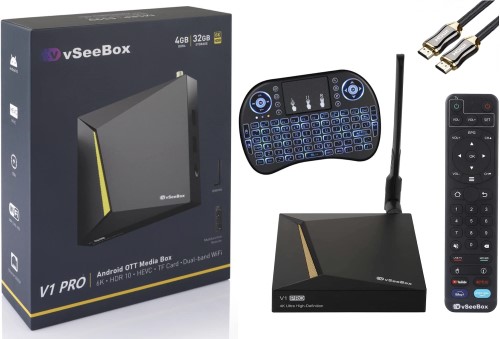
The biggest draw with these boxes, however, is the software included and that is because all are “pre-loaded” with an IPTV Service that includes over 4,000 live channels for viewing.
Many also have video on demand for watching your favorite movies and television shows, all of which are included in the “Heat” app that is pre-installed on every variation of vSeeBox.
There are currently numerous different iterations of vSeeBox which include the following:
These vary in features and technological aspects but are generally the same simple Android device that comes pre-configured with the software that makes them so special.
It is important to note that many websites claim to be the “official” site for vSeeBox which is why it is difficult to actually pinpoint their lineup of boxes. We did our best to cover the most popular with reviews below.
The biggest difference between vSeeBox and other streaming devices is the built-in apps that have the live programming and on-demand media viewers are looking for.
Buyers get access to a lifetime subscription to the IPTV Provider that vSeeBox develops and pre-installs for access to their complete library of media.
While many may look at this as a positive, if you are not aware of the dangers of IPTV you may not know that there are risks and important factors to consider when using this technology.
Oftentimes, IPTV Services are shut down by government authorities, anti-piracy coalitions, or the developers themself after they have made a profit.
Here are a few examples:
That is why TROYPOINT recommends purchasing an Android Box of your choosing and then sideloading applications that provide the entertainment you are looking for.
This is all a simple process that many refer to as “jailbreaking” and can be done in just a few minutes without spending hundreds of dollars to purchase a fully loaded device.
Besides the fears of malware and overpayment, there are also legal issues to be concerned about and we describe this more in detail below.
This is one of the main questions that potential users are asking when researching these types of devices.
In the United States (and many other countries), selling loaded Android Boxes is illegal with various instances in the past of developers facing legal trouble and fines.
In fact, the owners of Dragon Box were ordered to pay ACE (Alliance for Creativity & Entertainment) $14.5 million in piracy damages. This is the same type of operation as vSeeBox and that is why it is likely illegal.
As you will see in our pricing guide below, various retailers such as Walmart carry these devices and unknowingly sell them to customers who are unaware of the dangers associated with them.
For your personal safety, we strongly recommend avoiding vSeeBoxes and instead opting for an alternative Google TV/Android TV Box from a reputable distributor.
As referenced above, vSeeBox has multiple devices that vary in specs, pricing, and more.
Here are their current offerings:
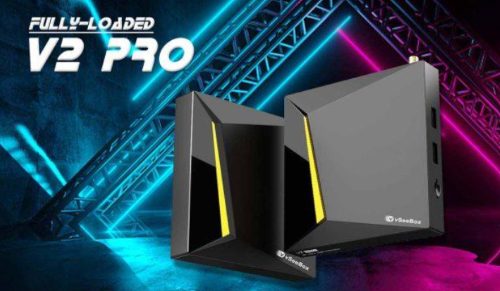
The V2 Pro comes with a mediocre Android 10 Operating System, 32 GB of internal storage, 4 GB RAM, and a Bluetooth remote that comes included with purchase of the device.
It is currently listed on the Walmart website for $329.
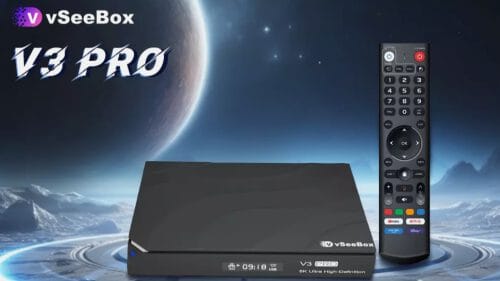
An updated version of the V2 Pro, the V3 Pro comes with Android 11 built-in, 4 GB RAM, 64 GB of storage, and an included USB 2.0 port.
It is available from Walmart for $349.

The newest V3 model is the V3 Plus that features “significant upgrades by partnering with higher quality hardware suppliers” as noted on the vSeeBox website. We were not able to find any updates with this device compared to the V3 Pro.
Walmart sells the V3 Plus for $359.
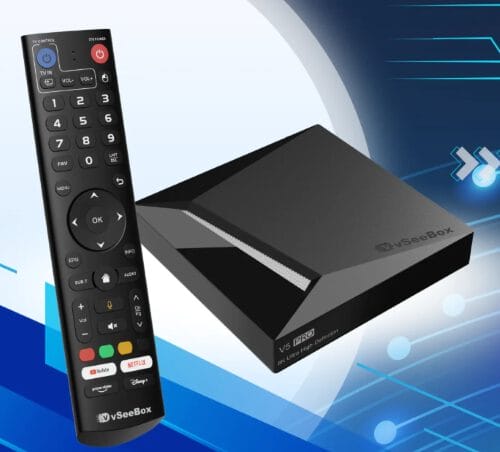
The V5 Pro runs Android 12 Operating System and includes 4 GB RAM, 32 GB internal storage, and expandable storage with built-in USB port. Those who purchase are also provided with a “360 Bluetooth remote” with voice control and custom programming (which you can find in almost any other streaming device).
The V5 Pro is sold for $317.30 on the official Walmart website.
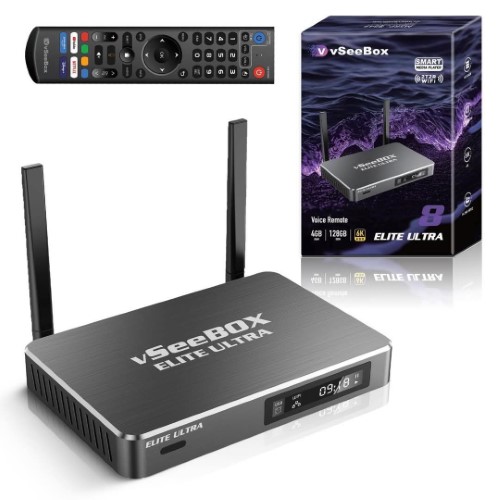
One of the most sought-after vSeeBox devices, the Elite Ultra is an “8K-Compatible” device with a backlit keyboard and 128GB of internal storage. It also runs Android 12 OS and has 4 GB of RAM. The only noticeable difference between this and other options is the price which is outrageous for this type of box.
Currently, you can find the vSeeBox Elite Ultra via the Walmart website for $449.00.
Many prospective buyers are interested in what channels are provided with the purchase of a vSeeBox. If you do a quick Google search, you can find websites dedicated to providing a full channel list.
Some of these detail over 2000 different options for news, entertainment, sports (including PPV), Latino, Kids/Family, and more.
The problem with these channels is that more often than not, many of them will not play properly or constantly buffer when attempting to watch them. Some may even be in Standard Definition which is not ideal for live streaming.
When you purchase a vSeeBox you are locked in to the subscription they provide which may not suit your needs. You are way better off purchasing a device on your own and picking your preferred service based on your personal needs/requirements!
As referenced earlier, we recommend opting for a certified device and installing various applications and APKs yourself.
Many first get into the cord-cutting industry by purchasing a Firestick or Fire TV and “jailbreaking” it; however, you can also do the same thing with Android/Google Boxes that are extremely popular options.
Here are some of the devices that TROYPOINT recommends using instead of purchasing a vSeeBox. After buying one of these options, you can add various IPTV Providers, media apps, and more to enjoy the streaming content you are looking for.
Sold at your local Walmart, the onn 4K Plus is the most affordable streaming box available that still packs a punch for all of your viewing needs.
Listed at $29.88, users will get 16 GB of internal storage, built in Android TV 14 (with Google TV OS), Wi-Fi 6 Support, Dolby Vision/Atmos, and a USB Type-C Port.
You can easily sideload tons of free applications and APKs without a long-term subscription, just like you would with a vSeeBox, but without breaking the bank (or law!) to do so. If you need a trustworthy device, give this one a try.
onn 4K Plus Review
onn 4K Plus Purchase Page
Another fabulous alternative to purchasing a vSeeBox is the onn. 4K Pro which is an “upgraded” version of the onn 4K Plus listed above.
For just $49.88, users are provided with 32 GB of internal storage, 3 GB RAM, hands-free technology, and Android 14 TV with Google TV interface for premier navigation.
The onn 4K Pro has all of the same capabilities as every variation of vSeeBox listed above and costs only a fraction of the price. Best of all, you will have Google TV OS built in which was specifically created for use on television sets.
onn 4K Pro Review
onn 4K Pro at Walmart.com
Another high-level streaming stick, the Fire TV Stick 4K Max from Amazon is the premier Firestick with 4K streaming capabilities and an included Alexa voice remote.
Priced at $54.99 (but oftentimes on sale), the 4K Max is yet another fabulous option for those looking to stream high definition Movies, Shows, and Live TV, without breaking the bank. Learn more at our detailed review guide below
NOTE: Amazon is cracking down on 3rd Party Apps/sideloading and therefore, we recommend using another option provided here.
Fire TV Stick 4K Max Review
Purchase Firestick 4K Max from Amazon
The most prominent alternative to the vSeeBox is NVIDIA SHIELD which is an ultra powerful streaming box built for active users who want to get the most out of their device.
With 16 GB Storage, 3 GB RAM, and a Tegra X1+ Processor, you will notice the difference when using this device with ultra fast navigation and zero buffering/lag.
Those who are in the market for a top-tier box should certainly give the NVIDIA SHIELD a look.
NVIDIA SHIELD Review
The biggest thing to note when deciding whether or not a vSeeBox is for you is to look at the price when compared to other streaming box options.
These lesser devices claim to have a “lifetime subscription” to an IPTV Service but as we have pointed out, these services hardly ever last a lifetime and you can usually save money purchasing one on your own.
Similar to Superbox, these devices are just cheap “stock” boxes that run the Android Operating System and don’t have many features built to function on your television.
Save your money, time, and sanity by purchasing a box from our alternative selections above and do it yourself!
We want to know your thoughts on the vSeeBox. Have you used one in the past or did you opt for a verified streaming box? Let us know in the comments below!
Be sure to stay up-to-date with the latest streaming news, reviews, tips, and more by following the with updates weekly.
This page includes affiliate links where TROYPOINT may receive a commission at no extra cost to you. Many times, visitors will receive a discount due to the special arrangements made for our fans. Learn more on my Affiliate Disclaimer page.



© IPTVSub is Proudly Owned by win-design