


 Written by admin
NVIDIA SHIELD devices have just been updated to V9.2.2 with with various improvements and added features.
This is the third update we have seen in 2025 after going nearly 3 years without seeing any to these popular Android TV Boxes.

Often touted as the most powerful streaming device available today, hundreds of thousands of cord-cutters trust the NVIDIA SHIELD as their primary media box and for good reason.
However, the downfall of these streamers is that they are not frequently updated but it appears that is changing.
V9.2.2 is now available on both NVIDIA SHIELD TV and NVIDIA SHIELD TV Pro and can be installed by following our instructions below.
In an official blog post, the company announced the update which includes new enhancements and resolved bugs:
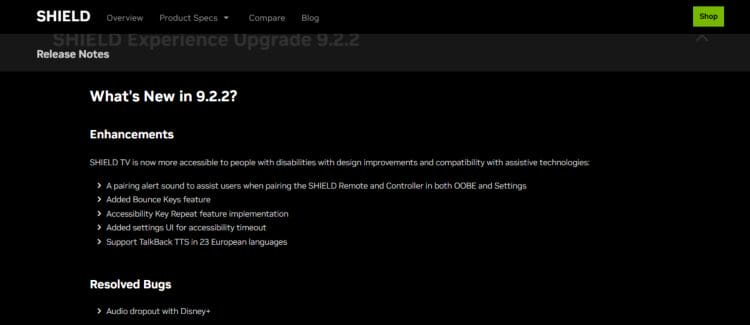
Changelog is as follows:
Enhancements
Resolved Bugs
You can view the complete changelog at the official NVIDIA website which currently only details the improvements for this update.
Typically, NVIDIA devices auto-update with the latest versions but if you find your device has not been updated, you can do so manually using the instructions below.
NOTE: These instructions work for both NVIDIA SHIELD TV & Pro devices.
1. From the Home Screen of your device, click the Settings Icon in the upper right-hand corner.
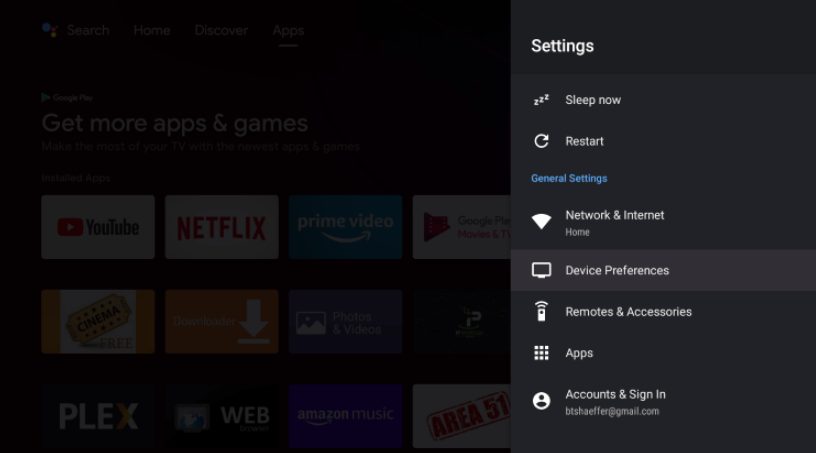
2. Click Device Preferences.
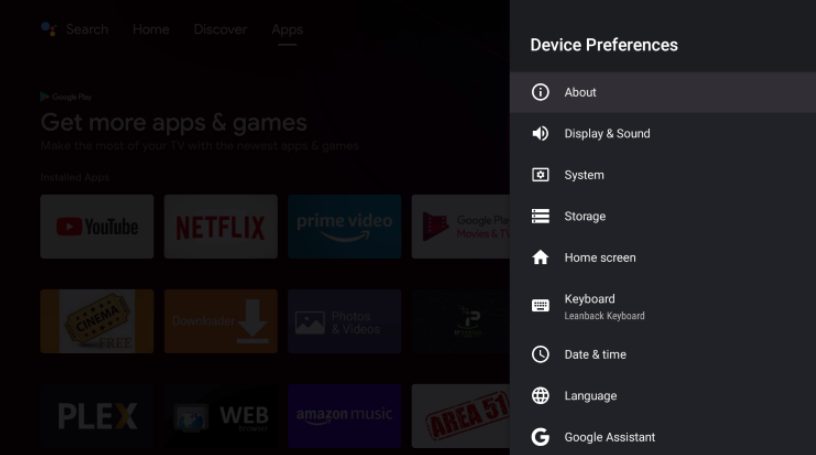
3. Select About.
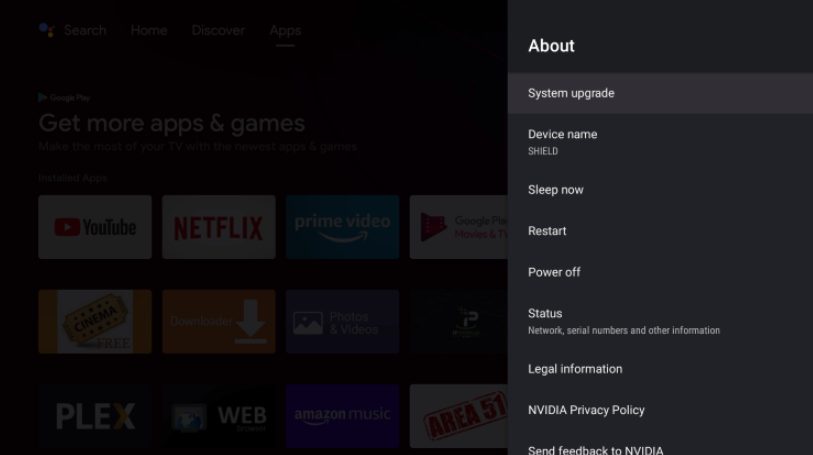
4. Choose System upgrade.
5. Click Check for upgrade.
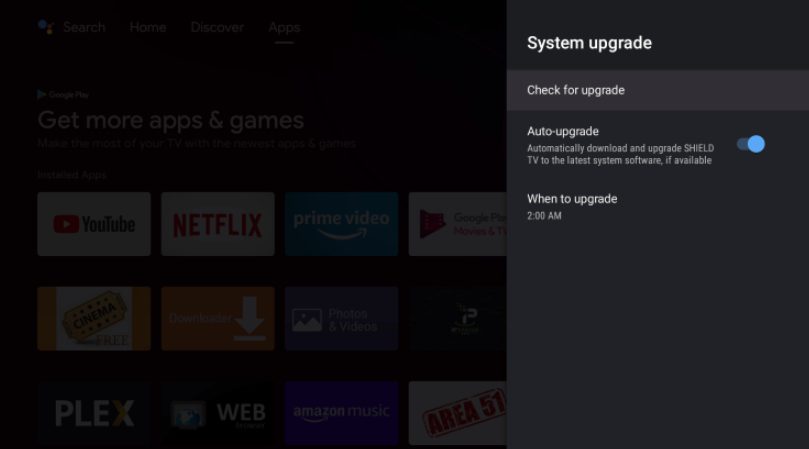
6. Choose Check for upgrade again.
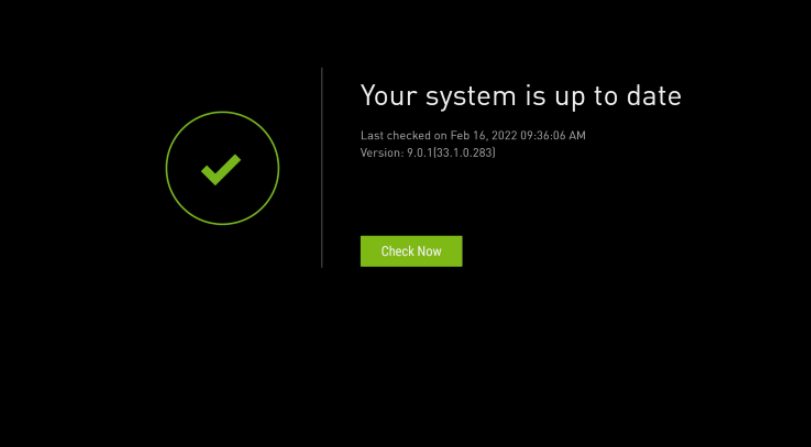
If you encounter this screen, your device has already been updated:
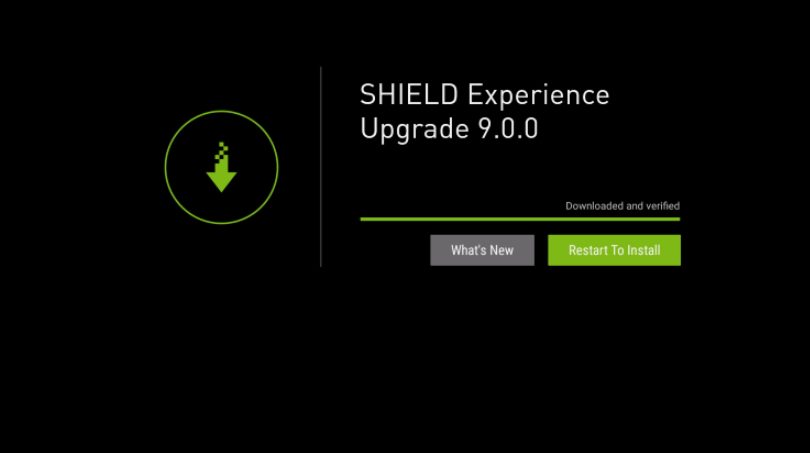
7. If not, click Restart to Install.
NOTE: Your upgrade should be for version 9.2 and not 9.0.0 which is pictured below.
8. Wait for the update to download.
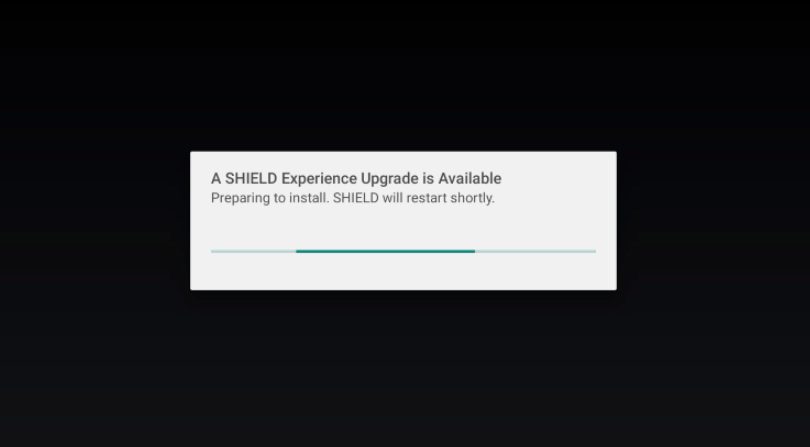
9. Your device will then implement the update. After installing the update, your NVIDIA SHIELD will restart for use.
Enjoy!
We are beyond excited to see a new update to NVIDIA SHIELD devices as these have long been one of the absolute Best Android Boxes available.
Many have wondered when the next NVIDIA SHIELD will be announced and most have speculated that the tech company has no plans to do so.
However, this new update brings some hope that it is still in their sights and we hope to see more in the near future.
What do you think of the latest update to NVIDIA SHIELD? Are you excited for some new improvements? Do you think this means we may see a new device from NVIDIA at some point? Let us know in the comments!
Be sure to stay up-to-date with the latest streaming news, reviews, tips, and more by following the TROYPOINT Advisor with updates weekly.
This Advisor provides all the best cord-cutting tips to get the most out of your favorite streaming devices and more.
Click the link below to join the other 800,000 Advisor subscribers.
Free
This page includes affiliate links wheremay receive a commission at no extra cost to you. Many times, visitors will receive a discount due to the special arrangements made for our fans. Learn more on my Affiliate Disclaimer page.



© IPTVSub is Proudly Owned by win-design