


 Written by admin
Use the following guide to learn how to install the Top Streaming Stremio Addon on Android/Google TV, PC, Firestick, Fire TV, and more.
Top Streaming is a unique addon selection for Stremio that we strongly recommend adding if you use the Stremio app often.
It provides users with a “Top 10 Catalog List” from popular streaming platforms so that you can see what everyone is watching around the world!
Users can add and adjust the order of nearly any streaming provider to view the Top 10 most watched Movies/Series for that service within the Stremio application.
No more searching for the top titles, you can now see all options right on your home screen and this works for any language as well!
Best of all, Top Streaming displays the correct poster and details each film/show with ratings so you know what you are getting before viewing.
This is a fabulolus way to turn your Stremio App into an all in one media powerhouse and view the most popular episodes and more with ease.
If you haven’t already, make sure you have first downloaded and set up Stremio on your favorite device before following our installation tutorial below.
As with other 3rd Party Stremio Addons, we will first install Top Streaming onto our Stremio PC App and then it will automatically sync to your Firestick, Android, or Google TV Box.
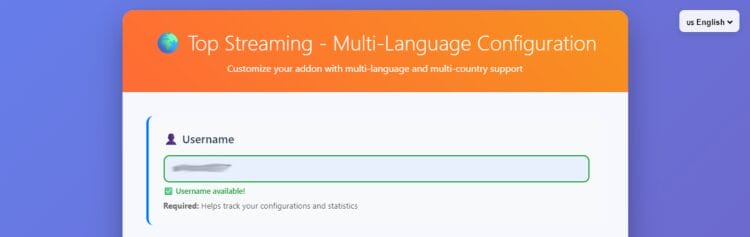
1. Visit the official Top Streaming Website – top-streaming.stream/configure and input a Username.
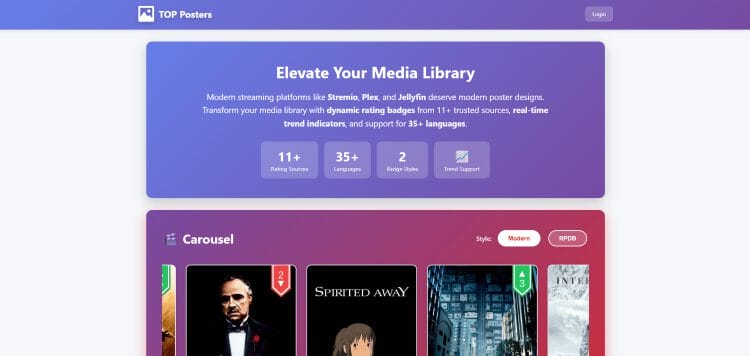
Optional: Create a Top Posters account at their official website – api.top-streaming.stream. Top Posters is a movie/series plugin that provides modern posters for your streaming platform!
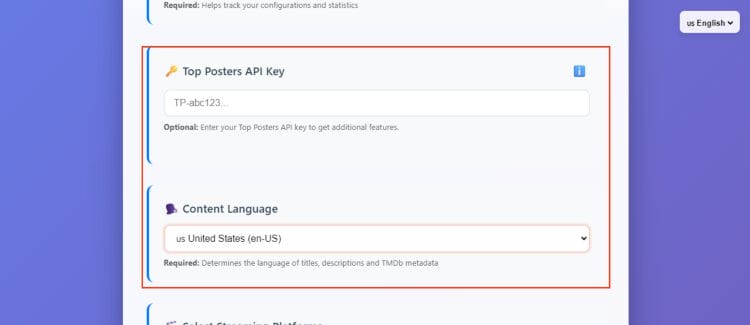
2. If you have a Top Posters API Key, input it here. Select your Content Language preference.
3. Choose your List Country.
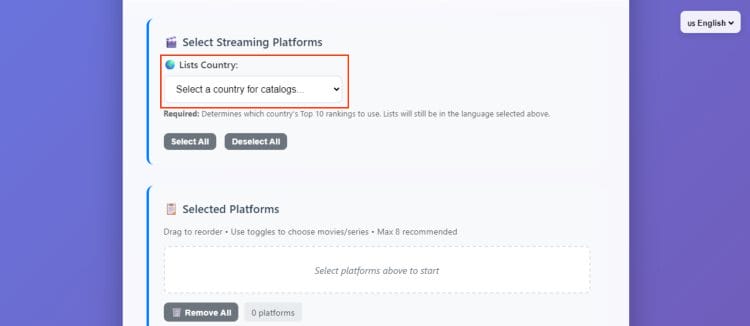
4. Select Streaming Platforms you want to see Top 10 Lists for.
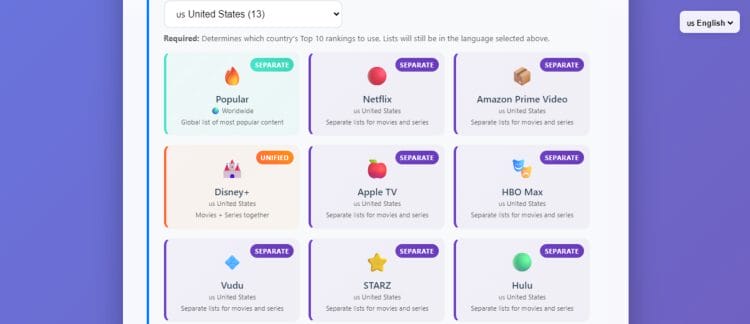
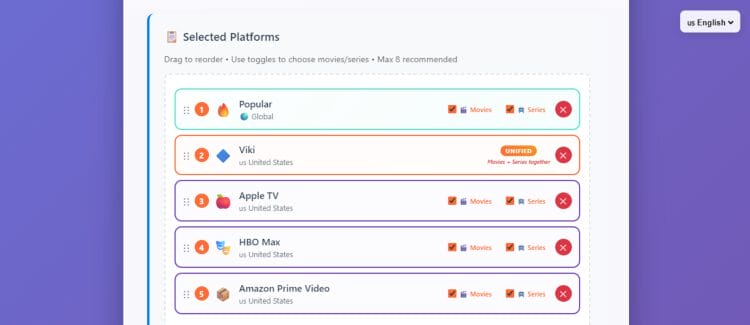
5. Drag and Drop the order you want to see these lists and toggle Movies/Series for each so the type of content you want to display will appear on your interface.
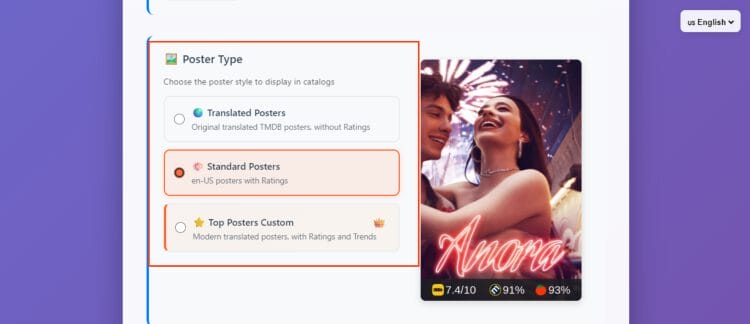
6. Choose Poster Type.
7. If you wish to add extra configuration, you can include emojis and hide country in list names.
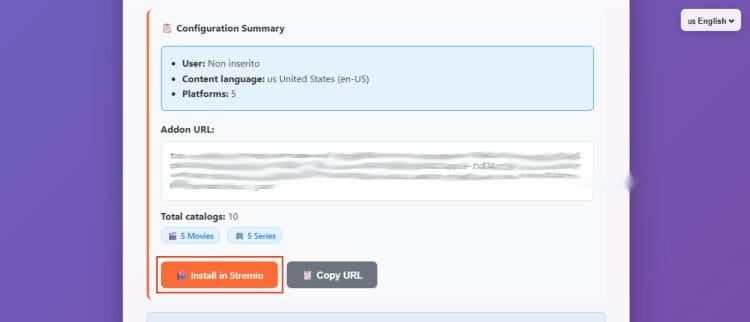
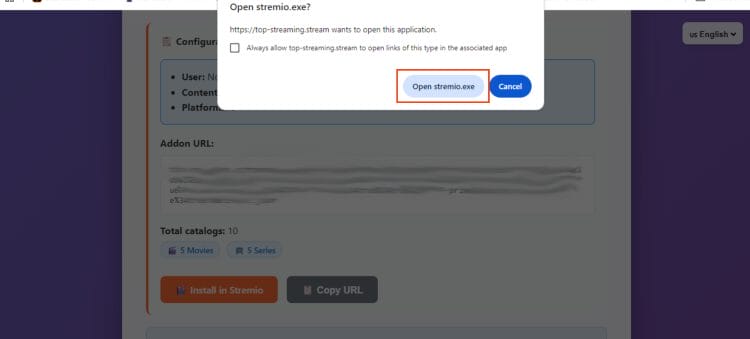
8. View your configuration summary and click Install in Stremio.
9. Select Open in Stremio.exe.
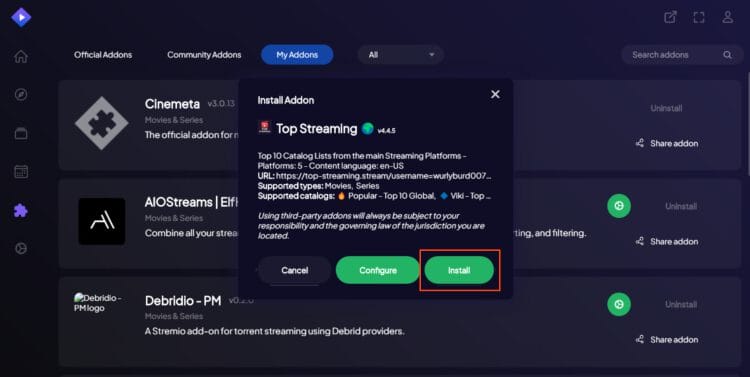
10. Click Install.
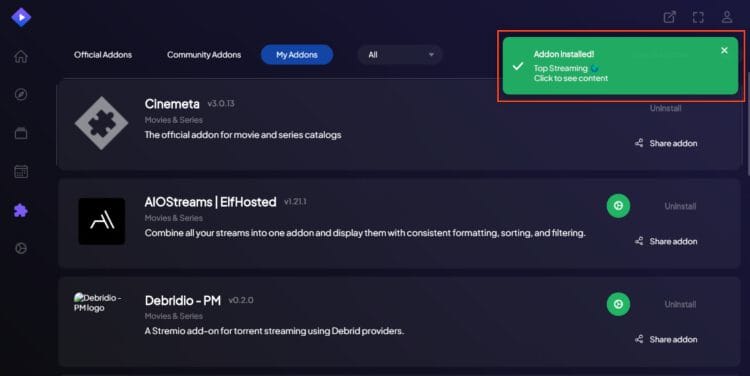
11. The “Top Streaming” addon installed message will appear.
Enjoy!
After you have installed and synced the addon to your media devices (Firestick, Android TV Box, etc.), Top Streaming automatically starts working for you.
When browsing content, you can select your pre-configured lists and see Top 10 from these platforms!
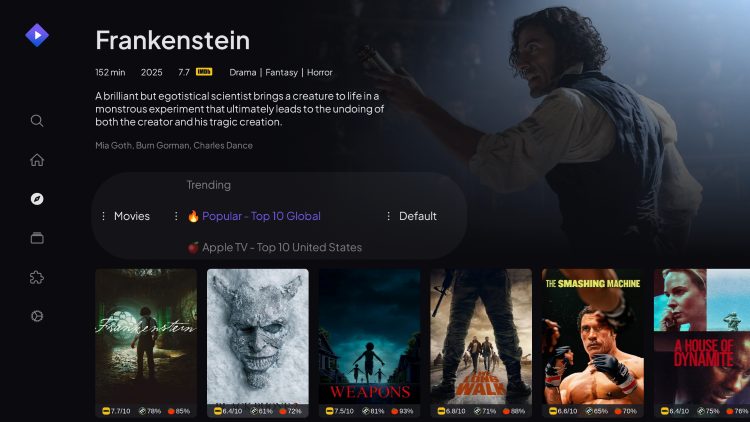
This is a fabulous addition to Stremio as it makes it much easier to find the shows, movies, and more that are popular around the world.
If you install the Top Streaming addon, let us know what you think of it in the comments below!
This page includes affiliate links where TROYPOINT may receive a commission at no extra cost to you. Many times, visitors will receive a discount due to the special arrangements made for our fans. Learn more on my Affiliate Disclaimer page.



© IPTVSub is Proudly Owned by win-design