



 Written by admin
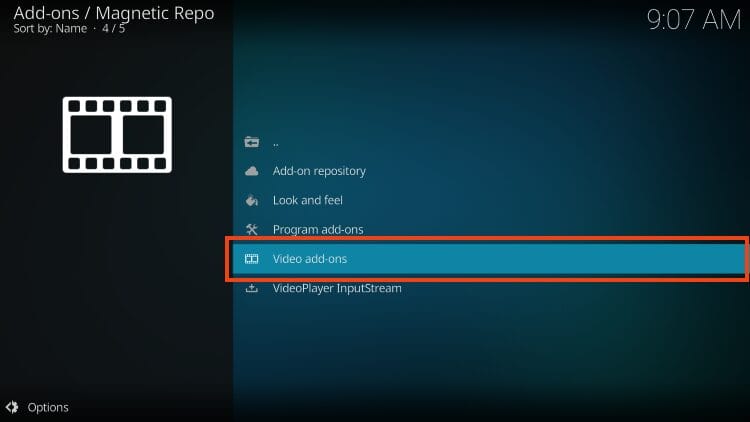
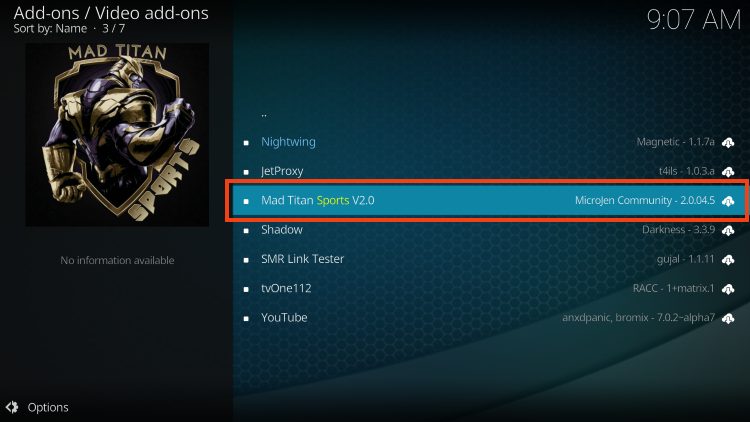
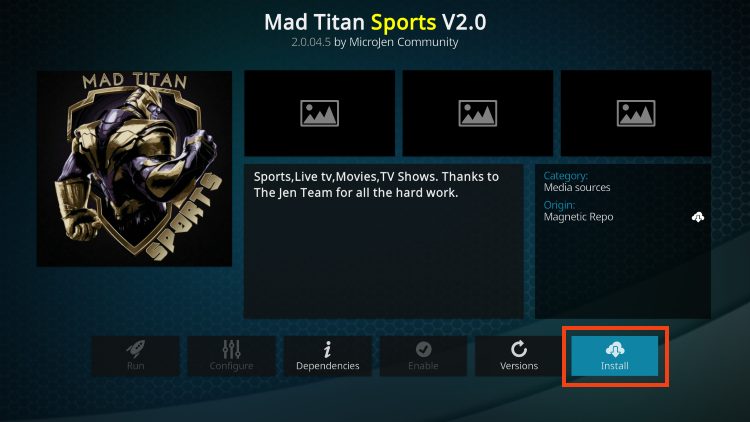
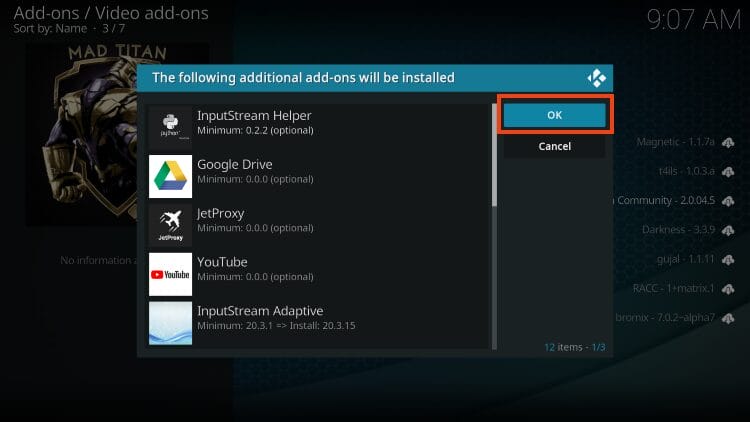
This resource guide covers Mad Titan Sports Kodi add-on with installation instructions on Firestick, Fire TV, Android TV/Google TV, PC, or any Kodi device you prefer.

IMPORTANT NOTE: Many have encountered issues with Mad Titan Sports when attempting to view live events & more. If you are having problems, we suggest using an alternative platform from our list of Live Sports Addons.
Mad Titan Sports is one of the most popular sports add-ons for Kodi users today, providing tons of high-quality content including live sports, TV, Highlights, Replays, and much more. It plays events in high definition with little to no buffering.
It provides real-debrid integration as well as tons of free channels for local news, entertainment, family, and more. Users will also find various VOD Content, including Movies and TV Shows which makes it an all-encompassing streaming platform.
Many consider it one of the top Kodi add-ons available today and we have to agree as there are tons of HD options to choose from in a simple user layout.
In our guide, we are using an Amazon Firestick to access Mad Titan on Kodi. However, these instructions will also work for any Kodi device including Android TV/Google TV, PC, Linux, phone, tablet, and more.
Prior to using Mad Titan, you must first install the Kodi application on your Firestick or Android device. This is one of the steps outlined in our Jailbreak Firestick tutorial.

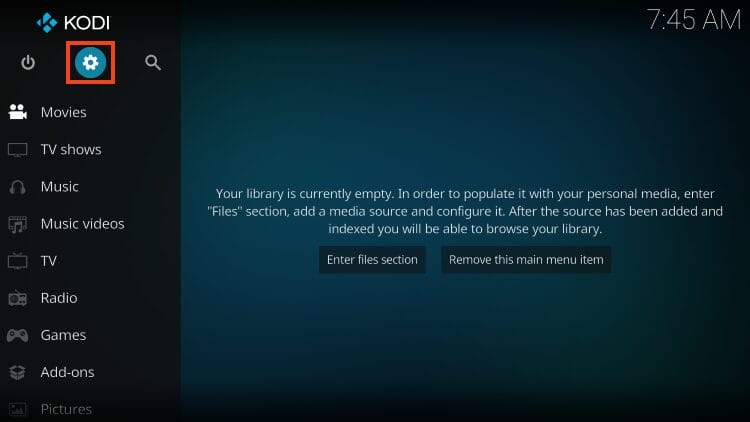
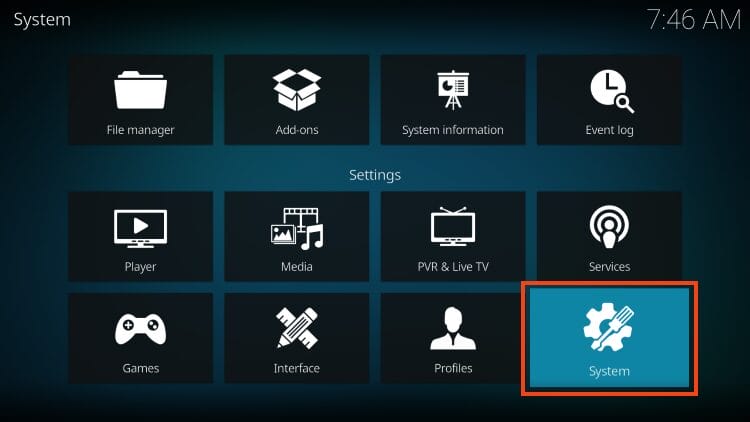
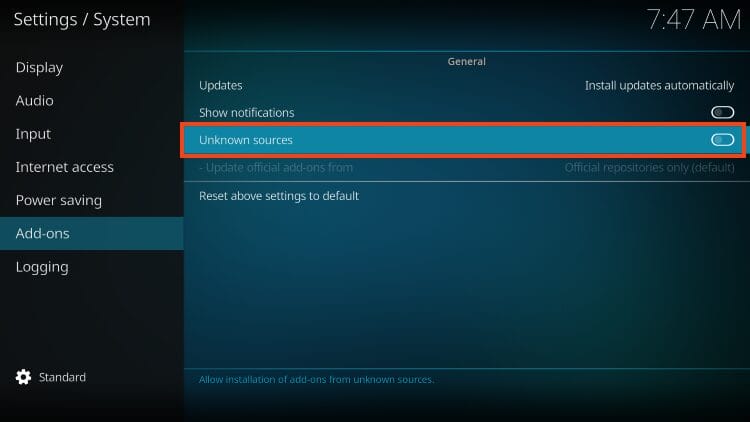
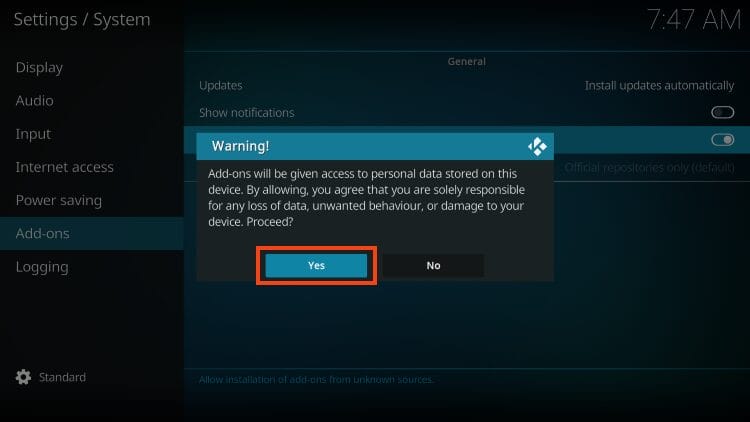
Add-ons will be given access to personal data stored on your device!
This is why it is so important to run our #1 Ranked VPN Provider if you’re going to use a 3rd party addon such as Mad Titan Sports.
A VPN won’t allow these 3rd party addons to gain access to your personal data.
🛑 DON’T SLEEP ON THIS
Surfshark VPN Exclusive DiscountYour online activity is monitored by your ISP, app/addon/IPTV devs, government, and all websites.
🔒 Become anonymous while streaming & downloading with Surfshark VPN
Save 87% with 24-Month Plan + Get 3 FREE Months
Use on Unlimited Devices & Share 1 Account with Entire Family
CLAIM DEAL HERE
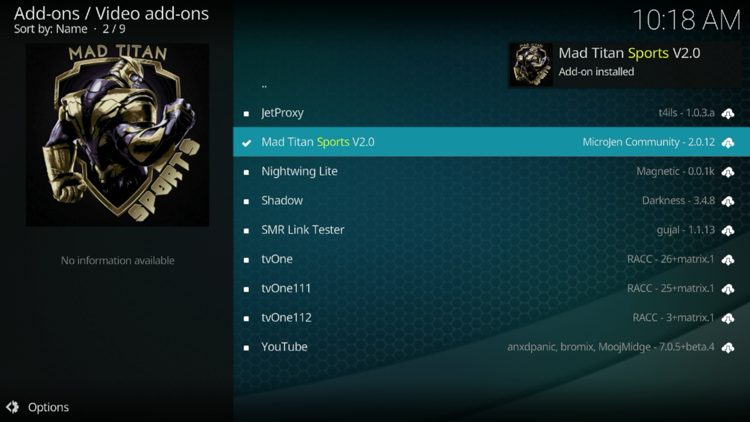
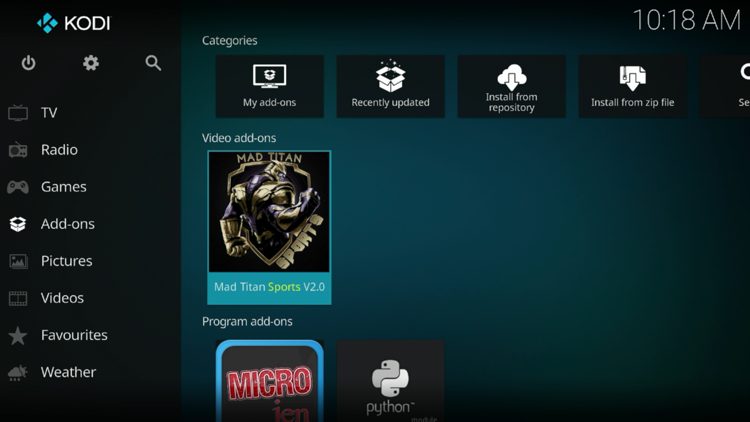
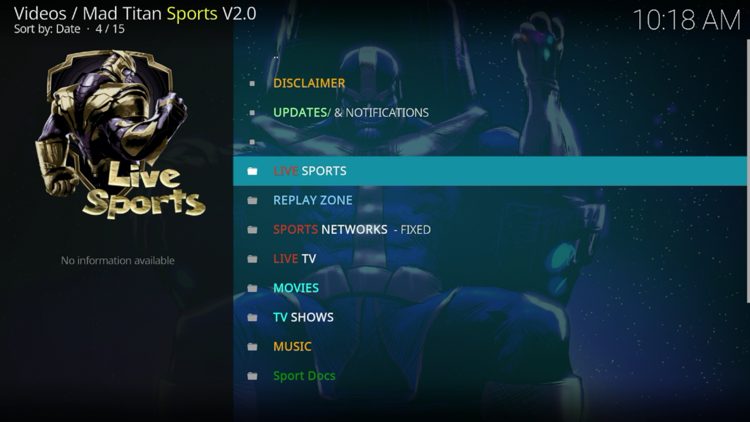
Continue reading for more details and information regarding this add-on.
The Mad Titan Sports Kodi addon encompasses tons of streaming options in one location.
Users can access hundreds of live streams throughout various sports categories. This includes options that are updated daily for baseball, basketball, football, MMA, Soccer, Wrestling, and more.
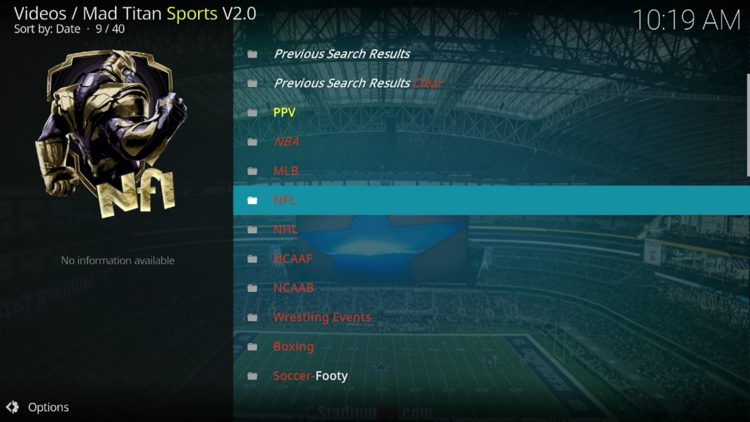
There are also tons of live sports channels that play without buffering. One of the best features of Mad Titan is that most channels have numerous source links so if you find one doesn’t work, simply select another until you are provided with a working stream.
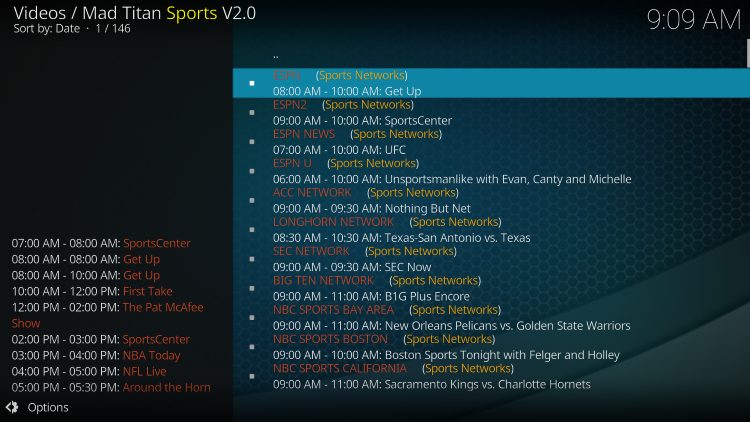
Besides Live sports are also hundreds of Live TV Channels sorted by country and more.
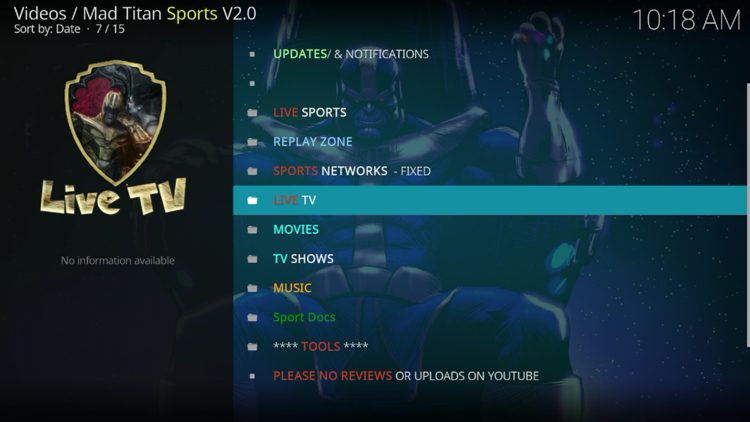
It is important to note that to access many of these channels you will be required to install the JetProxy addon. If you encounter the following message below, simply click Yes and you can view these channels without delay.
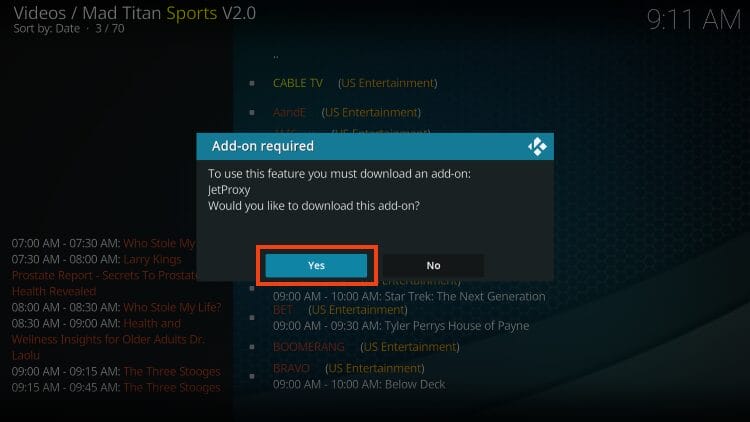
Those looking for Sports Replays will find numerous categories. Many of these play in high definition and are buffer-free.
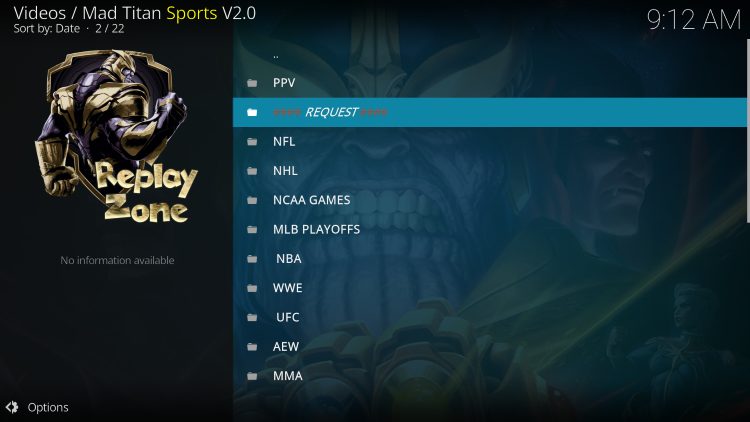
As noted above, Mad Titan is compatible with Real-Debrid which will provide the highest quality links including options for replays which are extremely prevalent in Mad Titan. If you wish to authorize real-debrid, follow the instructions below.
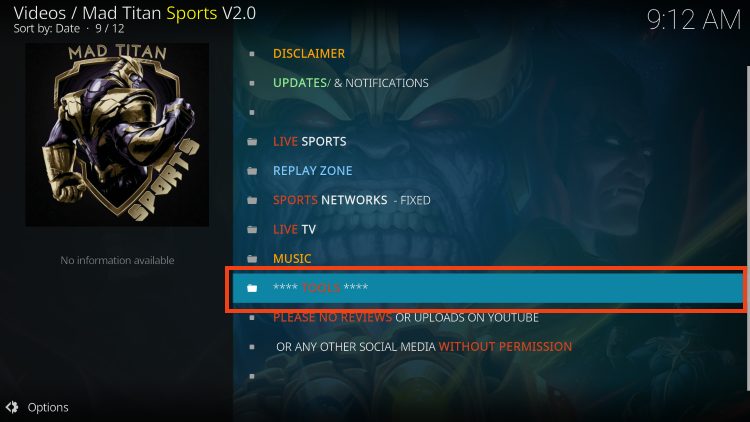
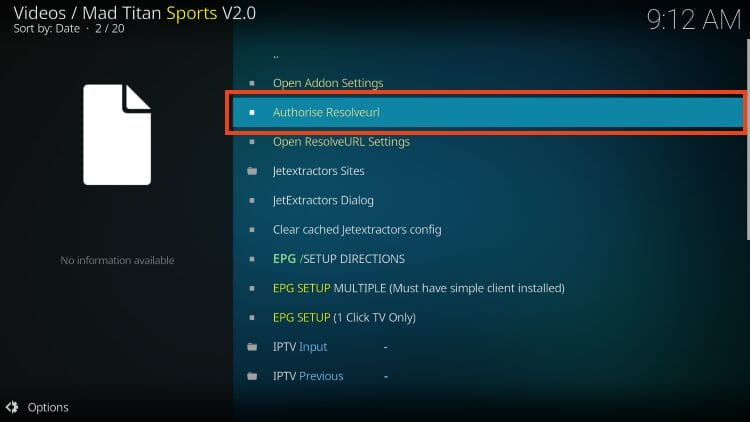
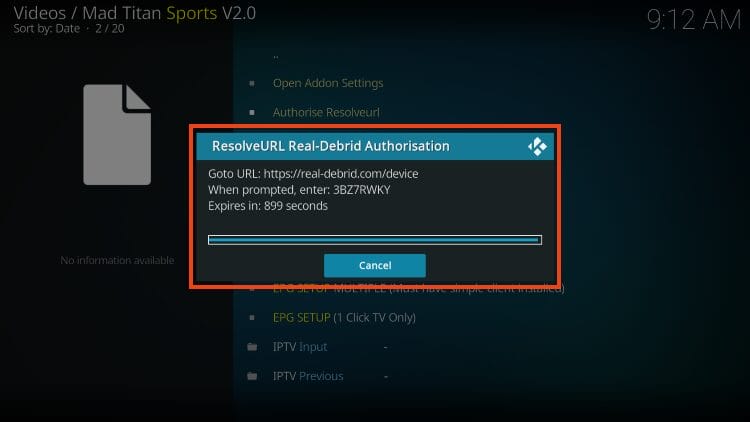
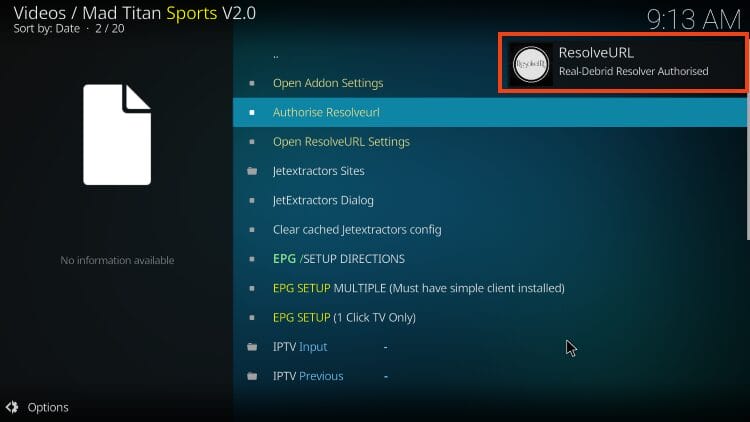
If you are a Trakt user, you can also integrate this service which will keep all your content in sync across various devices and platforms.
Overall, Mad Titan Sports is a fabulous Kodi addon that works fabulously for all of your streaming needs. Give it a try today!
Before using this addon it is important to scan their repository URL with VirusTotal. Here is the screenshot of the scan results.
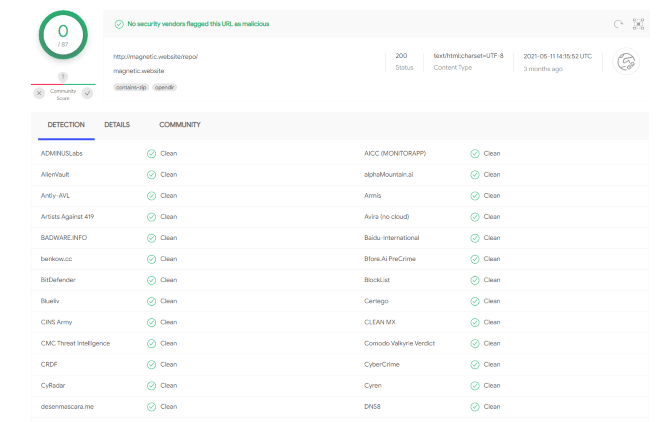
VirusTotal did not find one suspicious file or malware within the Mad Titan Sports repository URL.
However, we should always protect ourselves when streaming content from this unverified 3rd party add-on.
We don’t know who the developers are or the safety of the links being pulled from sports streaming sites.
Kodi even alerts us during setup that these 3rd party Add-ons will be given access to personal data stored on our device.
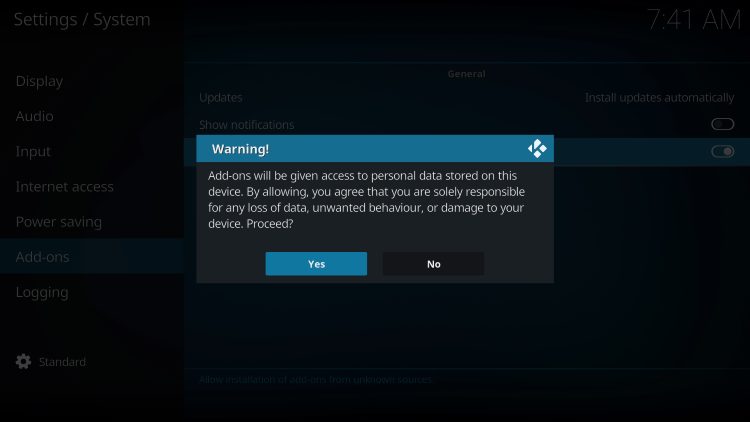
The best way to protect yourself when using Mad Titan Sports is with our #1 Ranked VPN Provider.
A VPN will provide you with an anonymous connection while streaming or downloading while using questionable add-ons such as this.
Install Best VPN on Firestick/Android
It’s impossible for TROYPOINT to determine whether these unverified addons/apps hold the proper licensing.
If and when an add-on is deemed illegal, we notify our users immediately and update reports on our Website to reflect that information.
At first glance, it would appear that Mad Titan Sports is distributing copyrighted works without consent.
Users can always access content that is available for free in the public domain.
Works such as this are not protected by copyright laws and may be downloaded, streamed, and shared without any legal ramifications.
In conclusion, the end-user is responsible for all content accessed through add-ons such as the Mad Titan Sports Kodi Addon.
For verified applications, check out our resource guide below.
This page includes affiliate links where TROYPOINT may receive a commission at no extra cost to you. Many times, visitors will receive a discount due to the special arrangements made for our fans. Learn more on my Affiliate Disclaimer page.




© IPTVSub is Proudly Owned by win-design