


 Written by admin
The following tutorial will show you How to Install and Use Launcher Manager on Firestick, Fire TV, & Android TV.
Launcher Manager is a free tool that allows users to customize their device interfaces with ease.
With its recent updates, this is a must-have app for those wanting to install custom launchers, block updates, disable app blacklisting and more.
This Fire TV exploit will not last long as a future update will likely patch it. Hurry! This won’t last long!
The first tutorial illustrates doing this on an Amazon Fire TV running Fire OS 7 or 8. The second guide shows how to do this on Android TV/Google TV systems.
Important: You must watch the following video in it’s entirety and if you don’t, you will have numerous problems. Also, tap the pause button between each step so you don’t miss important details. The screenshot guide located below this video is for general steps and does not cover the specific details that the video illustrates.
ADB Command noted in video:
pm grant com.wolf.tn android.permission.WRITE_SECURE_SETTINGS
Special thanks goes out to Pro-me3us and Sweenwolf for their work on this!
Visit their XDA Project Page Here
Comments/Questions should be added to discussion area below video on YouTube video page at the following link.
The following screenshot guide is for general steps only and if you don’t watch the above video with details you will have numerous problems. Please use the video above as your primary source and the general steps below for reference after watching the video.
This exploit only works with fire tv OS 7 and 8.
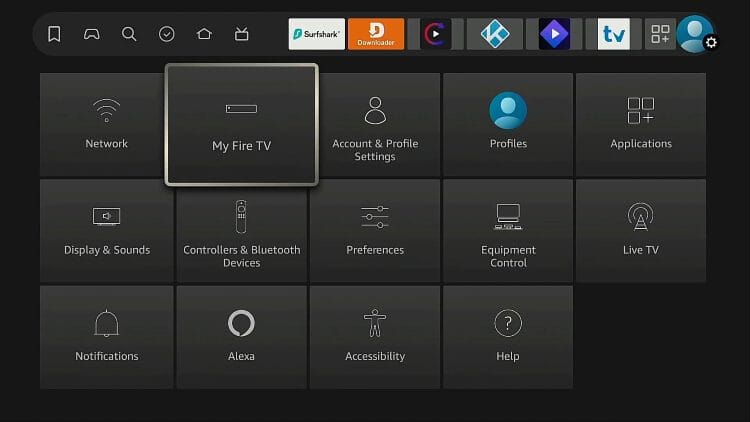
Here’s how to check that you have a compatible system.
1 Hover over Gear icon then click on My Fire TV.
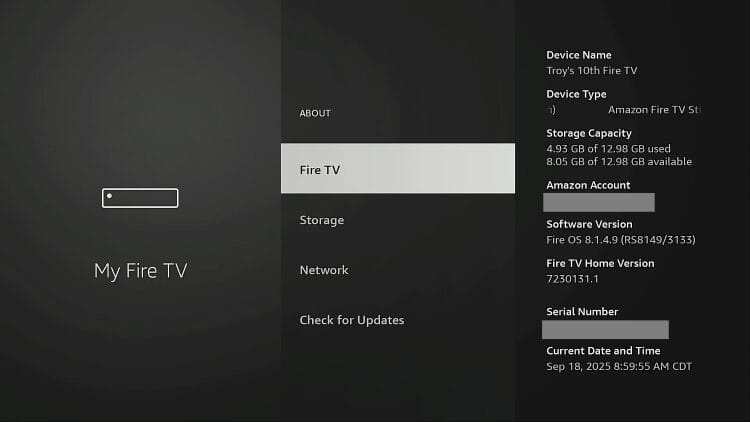
2 Hover over Fire TV and make sure your software version is Fire OS 7 or 8. If it isn’t, this won’t work. If you have anything lower than 7, this hack will not work.
1 Install free Downloader app through Amazon App store.
2 Hover over gear icon and choose My Fire TV.
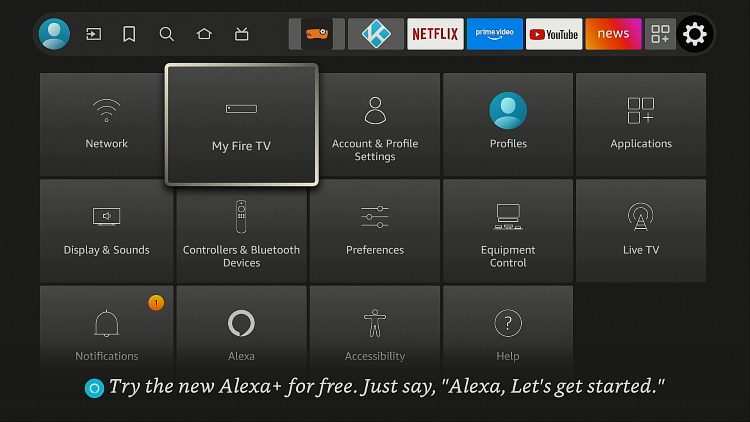
3 Select Developer Options (Note: if you don’t see Developer Options, go into about and click the name of your Fire TV 7 times and that will enable Developer Options on this screen.
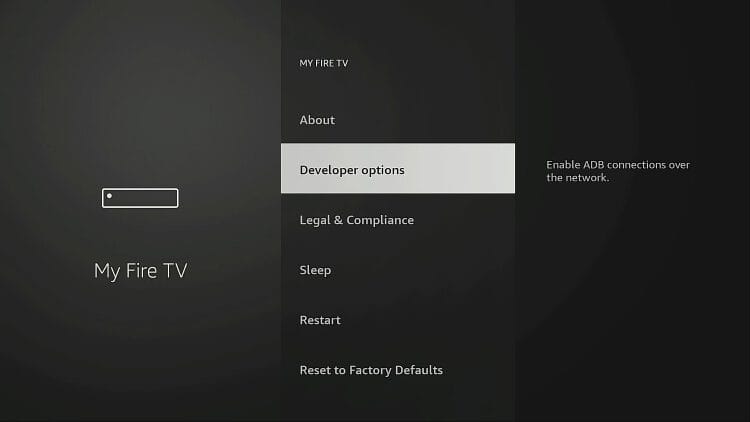
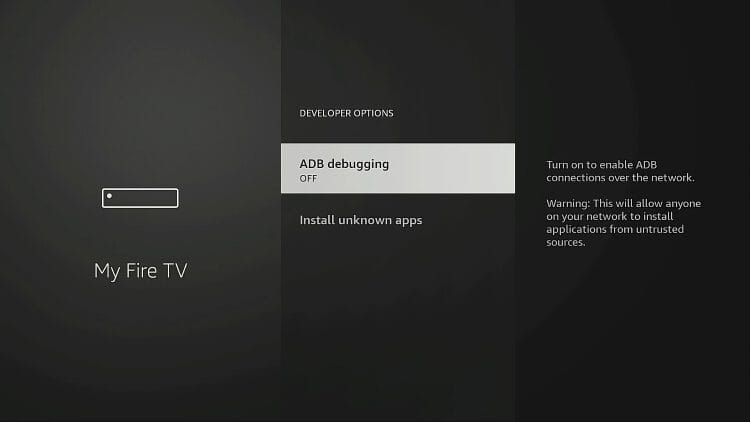
4 Turn on ADB Debugging and allow the network.
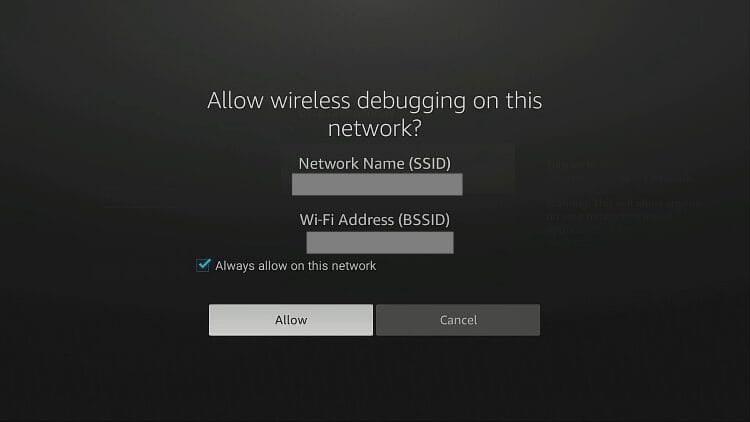
5. If you see this ADB Debugging permission screen, check Always allow on this network and click Allow.
6 Go back to previous screen and choose Developer Options again.
7 Choose Install unknown apps.
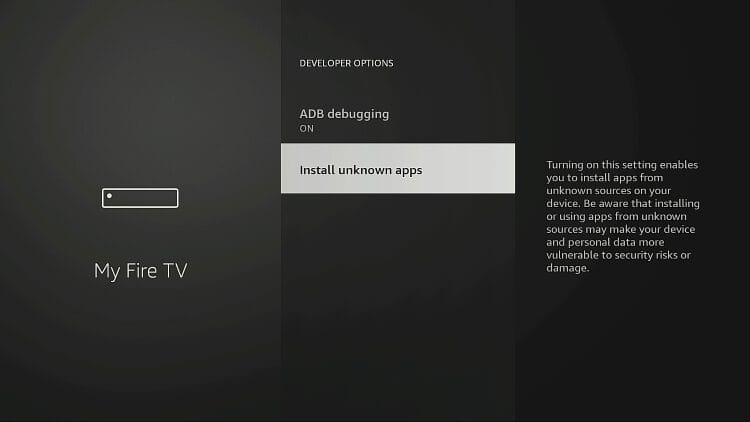
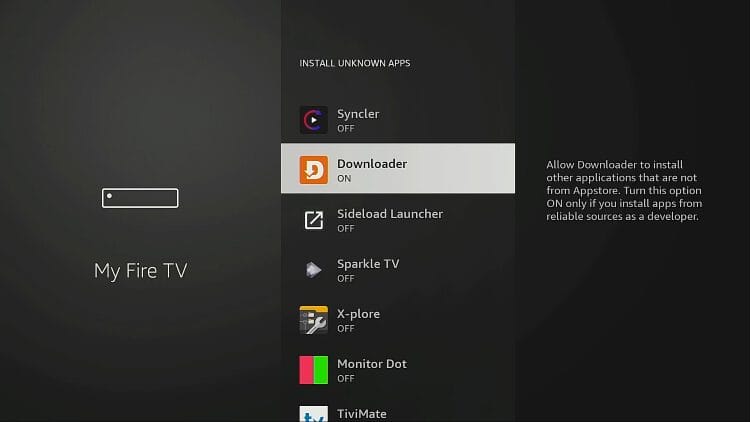
8 Open Install Unknown Apps and make sure that Downloader is turned On.
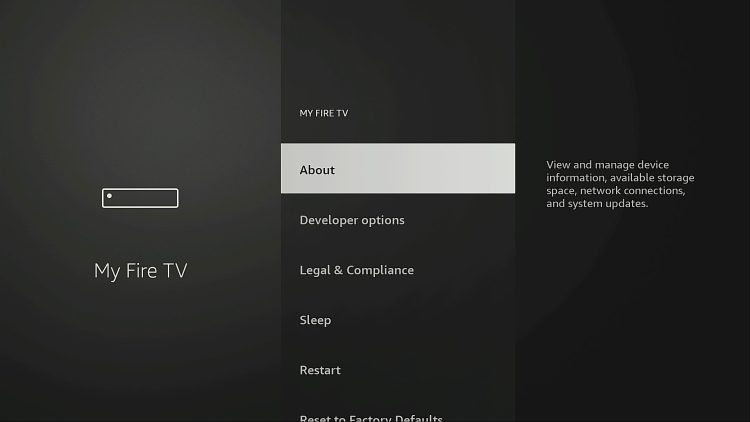
9 Go back into About.
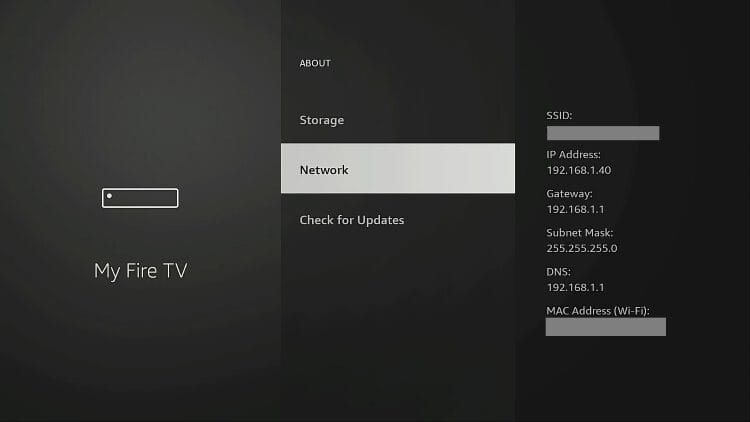
10 Hover over Network and write down your IP Address.
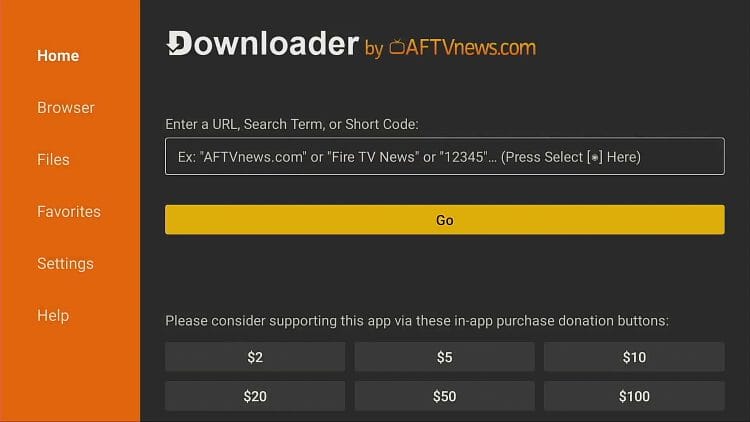
1 Go to the home screen of your Fire TV and open the Downloader App (Note: If it’s your first time using the app, make sure to Allow access to local files).
2 Click on the search bar and enter “250931”. This will take you to the TROYPOINT Toolbox.
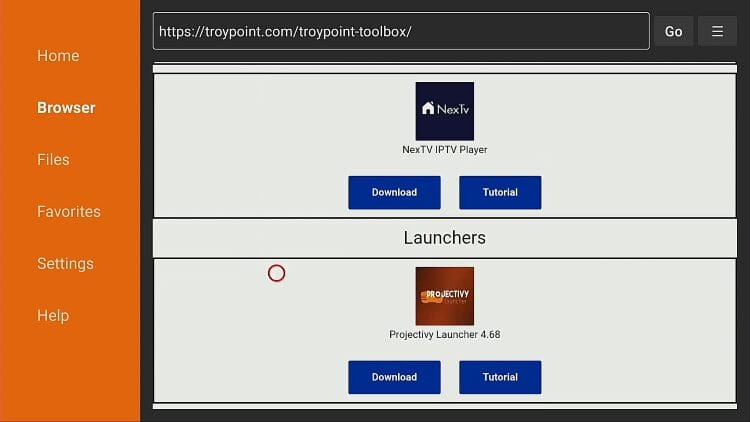
3 Scroll down and select whichever launcher you want and install it. In this tutorial, we are doing Projectivy.
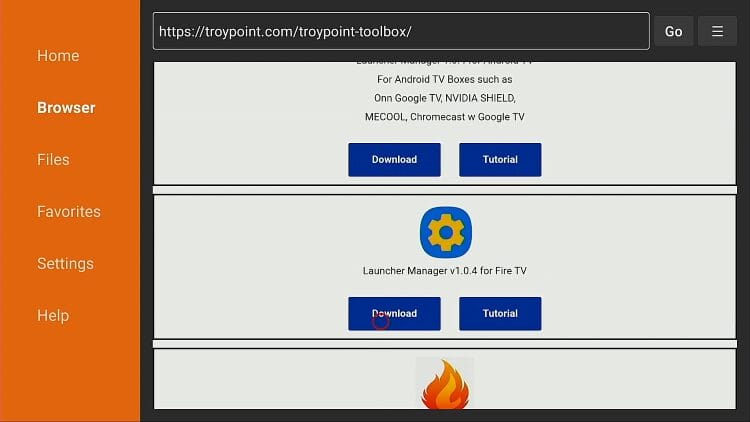
4 Scroll further down and install Launcher Manager for Fire TV (Note: Make sure to choose Fire TV and not Android TV).
This will work on Windows PC, Mac, or Linux.
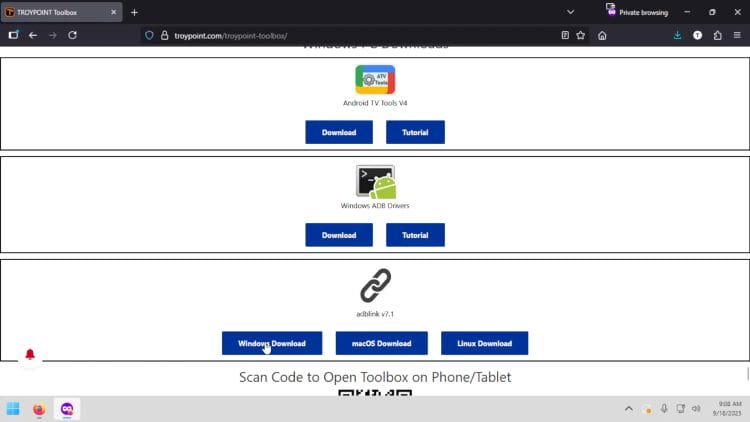
1 Go to the TROYPOINT Toolbox on your PC browser (troypoint.com/tb)
2 Scroll down until you find adblink, and select the download based on your operating system and install the software.
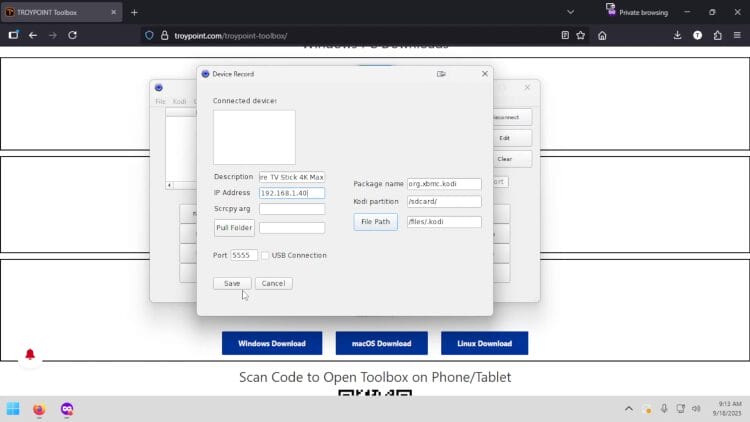
3 After you open the app, click New. Then name the device and put in the IP Address of your Fire TV that you wrote down in previous step and click Save.
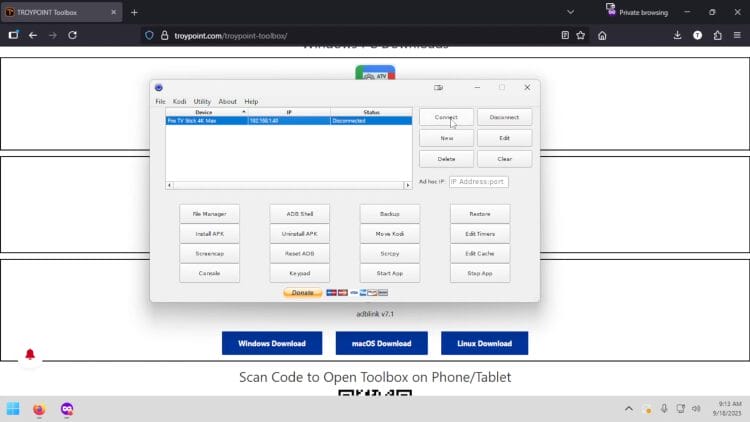
4 You will now see your Fire TV listed. Click on it and select Connect (Note: Make sure your PC and Fire TV are on the same Network).
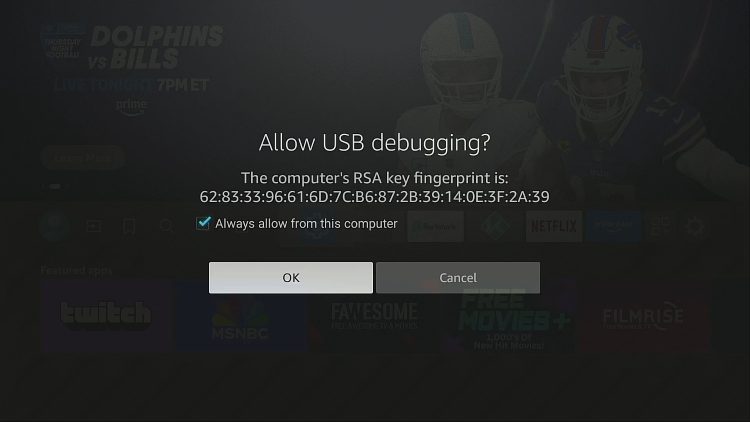
5 If you get this message on your Fire TV, make sure to check the Always Allow box and click OK.
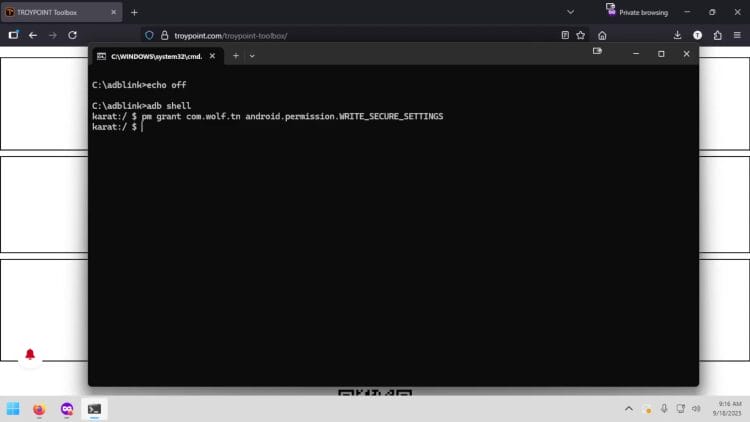
6 Click Console.
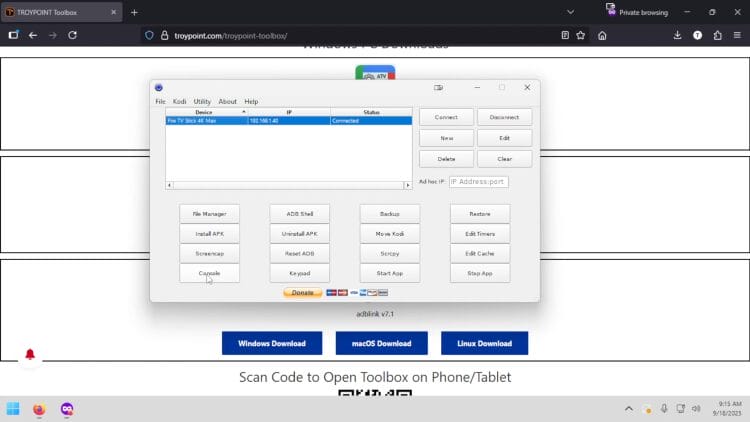
7 Type “adb shell” and click enter. Then copy and paste this ADB command
pm grant com.wolf.tn android.permission.WRITE_SECURE_SETTINGS
Finally, hit enter on your keyboard.
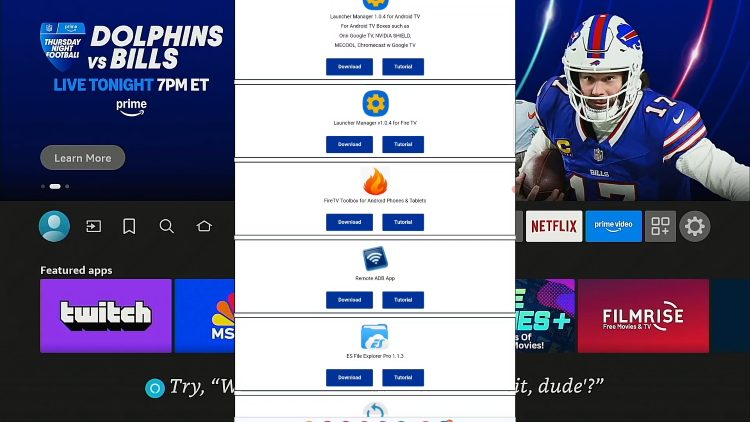
1 Open browser on your device and go to TROYPOINT Toolbox (troypoint.com/tb)
2 Scroll down until you find FireTV Toolbox and click download (Note: Make sure both your phone/tablet and your Fire TV are connected to the same network)
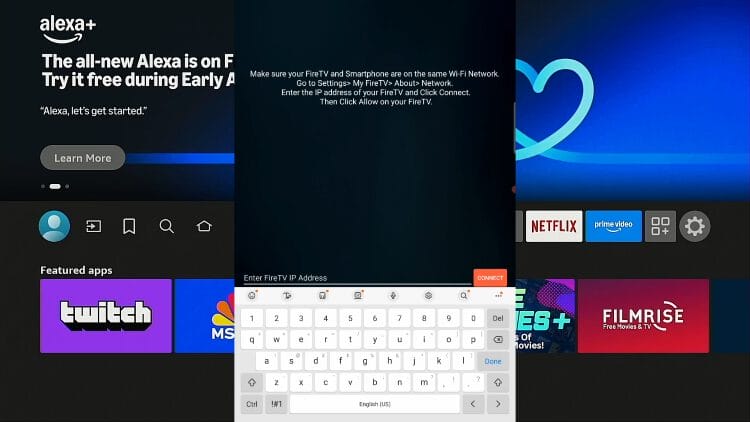
3 Open the app and click on the text box at the bottom and enter the IP Address of your Fire TV that we wrote down in earlier step, and click connect.
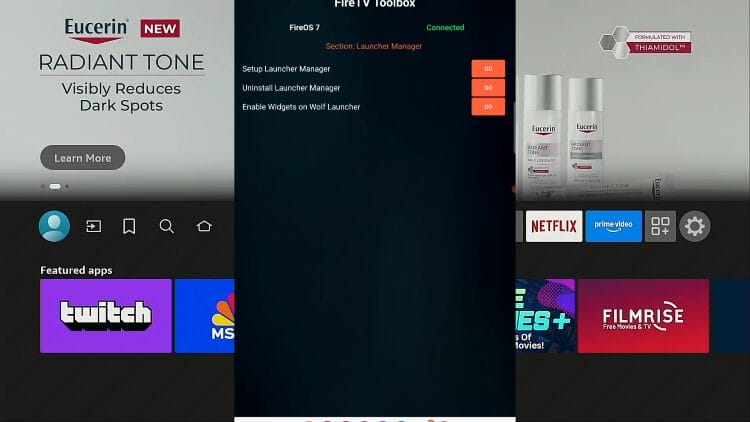
4 Click the GO button to the right of “Setup Launcher Manager”
1 Launcher Manager may automatically open after sending ADB command and if it doesn’t, go ahead and launch it now.
2 Disable OTA Firmware/App Updates.
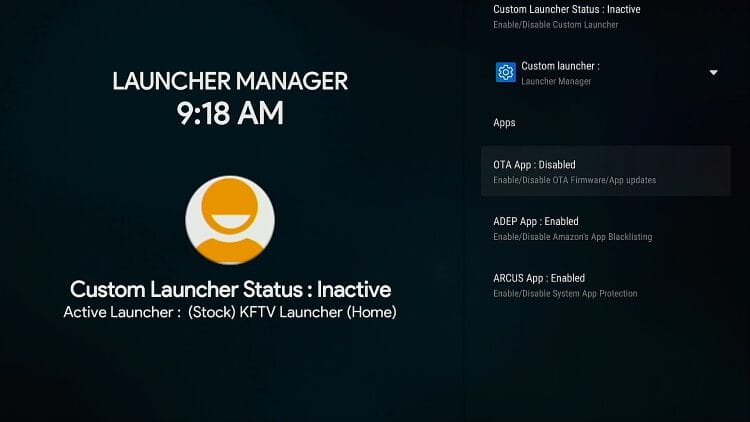
3 Disable Amazon’s App Blacklisting.
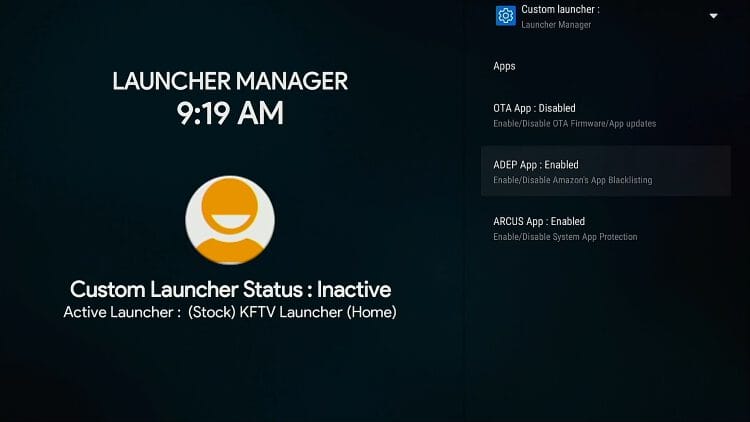
4 Disable System App Protection.
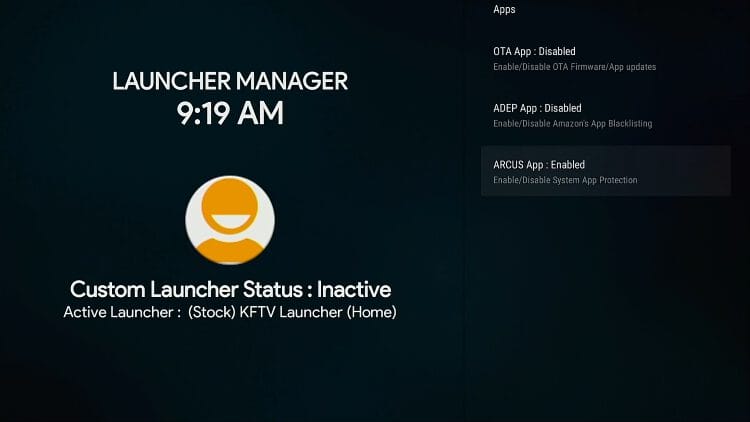
5 Go up and Select the Launcher that you installed in earlier step.
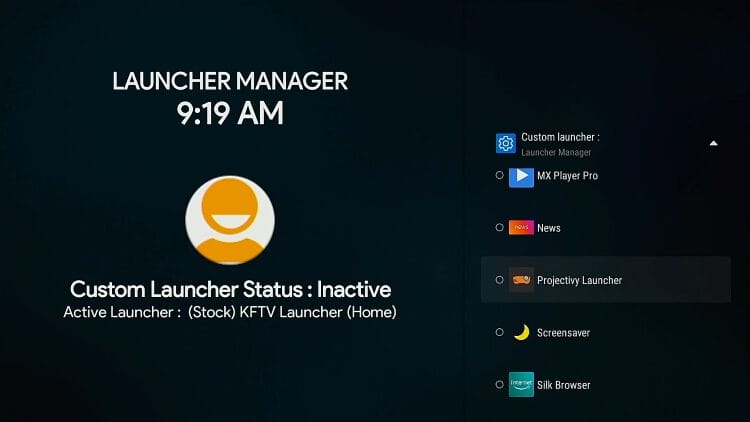
6 After selecting your launcher, go up one and activate your custom launcher.
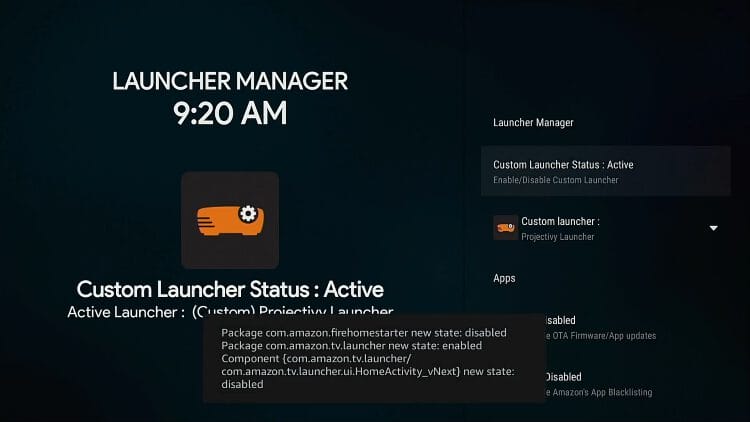
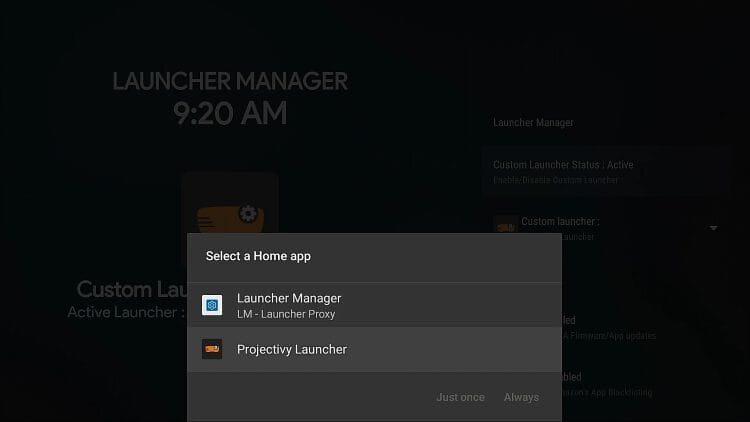
7 Click the home button and you will be asked what launcher you want to set as default. Select the launcher you chose earlier.
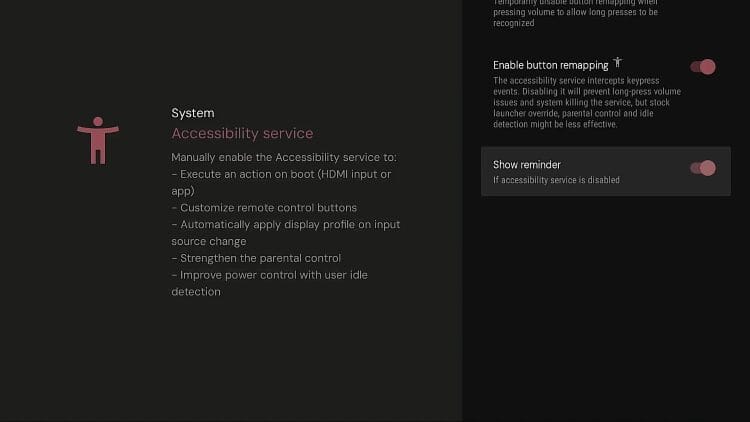
8 In order to Disable the accessibility message in the bottom of the launcher, click the gear icon in top right corner of screen, Projectivy launcher settings, accessibility service, and disable show reminder.
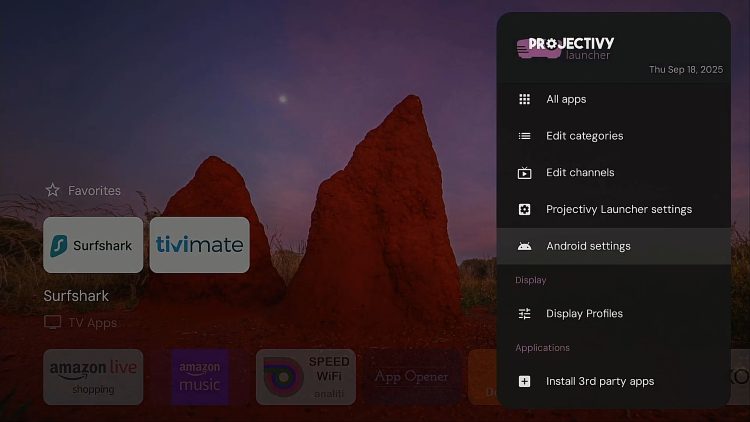
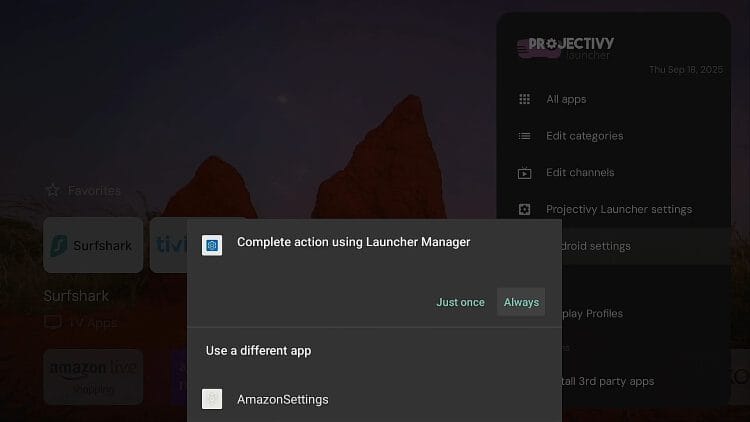
13 To get to the android settings in Projectivy, click the gear icon, click on android settings.
14 When asked Complete action using, you will want to choose Launcher Manager.
Comments/Questions should be added to discussion area below video on YouTube video page at the following link.
Launcher Manager is no longer needed on Android TV/Google TV when using Projectivy as you can set the default launcher within settings.
If using a different launcher you may install Launcher Manager through the TROYPOINT Toolbox and choose the launcher within that application that you want to set as your default launcher.
New video and screenshot guide for Android TV/Google TV coming soon…
This page includes affiliate links where TROYPOINT may receive a commission at no extra cost to you. Many times, visitors will receive a discount due to the special arrangements made for our fans. Learn more on my Affiliate Disclaimer page.



© IPTVSub is Proudly Owned by win-design