


 Written by admin
The following tutorial shows how to install Rapid Streamz APK on Firestick, Android TV, Google TV and any other device you may use.
The guide below provides installation instructions for Rapid Streamz on an Amazon Firestick 4K which is one of the most popular media devices available due to its affordable price and ease of jailbreaking.
Those of us who prefer Google/Android Boxes can also follow these instructions as they work perfectly on all of these devices, as well as mobile phones/tablets with Android OS.
Rapid Streamz is a reliable free IPTV application that provides hundreds of live channels in various categories.
It serves up tons of channels that play with little to no buffering, including live sports such as baseball, football, soccer, cricket, basketball, MMA, and more.
Unlike other popular media apps, users will also find Live TV options available with channels for numerous countries such as the USA, UK, Pakistan, South Africa, and India.
Many enjoy the built-in guide/schedule that is updated daily with live feeds for sports streaming without an expensive subscription package.
Make sure to follow our installation guide thoroughly with includes details for adding an external video player for buffer-free playback.
Before installing and using this APK, the first thing we need to do is activate a trustworthy VPN on your media device.
A VPN will protect our identity for unverified streaming apps in which we do not know who the developer is and what they may do with our data.
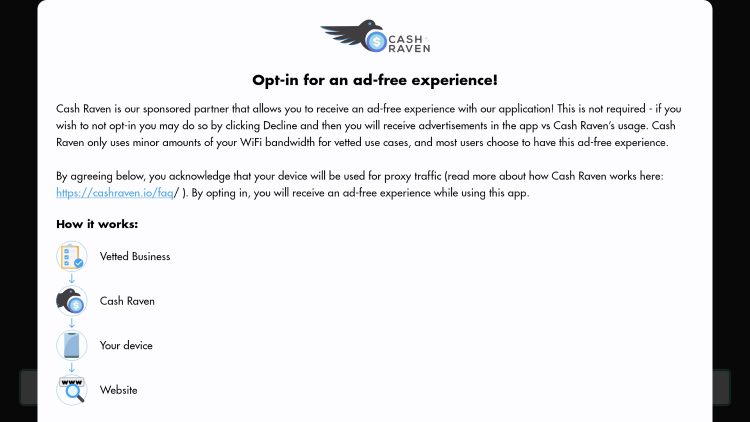
This is extremely important for these 3rd party apps and Rapid Streamz is no exception. There is even a warning notice stating your IP & Bandwidth will be collected when using this APK.
Protect your sensitive data with a trusted VPN Provider!
As noted above, there is no way of knowing exactly who the developers of these apps are and therefore, we should proceed with caution.
As we usually do, we scanned this APK file with VirusTotal, a virus/malware checker and the screenshot of this scan is pictured below.
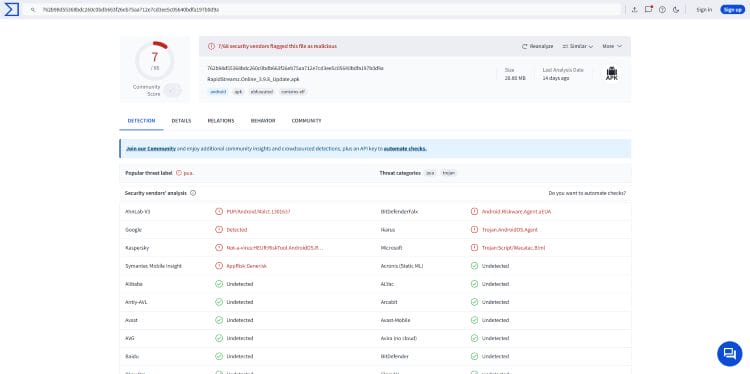
Unfortunately, it appears as though there are several malicious/suspicious files associated with this APK which seem to be malicious.
This is yet another reason why we should use a VPN with these services and our #1 VPN Provider has a built-in CleanWeb feature that blocks malware AND advertisements on any device.
If you are going to install and use Rapid Streamz, make sure you have your VPN connection enabled!
There are a few steps to installing this app on your device. Although we are using a Fire TV Stick Max 4K, these instructions can also be followed on any Google or Android TV Box that have become increasingly popular.
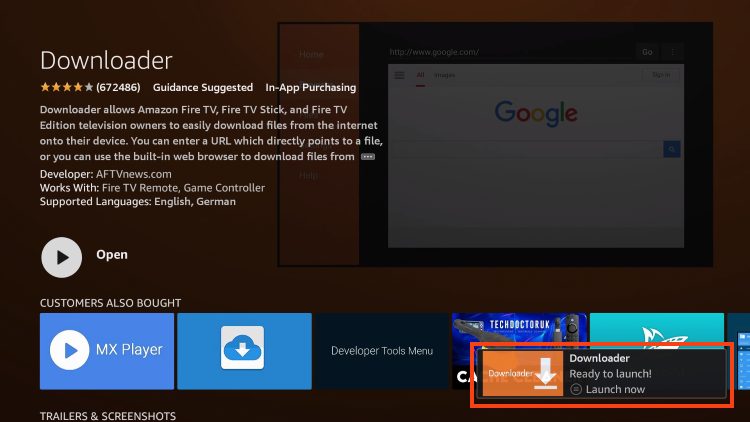
1. Open the search bar for the Amazon App Store or Google Play Store, depending on your device.
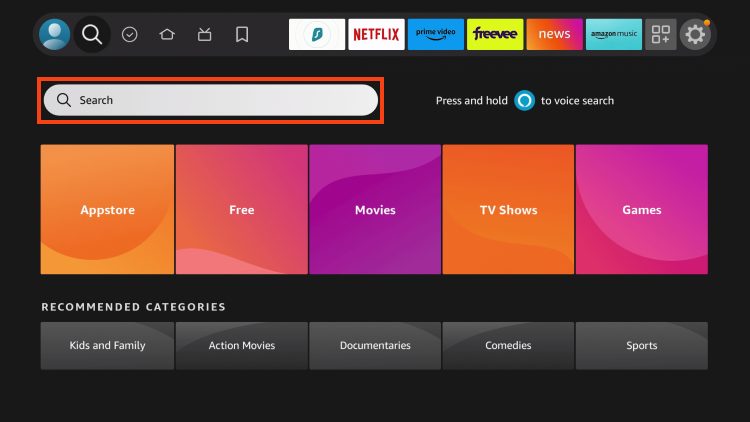
2. Type Downloader.
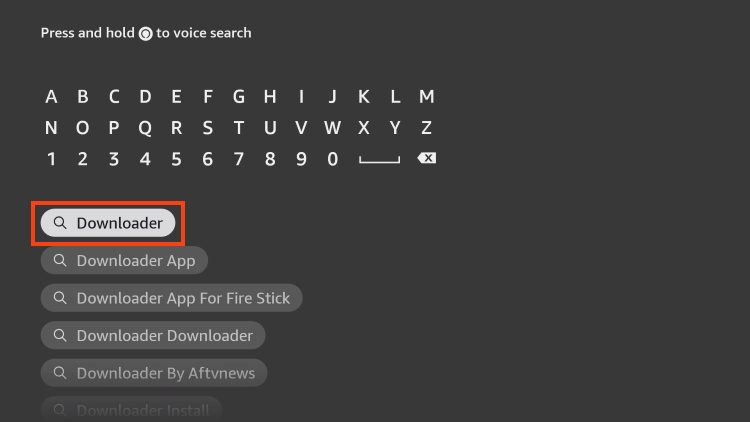
3. Choose the Downloader app.
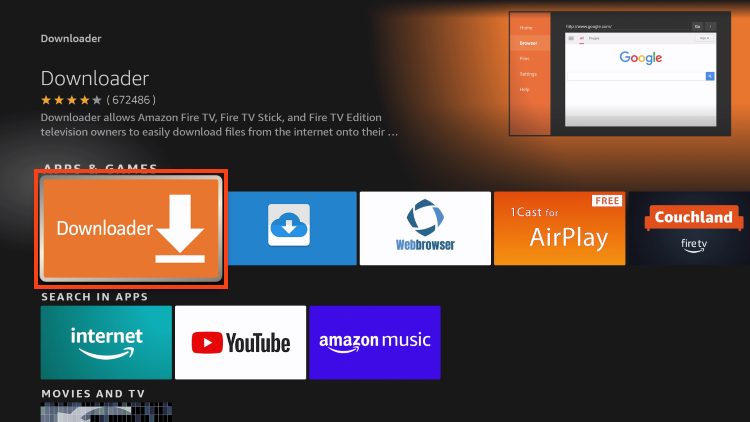
4. Download this app.
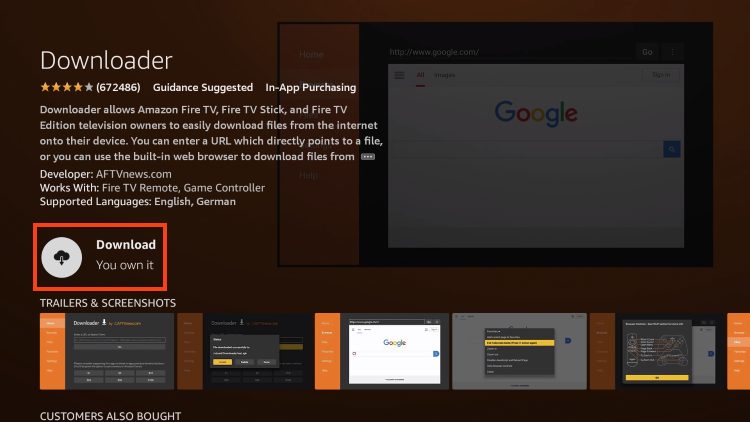
5. Wait for the app to install.
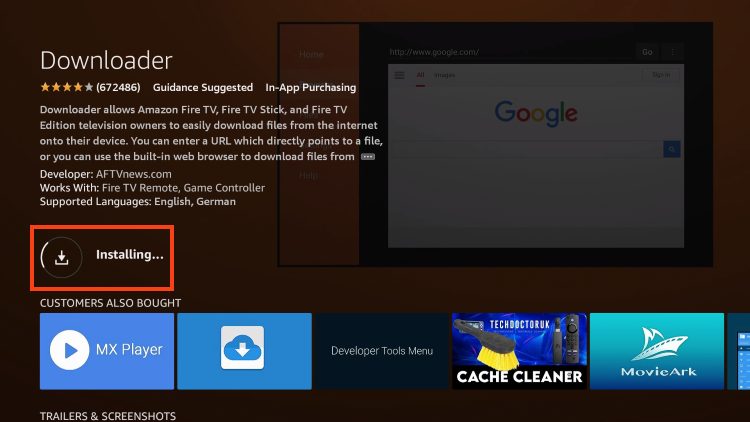
6. In the bottom right corner, the Downloader Ready to launch! message will display notifying you that installation is complete.
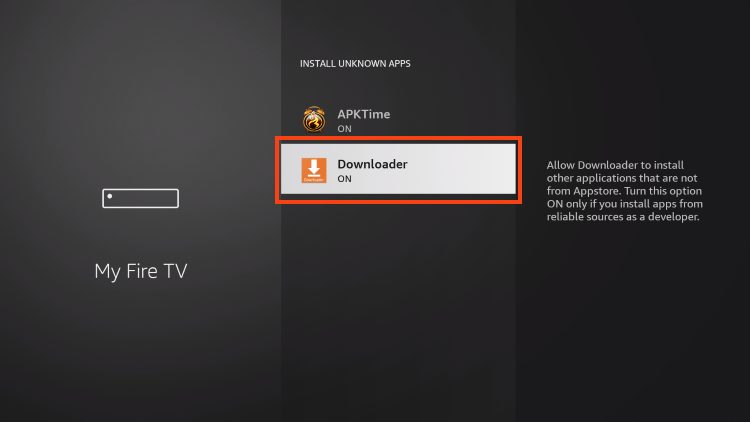
Before continuing, you must also enable Unknown Sources for the Downloader App which you can find in Settings.
After preparing our device, we can now “sideload” the application in just a few steps.
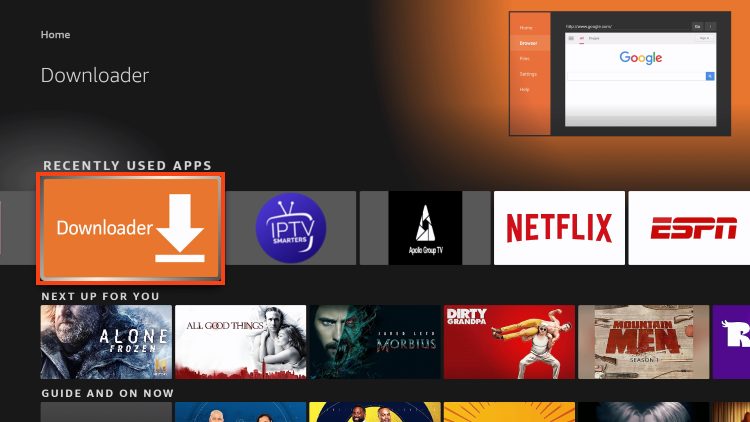
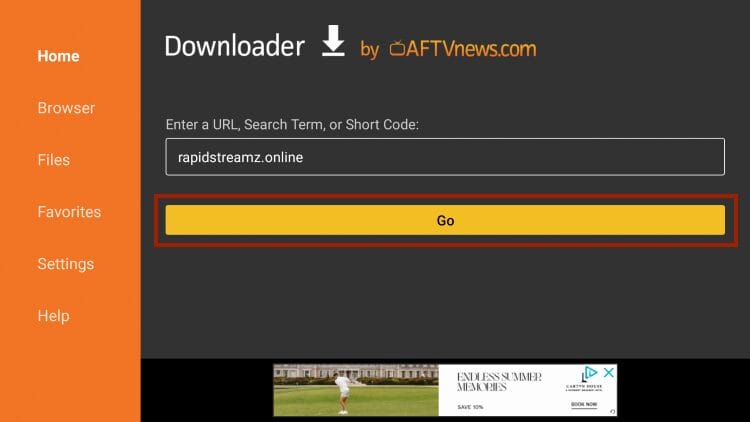
1. Open Downloader.
2. Launch the URL Bar to open the keyboard.
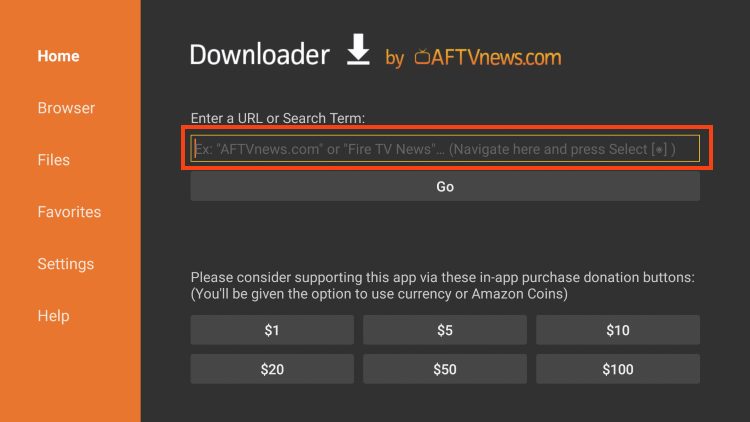
3. Type rapidstreamz.online and click Go.
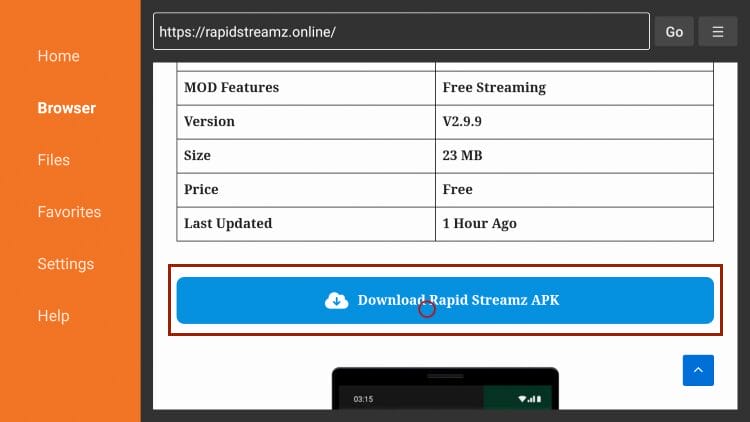
4. Scroll down and select Downland Rapid Streamz APK.
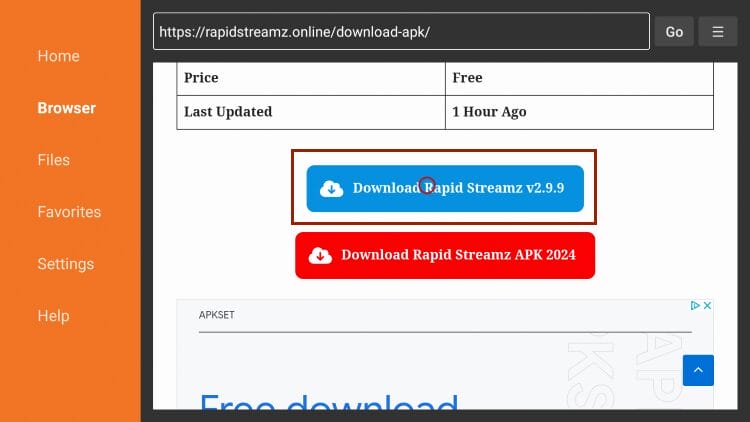
5. Again, choose download APK.
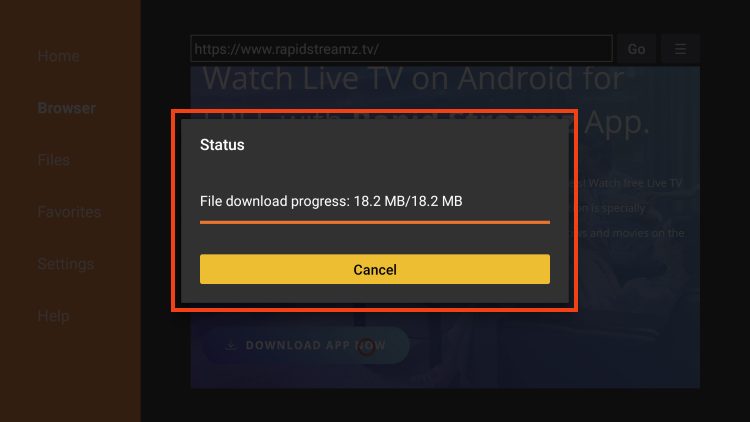
6. The file will begin to install.
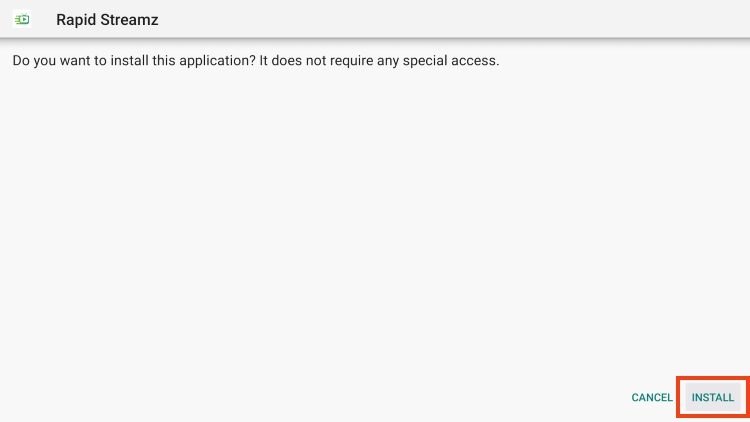
7. Click Install.
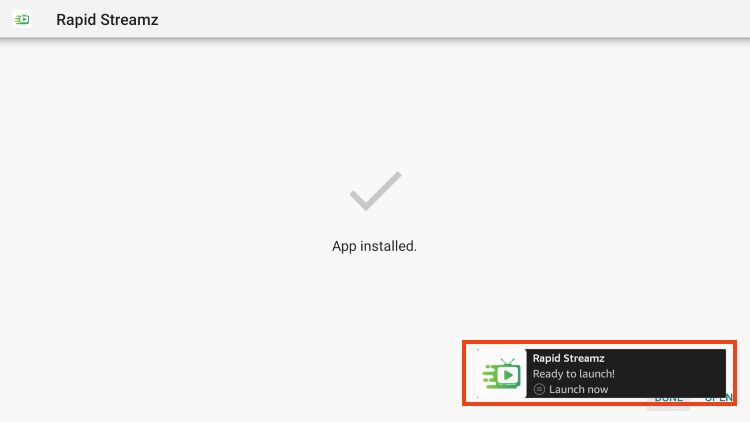
8. You will then encounter a Ready to launch message!
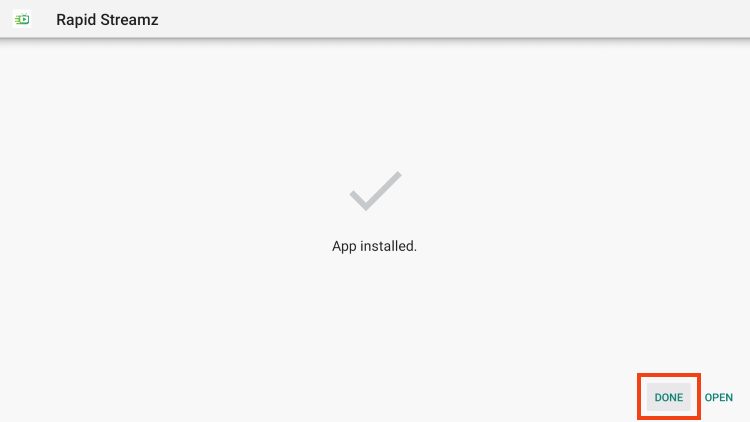
9. Click Done.
10. This brings us back to the download status page where we will click Delete.
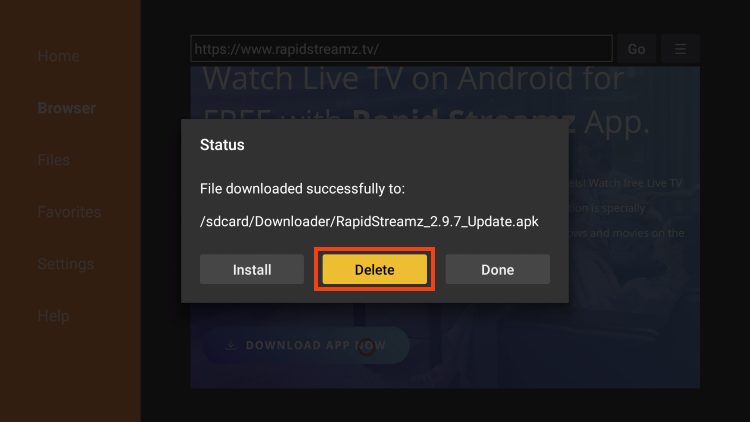
11. Choose Delete again.
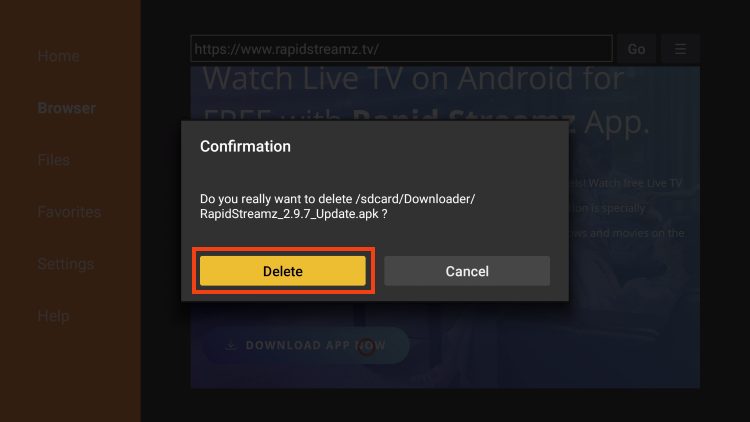
Installation of Rapid Streamz is now complete! However, we have not finished yet as we must also install a video player as shown below.
Rapid Streamz requires a video player to stream content. We suggest using MX Player to reduce ads and buffering which we can easily install using the following steps.
1. Return to Downloader and click the URL bar.
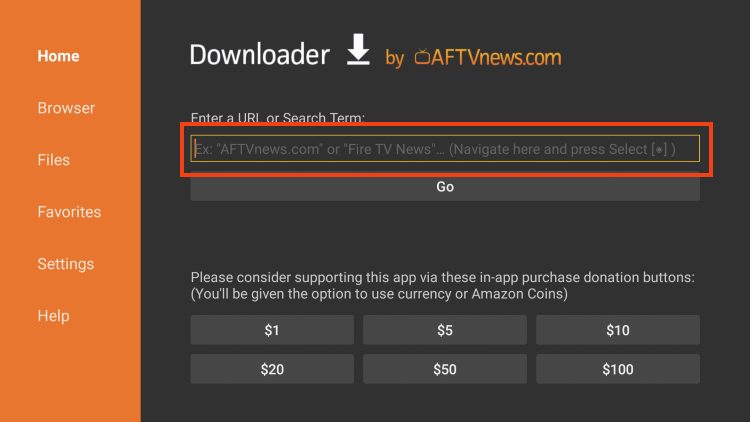
2. Enter the Downloader Code for the TROYPOINT Toolbox, 250931, and click Go.
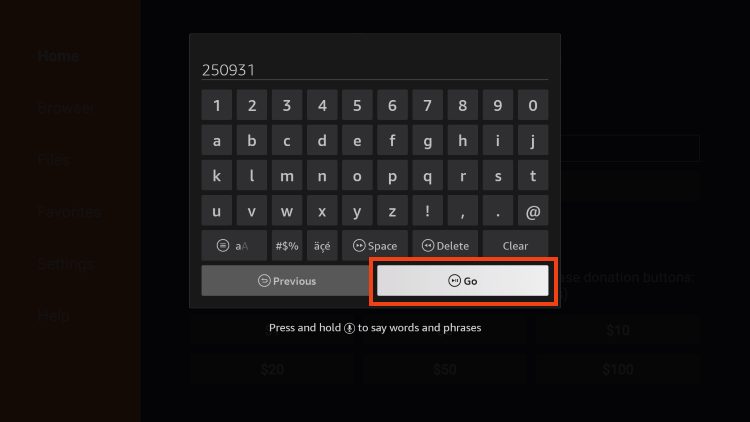
3. You will then encounter a Redirect Page.
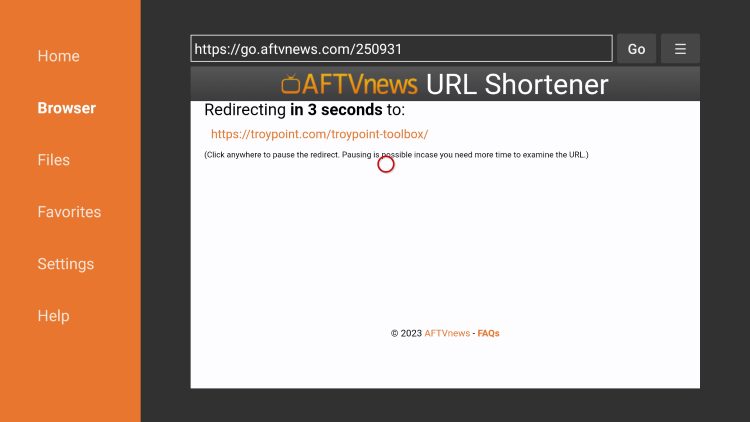
4. We are now within the TP Toolbox.
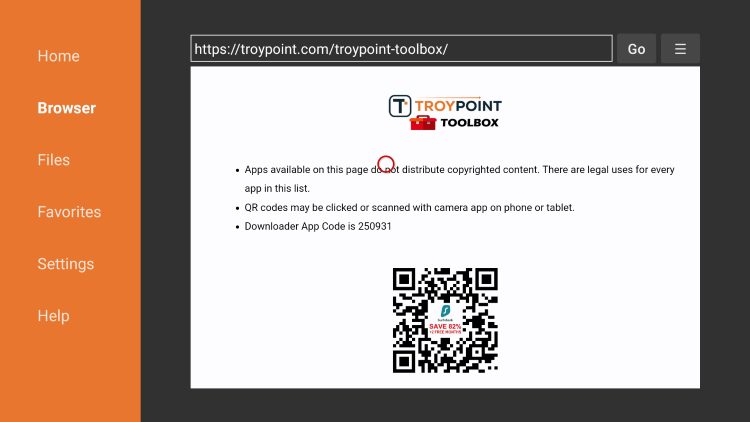
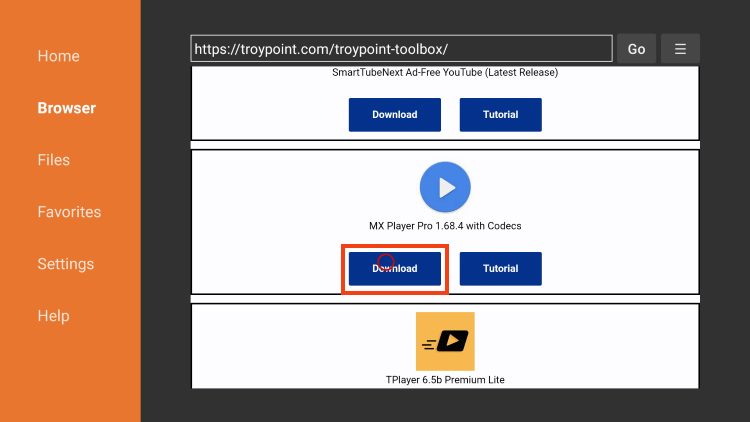
5. Scroll down to find MX Player and click Download.
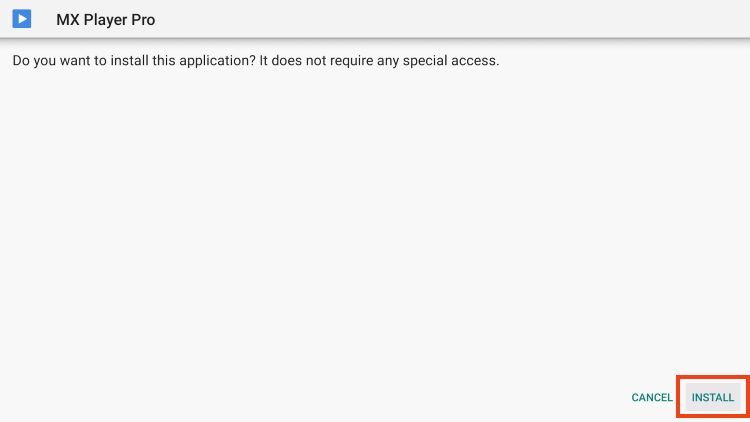
6. Select Install.
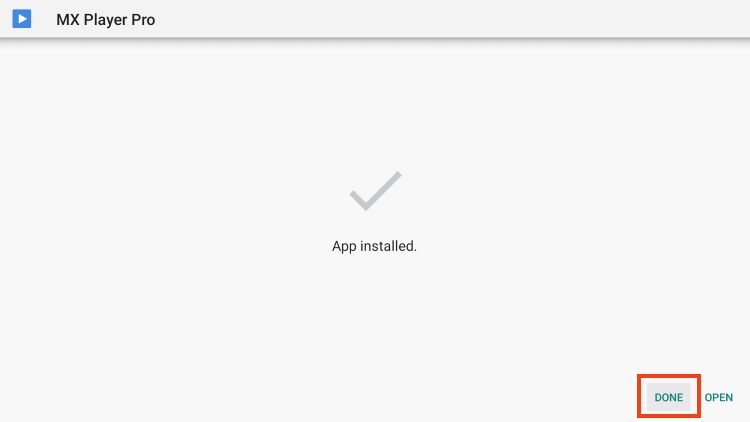
7. Installation success message will appear.
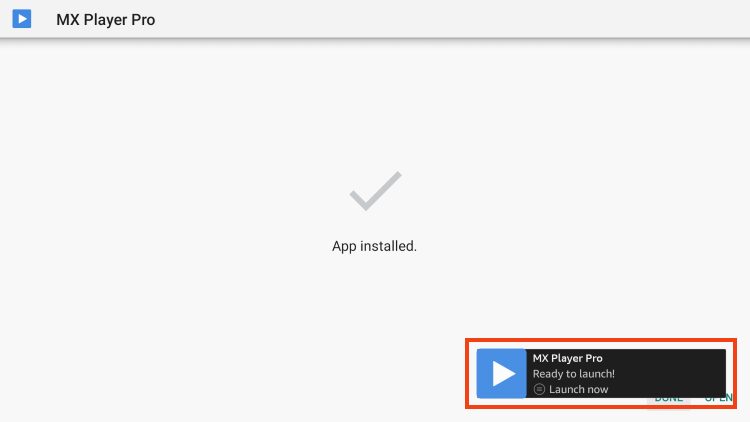
8. Click Done.
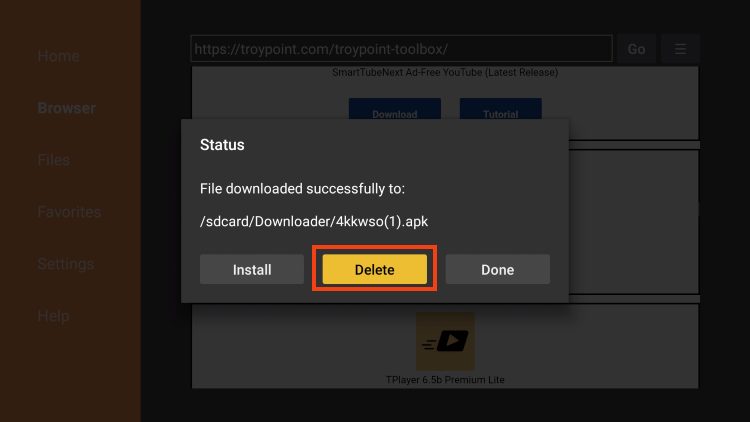
9. Click Delete.
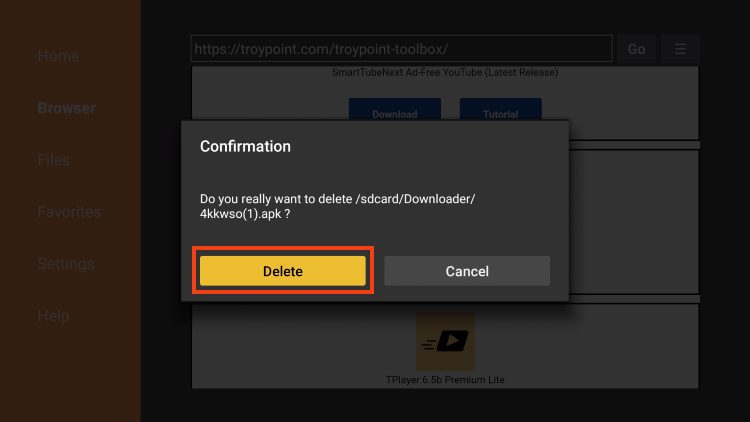
10. Click Delete again.
11. Launch MX Player and click Allow.
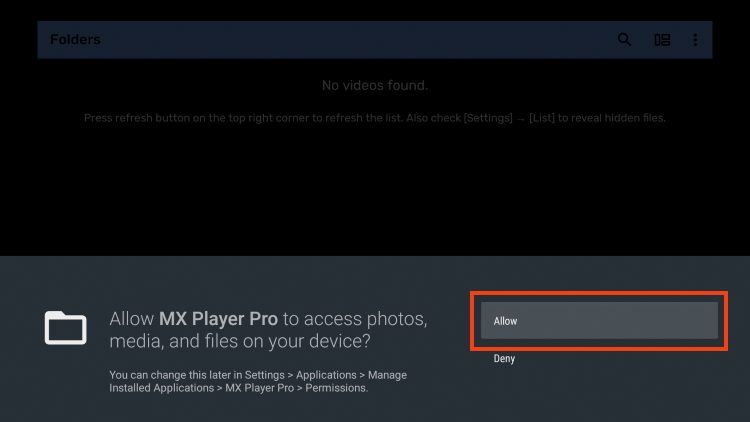
We can now integrate MX Player within this app for use.
Follow the steps below to set up Rapid Streamz including initializing MX Player for use.
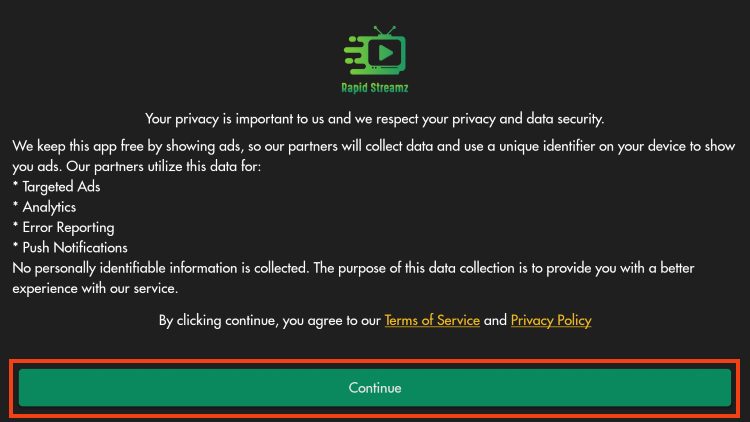
1. Launch Rapid Streamz and select Continue.
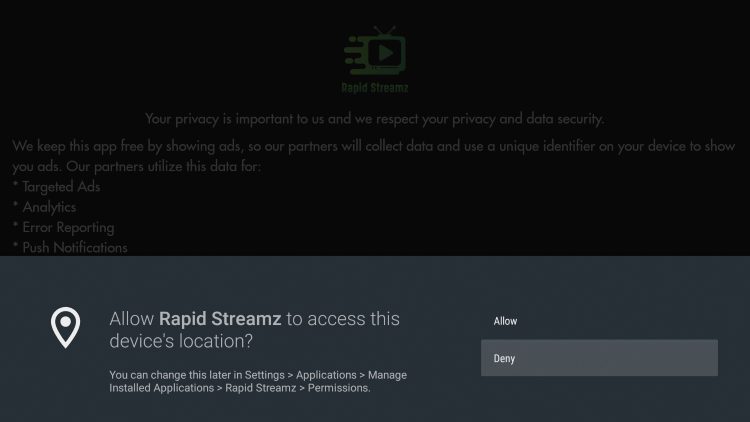
2. Choose Allow or Deny.
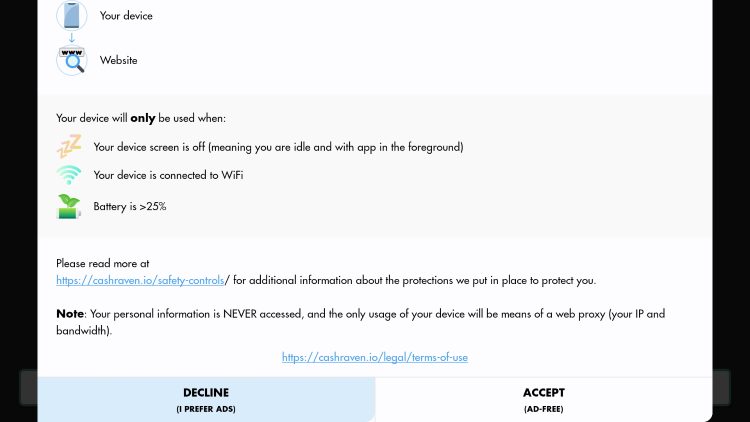
3. You will then see the Cash Raven message for ad-free streaming within Rapid Streamz.
4. Choose Decline or Accept.
NOTE: If you choose to Accept Cash Raven for ad-free Rapid Streamz, a VPN is pretty much a must to ensure your data is safe.
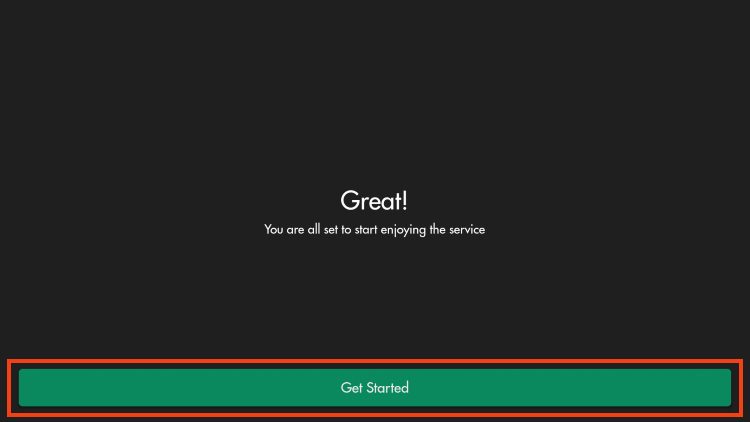
5. Click Get Started.
6. Click the Menu option in the upper left-hand corner of Rapid Streamz and select Settings.
7. Choose Video Player.
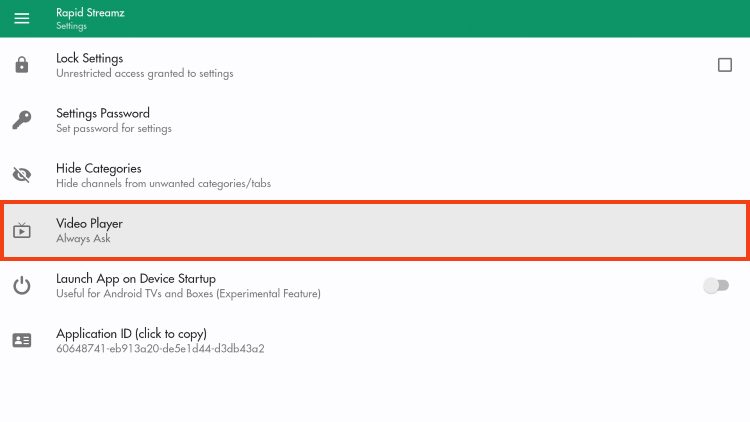
8. Select MX Player.
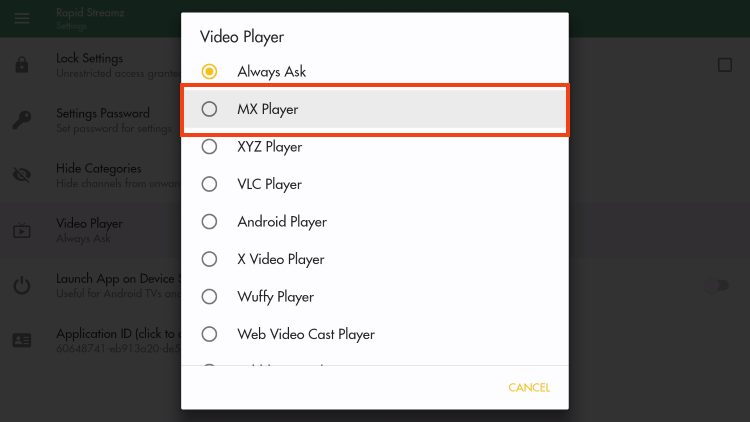
Rapid Streamz setup is complete and now ready for use. Enjoy!
Rapid Streamz can play live broadcasts for numerous channels such as sports channels with little to no buffering at all.
The user-friendly interface this app provides makes it extremely simple to navigate and find your preferred content. Upon testing, we have found that nearly all channels play with no issues and little to no buffering.
One of the best features this app offers is a Live Events Schedule that is updated daily with live streaming options. This allows users the ability to browse through all sporting events with numerous link options to choose from.
There are also various live channels for tons of countries across the world including:
Rapid Streamz has tons of Live TV options for various countries. Channels provided include options for news, family, entertainment, sports, cooking, and more.
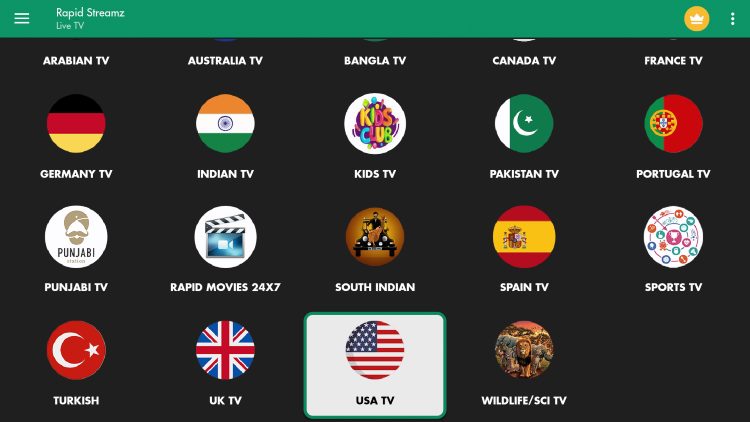
While these channels typically play with no buffering issues whatsoever, not all of them are broadcast in high definition.
For more quality Live TV options, we strongly recommend viewing our IPTV Guide for the best services available.
The best feature that Rapid Streamz provides is the Live Events schedule that is updated daily. Users can browse through all matches and sporting events to find live options with ease.
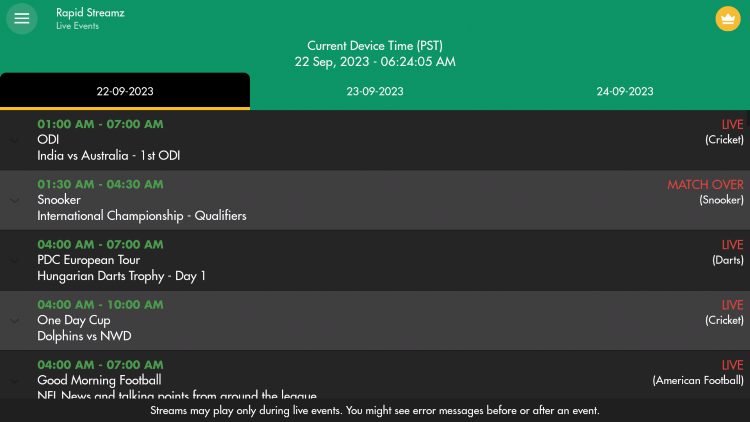
There are various settings within this app that can help users personalize the app for use.
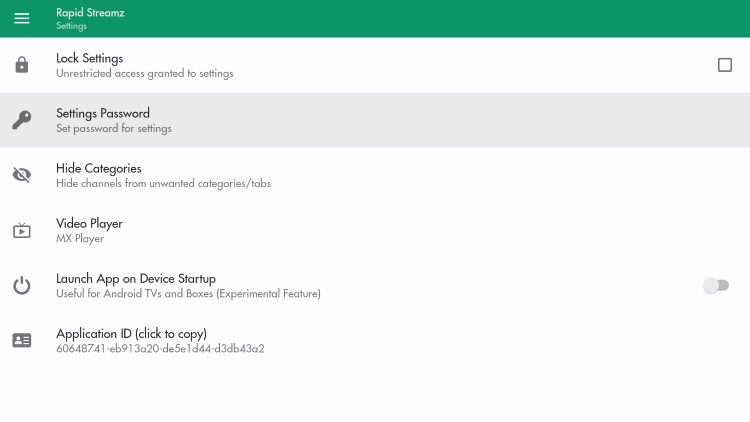
This includes the ability to hide categories, lock settings, and even enable a Settings password. Overall, Rapid Streamz is a fabulous live streaming app that works perfectly on any device you prefer. Give it a try today!
Determining if these applications have the proper licensing for the content they provide is nearly impossible.
It appears, however, as though Rapid Streamz may be distributing copyrighted media without the proper licensing.
Ultimately, the end-user is responsible for all media viewed within these “unverified” platforms.
Learn more about the legality of these services in our IPTV Legality Resource Guide.
Many have trusted Rapid Streamz as their primary source for watching live television and sports on media boxes such as Fire TV Stick/Android TV Box.
It continues to be a top-tier streaming platform for all of your live viewing needs which is why it has stayed popular for so long.
However, there are some security precuations users should take with this app as it appears to contain malicious files and collect user data. Only use at your own risk.
We want to know what you think of Rapid Streamz. Let us know in the comments below!
This page includes affiliate links where TROYPOINT may receive a commission at no extra cost to you. Many times, visitors will receive a discount due to the special arrangements made for our fans. Learn more on my Affiliate Disclaimer page.



© IPTVSub is Proudly Owned by win-design