


 Written by admin
The following in depth report details Ocean Streamz APK with installation instructions and more on your media device.
IMPORTANT NOTE: Ocean Streamz is currently blocked on Firestick/Fire TV Devices after the latest Amazon update. If you are unable to install/use this application, we suggest using an alternative from our list of Top Movie APKs.
Ocean Streamz is a well-known application for viewing content in high definition including Movies, TV Shows, Live TV, Anime, and more. Because it offers more than just VOD options, it is considered an all-in-one streaming app which is something that we do not see very often.
It has recently been updated with various settings and improvements which make it easy to use on any device, including the Amazon Firestick, Fire TV, Google TV/Android Box, Android phones, tablets, and more.
Now, continue reading for installation instructions as well as important details regarding this application including legality, safety, and more.
In the screenshot guide below, we are using an Amazon Fire TV Stick 4K Max. Since Ocean Streamz is not available in the Amazon App Store we must unlock our Firestick to install it.
These same instructions will also work for nearly any device including Android/Google Boxes.
IMPORTANT NOTE: If using an Android TV Box such as the onn 4K Pro, NVIDIA SHIELD, or others, please read the features and details guide for some important information you need to know when using Ocean Streamz.
1. Hover over settings and click Search.
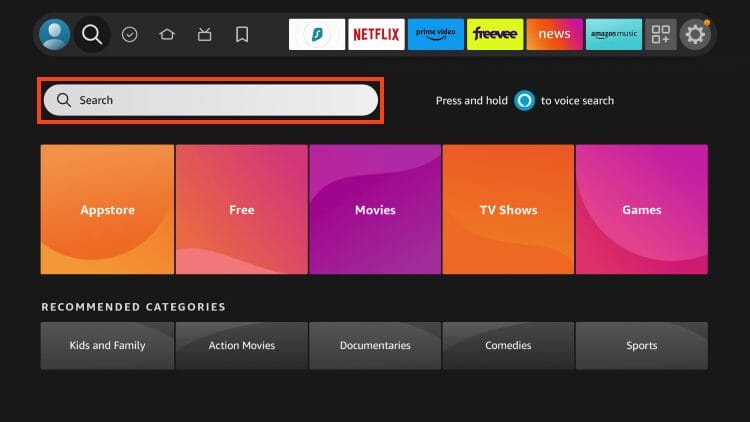
2. Type Downloader.

3. Select the Downloader App.
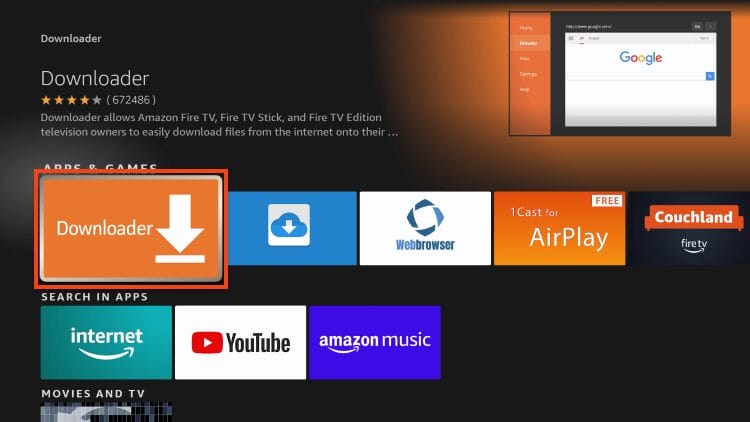
4. Click Download or Get if this is the first time installing.
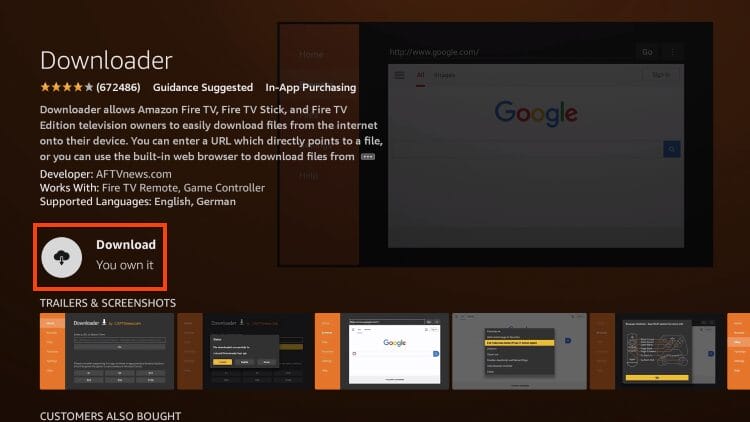
5. Wait for the app to install.

Your online activity is monitored by your ISP, app/addon/IPTV devs, government, and all websites.
🔒 Become anonymous while streaming & downloading with Surfshark VPN
Save 87% with 24-Month Plan + Get 3 FREE Months
Use on Unlimited Devices & Share 1 Account with Entire Family
CLAIM DEAL HERE
6. You will then see Downloader ready to launch success message.

5. Now, open your device Settings and turn on “Unknown Apps” for Downloader as pictured below.

6. Launch the Downloader app.

7. Click the select button on your remote to open the URL keyboard.

8. Type oceanstreamz.org and click Go.
NOTE: If you encounter errors from the website or have problems with the app, use the Downloader Code – 186768.

9. Scroll down to find Download APK.
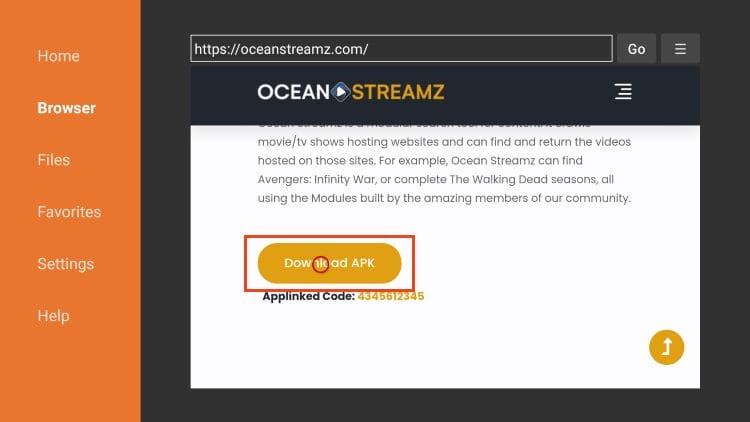
10. Wait for Ocean Streamz to install.

11. Click Install.

12. Ocean Streamz installation success message will display. Click Done.

13. Click delete.
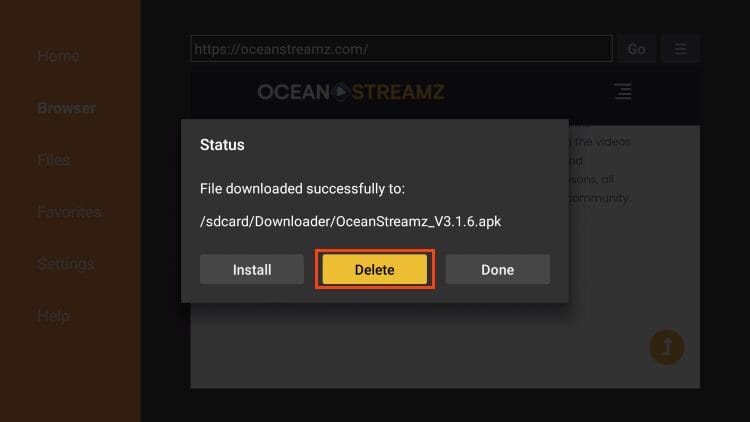
14. Choose delete again.
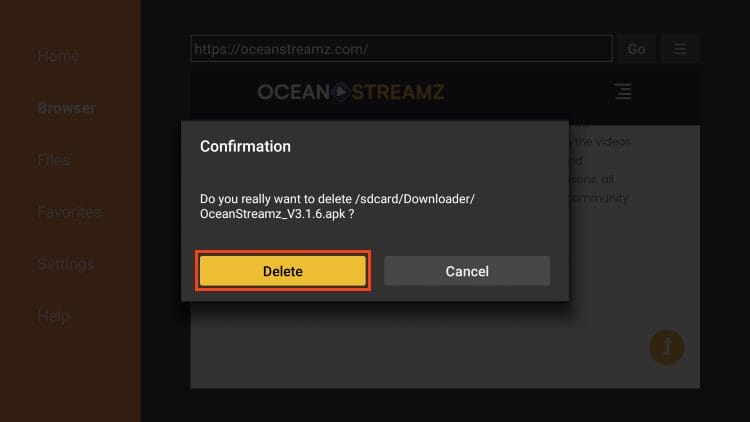
15. Launch Ocean Streamz APK.
16. Scroll through the intro messages.
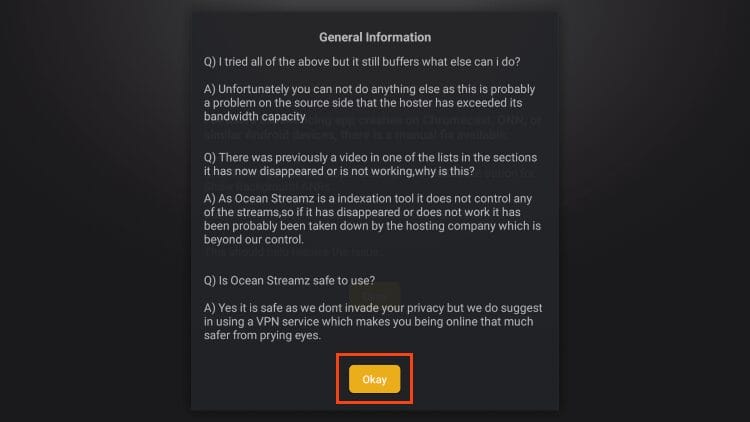
17. Click Allow or Deny.

18. Click Got it.

Installation is now complete. Continue reading for a complete breakdown of this app with features, details, and more.
Before using the app, we wanted to point out some safety concerns that users should be aware of.
As we always do with unverified apps, we scanned the Oceans Streamz APK with VirusTotal. Shown below is a screenshot of the scan.

As you can see, VirusTotal found tons of suspicious/malicious files associated with this app.
If you plan on using Ocean Streamz for viewing content, it is vital to have your VPN connected to ensure your privacy and safety.
How to Install the Best VPN on Firestick/Android TV
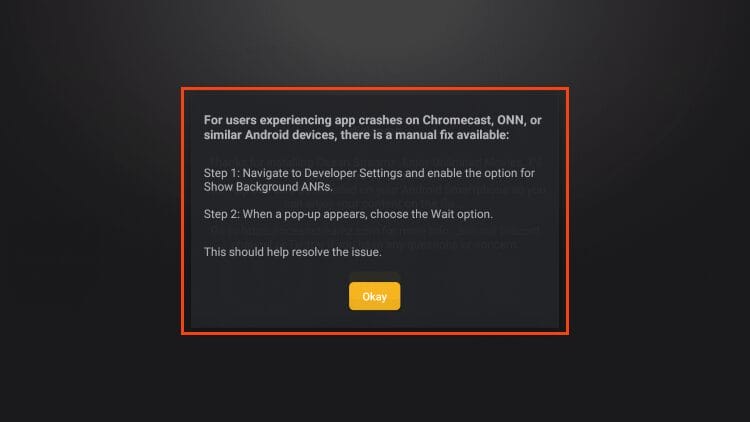
As noted above, some Android TV users encounter various issues with this app. Luckily, there is a quick fix which is available below.
If you find the app is crashing when using an Android TV device, simply go to developer settings and enable Show Background ANRs. Then click wait.
Ocean Streamz gained popularity as an all-in-one streaming solution, but there are serious concerns users need to consider before installing.
Ocean Streamz is an easy-to-use application with smooth navigation and several categories to choose from. Unlike other Media APKs, Ocean Streamz uses Movie Streaming Sites to provide links directly for playback.
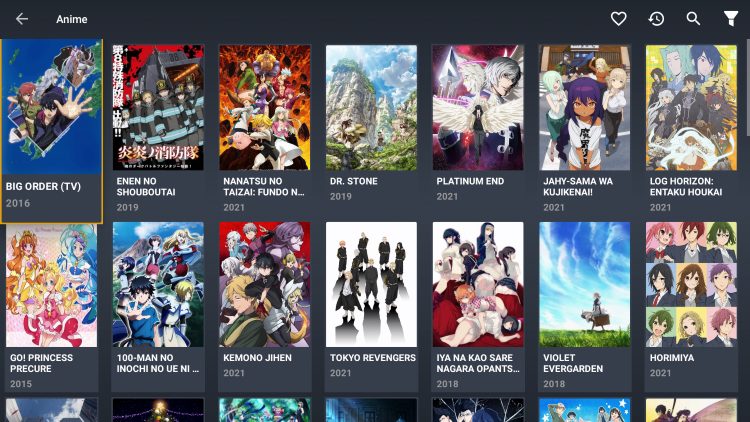
Users will find various categories to choose from with tons of options for each. Shown below are some of the current categories provided.


One of the best additions available is the ability to integrate real-debrid for HD streaming. Follow the instructions below to quickly authorize this for use.
NOTE: Even though you can integrate real-debrid, we have found that there are not many links available.
1. From the home screen, open the side menu and select Real-Debrid.

2. You are then provided with an authorization code. Make note of this code and visit real-debrid.com/device and enter the code you are given.

3. Return to the Ocean Streamz APK and you will see real-debrid success message.

Currently, the Live TV option is working extremely well with little to no buffering. This is something we do not see with most applications and is a fabulous addition to Ocean Streamz.
Unfortunately, channel options are minimal which is why we always suggest an IPTV Service for all of your live-streaming needs.
Users can enable Subtitles within the app but there are no options for external media players such as MX Player. However, the internal media player seems to be working fine as of this writing.
Within settings are other options such as Adult PIN requirements, player mouse pointer style, Trakt integration, and more.

After adding a Parental PIN, you can access adult content from the side menu for instant playback of your favorite XXX videos.
Give Ocean Streamz APK a try today on your preferred streaming device and let us know what you think of it!
It’s impossible for TROYPOINT to determine whether these unverified applications hold the proper licensing.
If and when an application is deemed illegal, we notify our users immediately and update reports on our Website to reflect that information.
Users can always access titles that are available for free in the public domain.
Works such as this are not protected by copyright laws and may be downloaded, streamed, and shared without any legal ramifications.
In conclusion, the end-user is responsible for all content accessed through apps such as Ocean Streamz APK.
For 100% legal and verified free streaming options, we suggest our list of free movie/TV show apps below.
Ocean Streamz had tons of potential with high quality streams for VOD content as well as live channels/television.
It appears as though it is currently not functioning like it used to with many complaining of the app constantly asking to be updated.
However, if you are having luck using this application to watch your favorites, let us know in the comments and tell us why you love Ocean Streamz!
This page includes affiliate links where TROYPOINT may receive a commission at no extra cost to you. Many times, visitors will receive a discount due to the special arrangements made for our fans. Learn more on my Affiliate Disclaimer page.



© IPTVSub is Proudly Owned by win-design