


 Written by admin
Learn how to configure and install AutoStream Stremio Addon with our detailed tutorial below.
AutoStream is a convenient Stremio Addon that automatically picks the single best link for your Movie or TV Show preference.
Instead of providing dozens or more link options, it will choose the best stream based on quality, size, speed, and more.
It uses advanced reliability trackers to improve recommendations over time so you will always be given the single best link after making a content selection!
This is extremely useful for those who don’t want to sort through various link choices and quickly begin playback.
Best of all, it works with all popular debrid services including Real Debrid, TorBox, and Premiumize so you can integrate your resolving service for premium link options.
| IMPORTANT NOTE: We have found that after integrating your Debrid Service, links do not seem to play within the Stremio App.
However, if you don’t add a Debrid platform during configuration, AutoStream provides 2 link options that work perfectly. Hopefully this is just a small error and we will see a fix from the developers shortly. |
For this reason, we strongly encourage you to use a VPN since these links are likely pulled from torrent providers.
Here are more key features:
Use our guide below to learn How to Configure and the Install AutoStream Stremio Addon on your favorite media device including Android/Google TV Box, Firestick, and more.
In order to add AutoStream to our Stremio library, we will first install it on a PC and then sync to our streaming device (in this case the Onn 4K Pro).
If you haven’t already, make sure to follow our Stremio Installation Guide prior to downloading any addons.
1. Visit the official AutoStream Addon Website – https://autostream-addon.onrender.com/configure on your PC or other mobile device such as Android/iOS with Stremio app compatibility.
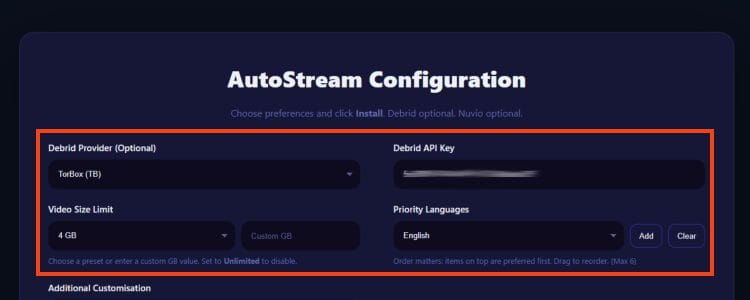
2. We will now Configure the addon with our preferrenced Settings –
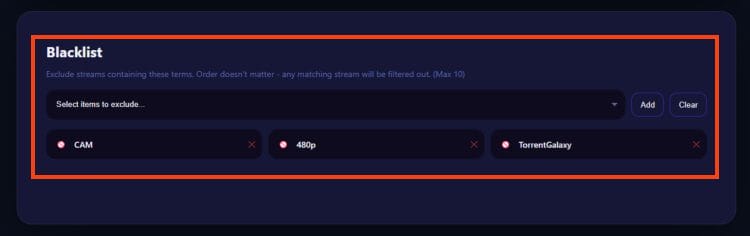
3. Scroll down to the bottom of the page and choose any items you wish to Exclude –
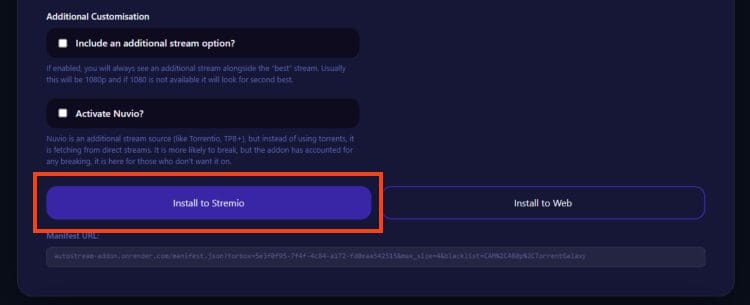
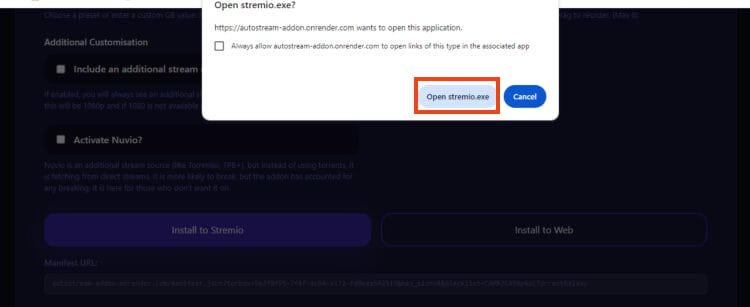
4. Scroll up and choose Install to Stremio. (If you prefer you can select to include an additional stream or Activate Nuvio).
Your online activity is monitored by your ISP, app/addon/IPTV devs, government, and all websites.
🔒 Become anonymous while streaming & downloading with Surfshark VPN
Save 87% with 24-Month Plan + Get 3 FREE Months
Use on Unlimited Devices & Share 1 Account with Entire Family
CLAIM DEAL HERE
5. Click Open stremio.exe.
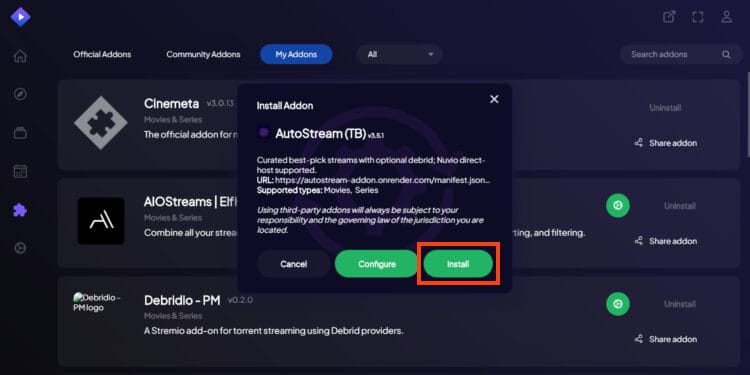
6. Open the Stremio App on your streaming device and click Install.
7. You will then see AutoStream Addon Installed message.
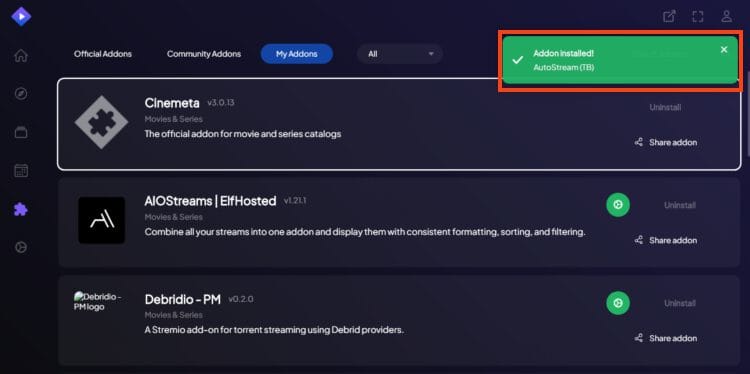
Installation is now complete. Enjoy!
After installing AutoStream, you can now use the addon to find your preferred Film, Series, etc.
After selecting AutoStream from your list of addons, you are provided with just one link (4K and 1080p in this instance) as pictured below.
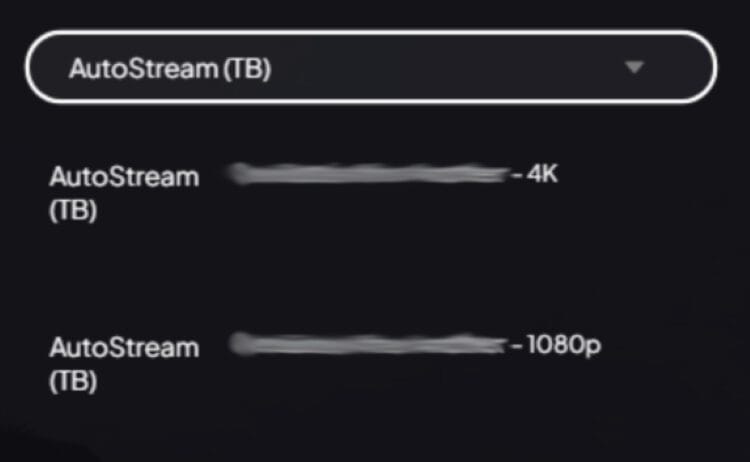
This makes finding a stream extremely easy so you don’t have to pick one from a long list that may be confusing or difficult to understand.
Best of all, AutoStream uses numerous factors to find the absolute best link from your debrid provider so you can be sure your source plays fast and without buffering.
The addon has a penalty system for weeding out providers whenever a stream fails. If the provider continues to get penalized, it will no longer be used when finding streams.
1080p & 720p links will have preference if they are clearly faster than 4K options and this is what is usually provided. However, users can also opt for 4K streams if they wish to view in UHD.
If you enjoy AutoStream, you will likely want to disable other addon selections so that you can immediately select the stream provided and instantly watch your favorite content.
Give AutoStream a try and let us know what you think of it in the comment section below!
This page includes affiliate links where TROYPOINT may receive a commission at no extra cost to you. Many times, visitors will receive a discount due to the special arrangements made for our fans. Learn more on my Affiliate Disclaimer page.




© IPTVSub is Proudly Owned by win-design