


 Written by admin
The following tutorial shows how to install Flix Vision APK on Firestick, Android TV, and other devices.
Flix Vision is an all-in-one streaming application for viewing content on nearly any device. This is a simple application that provides options for movies, TV shows, live channels, adult content, and anime.
This “all-encompassing” design is something that we do not see with most streaming apps and one of the reasons it has gained extreme popularity since its launch.
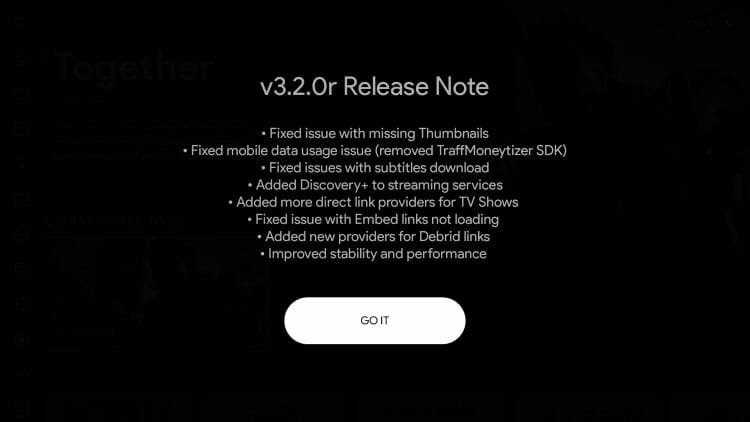
After months of development, Flix Vision been finally been updated to V3.2.0r with tons of advanced features. Here is the latest Changelog from the official app.
In the guide below, we provide installation instructions using an Amazon Fire TV Stick 4K Max. These steps will also work for all variations of Firestick & Fire TV as well as Android TV/Google TV devices that feature “jailbreak” capabilities.
NOTE: Flix Vision is available in both stable and “pre-release” versions for those interested in installing. Our guide below provides download instructions for both.
In simple terms, Flix Vision is a free media APK that serves up high definition videos without the purchase of a subscription package. This includes Series, Films, Anime, Live Television, and more.
Like many applications used today, Flix Vision is a “3rd party app” which means it is not found in most reputable app stores. Instead, users will have to sideload it onto their device and we provide instructions for doing so below.
Once downloaded, you can easily navigate through its vast library of media and play your favorite titles! Unlike other free platforms, Flix Vision hosts direct links to streaming sources likely scraped from popular movie websites.
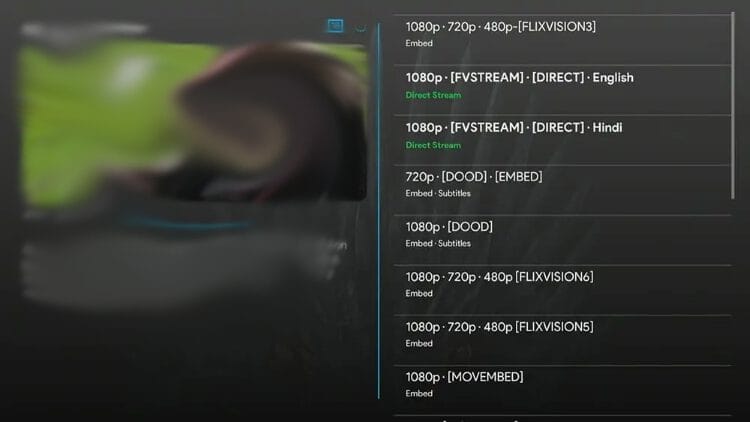
This is a great way to skip the middle man and get a “Direct Stream” that is almost always high definition and will play directly in the app.
If you are familiar with cloud services such as AllDebrid and Premiumize, you can also integrate one of these services for access to paid links including 4K options.
The fun doesn’t end there, however, as Flix Vison also has other content – Anime, Adult, and Live Channels as well as a built in IPTV Player to add your subscription if you use this software.
This easily makes it the best “AIO” or All-in-One streaming app available today! Continue below for detailed installation instructions.
1. Install the Downloader app on your device.
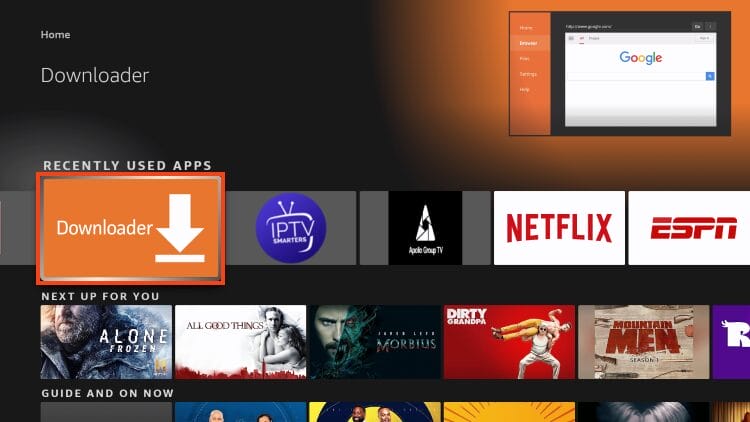
2. Hover over the URL bar and click the Select button on your remote.
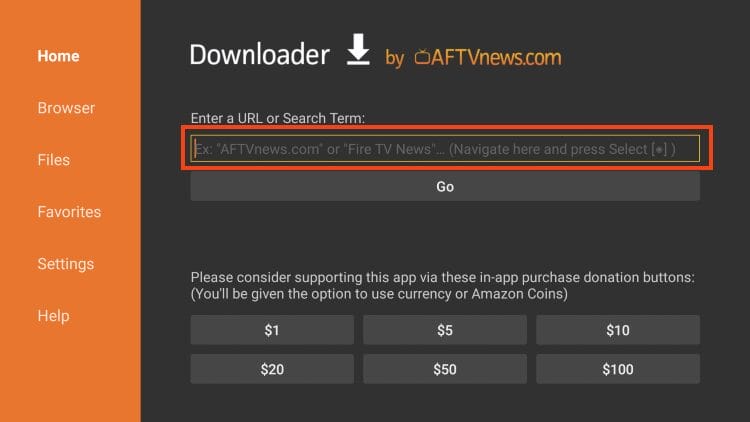
3. Type 346420 which is the Downloader Code for the official Flix Vision website and click the Go button.
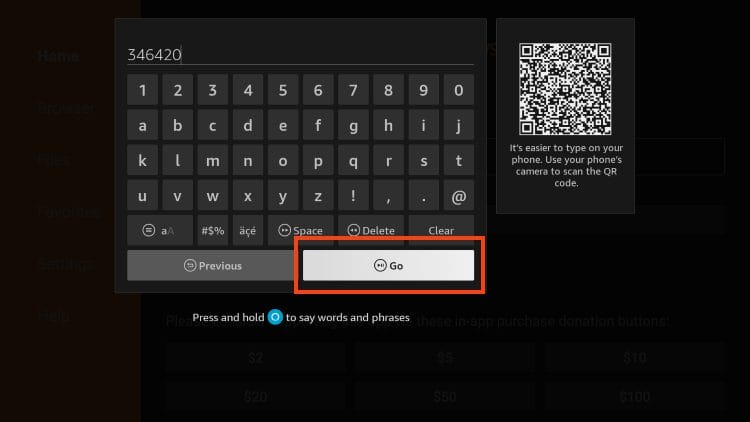
4. Click Download the App Now.
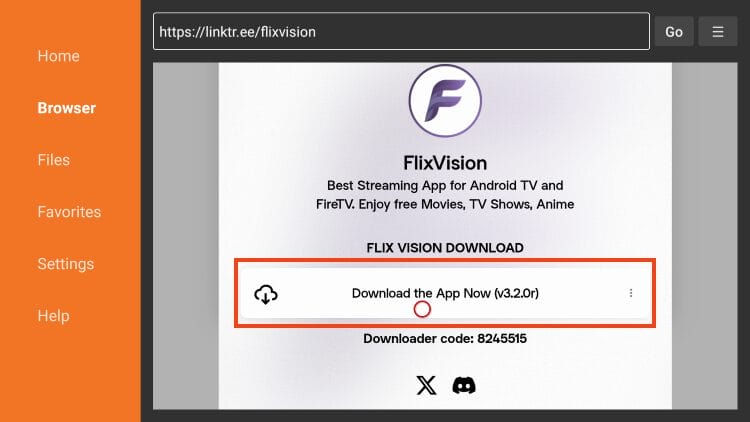
5. Wait for the application to download.
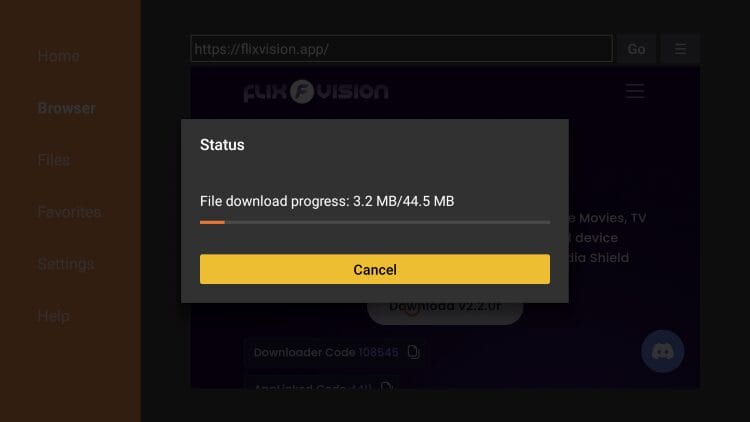
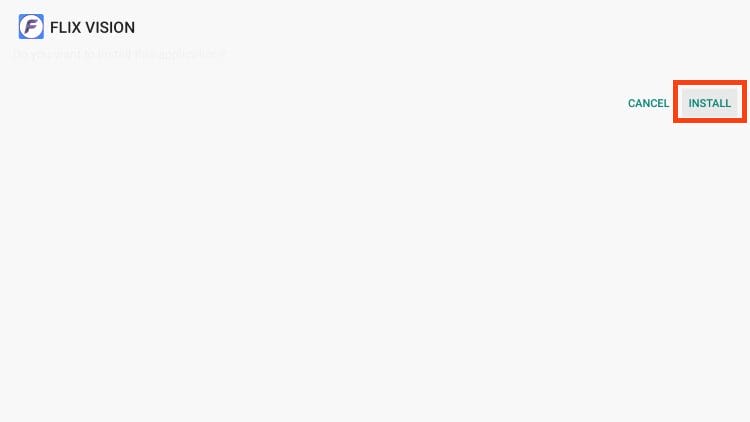
6. Click Install.
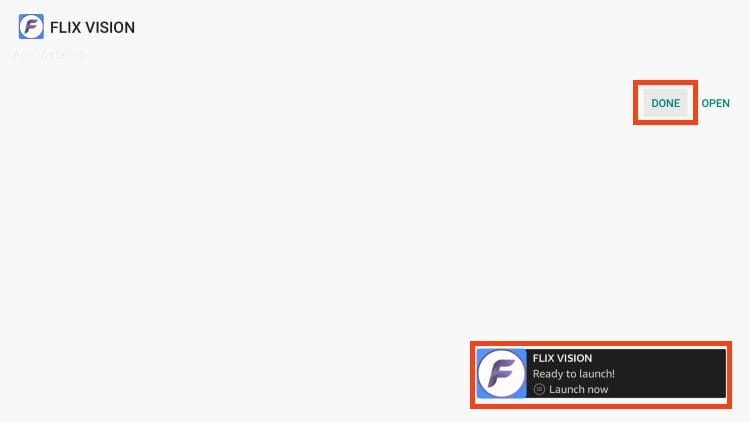
7. You will then see the Flix Vision App installed message. Choose Done.
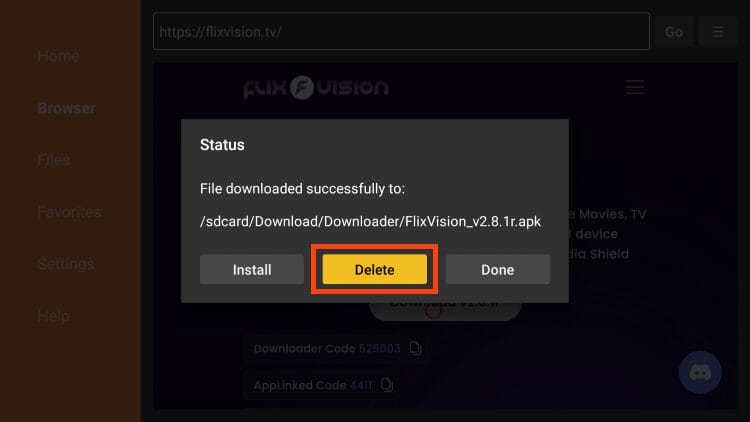
8. Click Delete to remove the installation file.
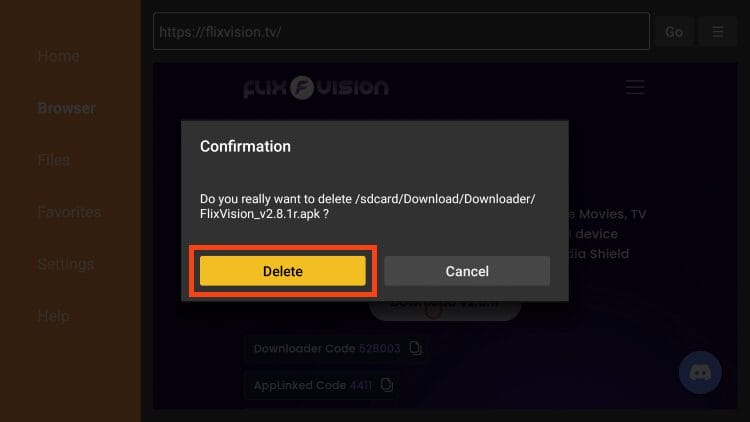
9. Click delete again.
10. If you plan on using Flix Vision frequently, you will want to add it to the top of your apps list. From the home screen, scroll over and select the Applications icon.
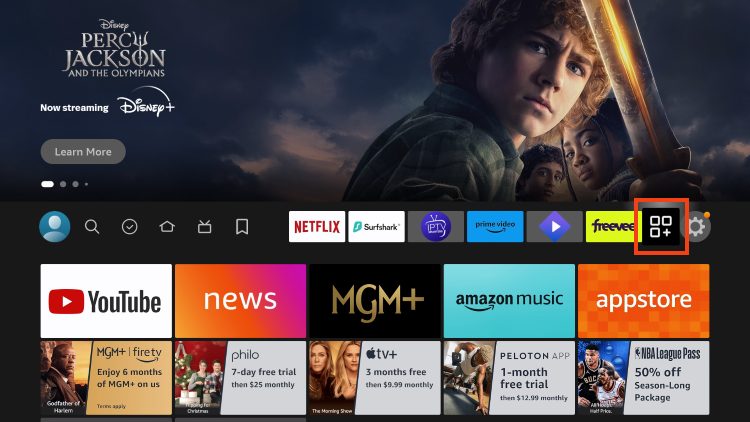
11. Find Flix Vision and click the Menu button on your remote.
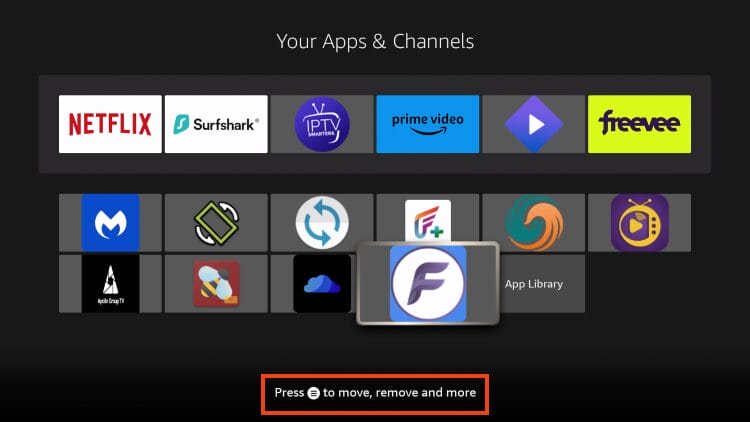
12. Choose Move.
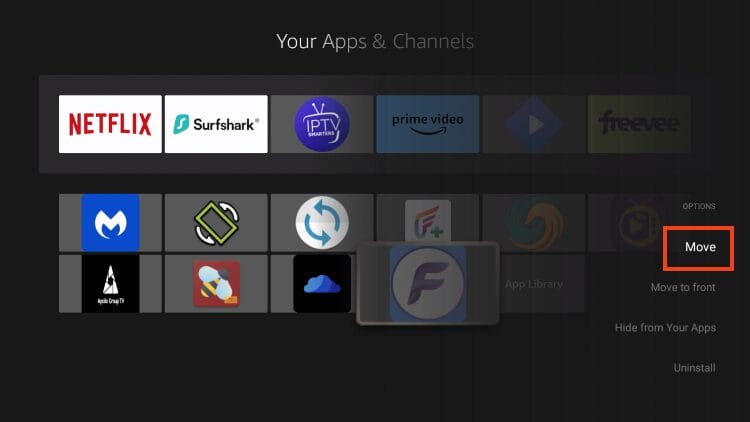
13. Drag the app to the top of your apps list and drop it in place.
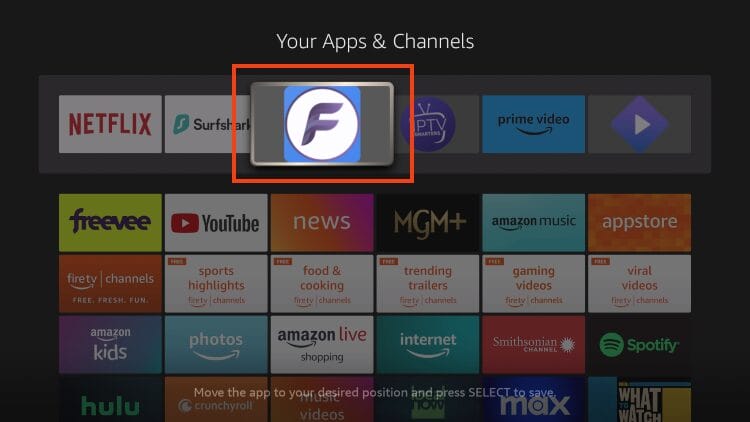
14. That’s it! You have successfully installed Flix Vision on your device.
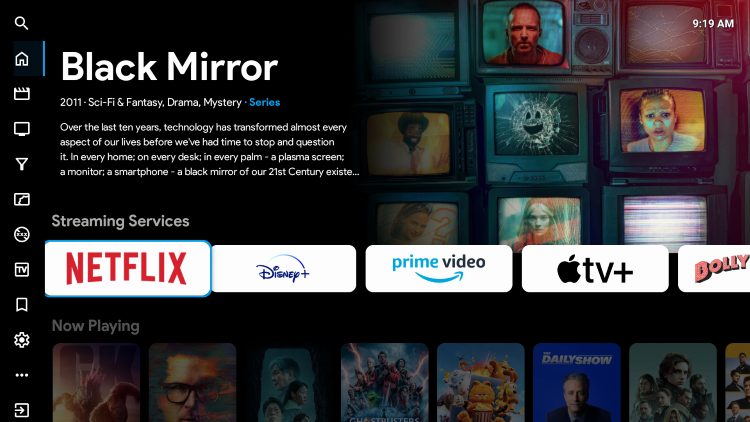
Continue reading for important details and features regarding the Flix Vision application.
As many are aware, the stable version of Flix Vision is currently blocked on Firestick/Fire TV Devices after the latest Amazon update.
Many have found that using a previous version works and we show how to install one in the steps above. However, users can also install the latest “Pre-release” directly from the official GitHub Page.
IMPORTANT: It is important to note that there are various bugs associated with the pre-release versions and they will not always function properly.
Those interested in using the stable version should follow the guide above and download the most recent update or a previous version provided in our guide.
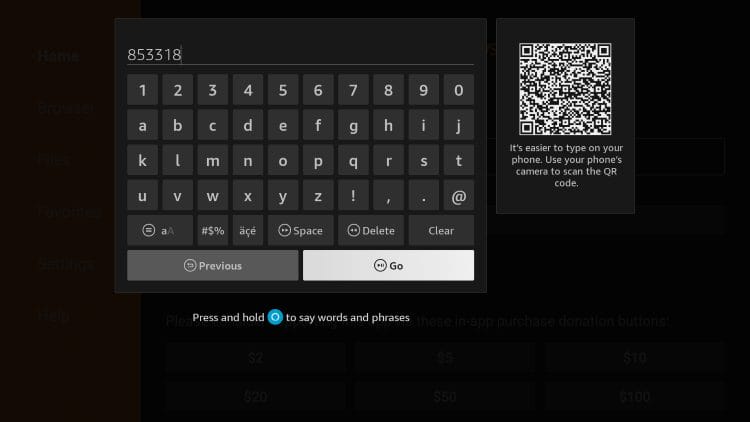
If you are interested in installing the pre-release, you can do so with the following Downloader Code: 853318
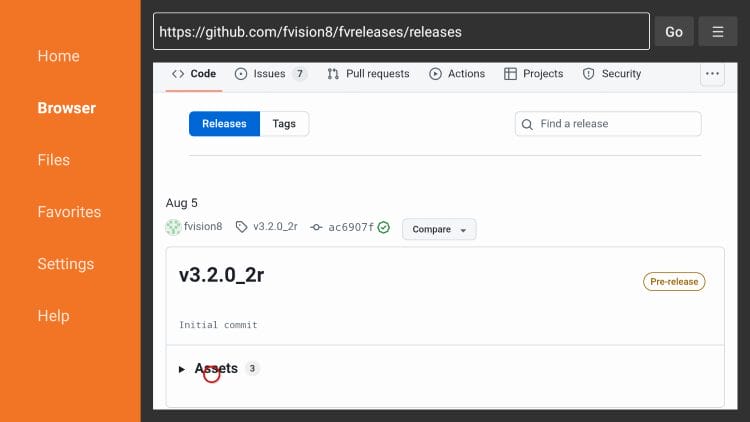
Scroll down to the latest pre-release and select Assets:
Choose the APK File:
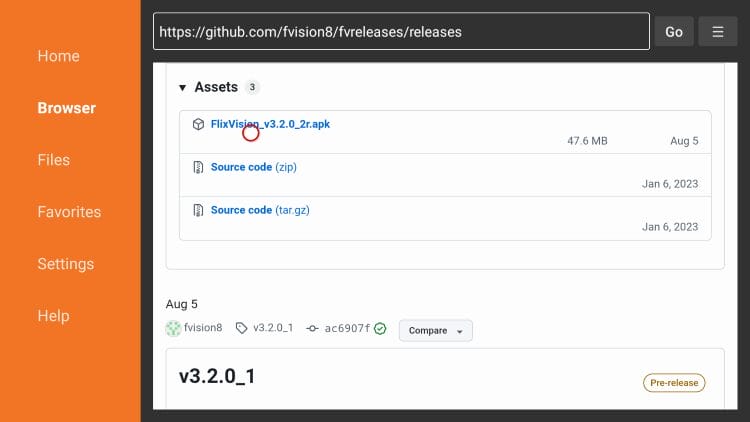
Upon testing it appears as though the pre-release is working well as content plays quickly and the applications works on Firestick and Fire TV devices.
We wanted to make sure you were aware of a safety concern that is associated with the APK File for Flix Vision.
When using unverified applications, it’s a recommended practice to scan the official file with VirusTotal. You can see the results below.
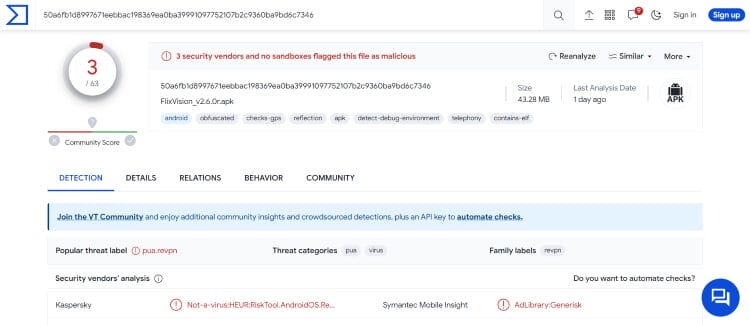
VirusTotal did find three suspicious/malicious files associated with the official APK. When we see flagged files in VirusTotal, a trusted VPN is pretty much required to protect your identity and security.
In the past, Flix Vision did not have premium resolving capabilities. But we can now integrate a debrid service with ease!
With real-debrid no longer working at full capacity, we suggest using an alternative such as Premiumize, which works in the exact same fashion and can be authorized the same way.
Follow the steps below to add your favorite cloud service to Flix Vision for the highest quality links.
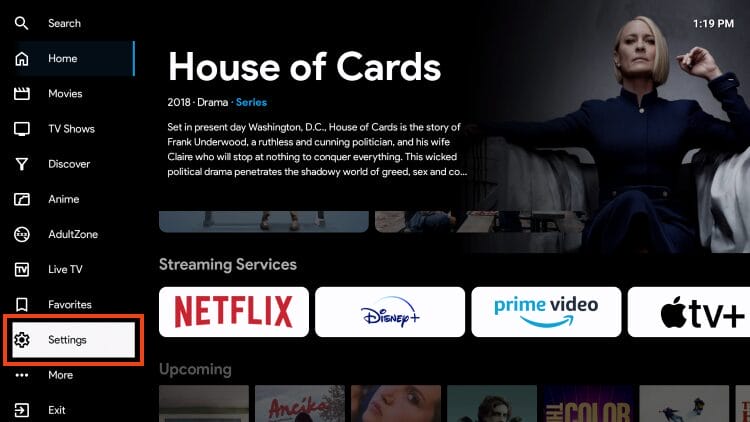
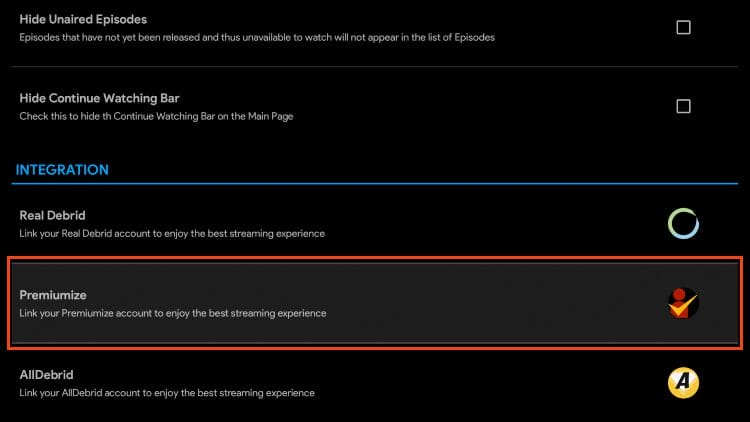
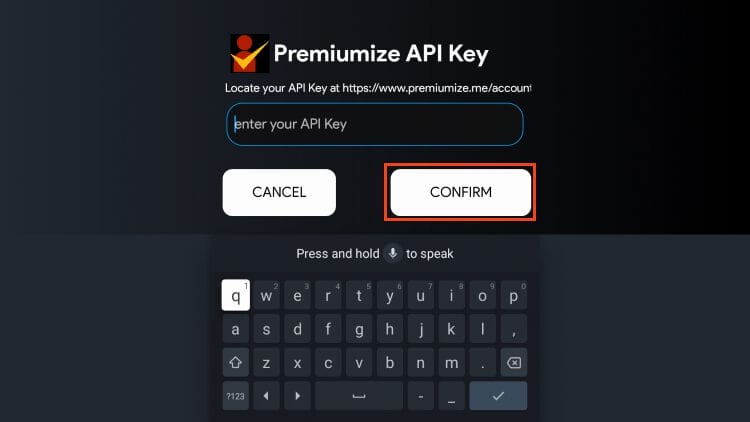
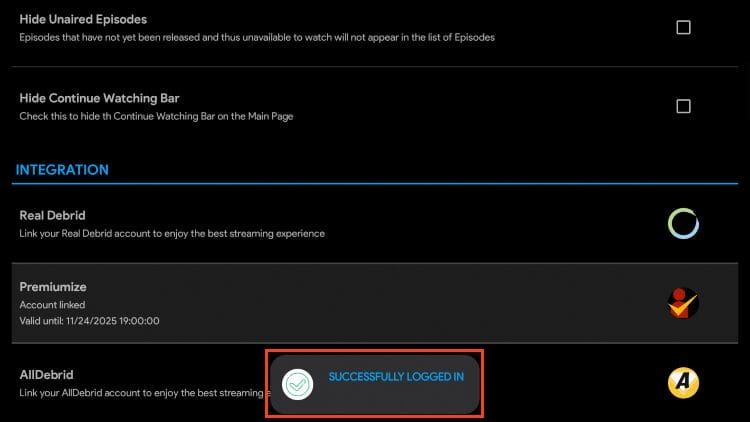
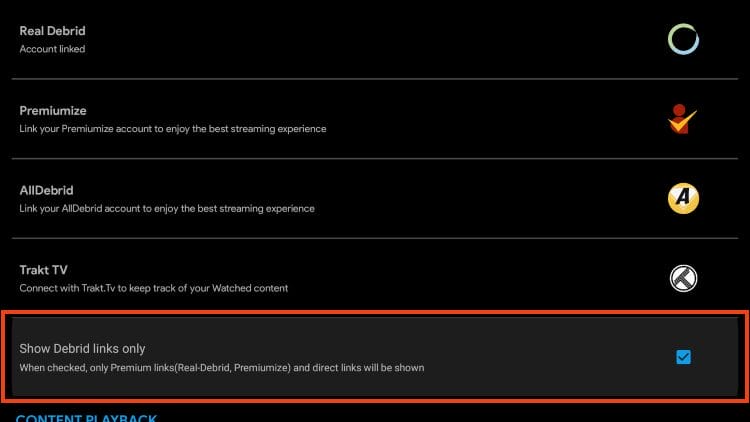
Your cloud service has been successfully added. However, many prefer to only display debrid links which will remove all “free” link choices.
If you use a resolver with Flix Vision, we suggest turning this feature on to simplify your source selection process as pictured below.
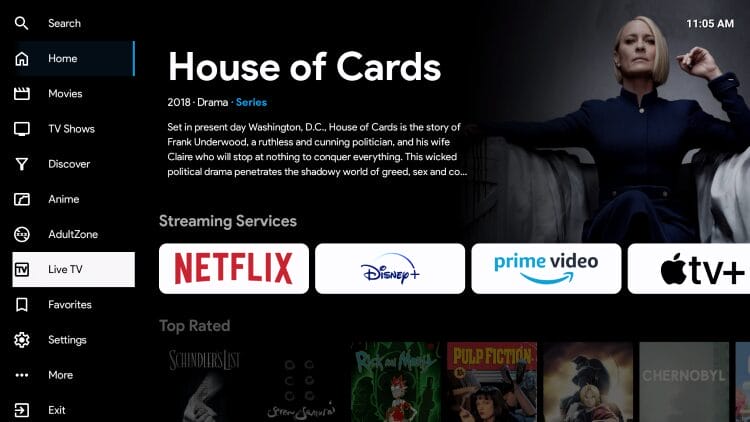
Flix Vision features a simple user interface with various options to choose from including Movies, Shows, Live TV, Anime, Adult, and more.
Streaming content is fairly simple with links available in 720p & 1080p HD pulled directly from online Movie platforms. This means that users who do not have a real-debrid or other premium resolver can still stream content in high definition!
In fact, we have found that the auto play links oftentimes have more superior playback than from downloading sources such as Premiumize!
One of the best features available is the ability to integrate an external video player such as MX Player for buffer-free streaming. We strongly recommend using MX Player for easier navigation and subtitle capabilities.
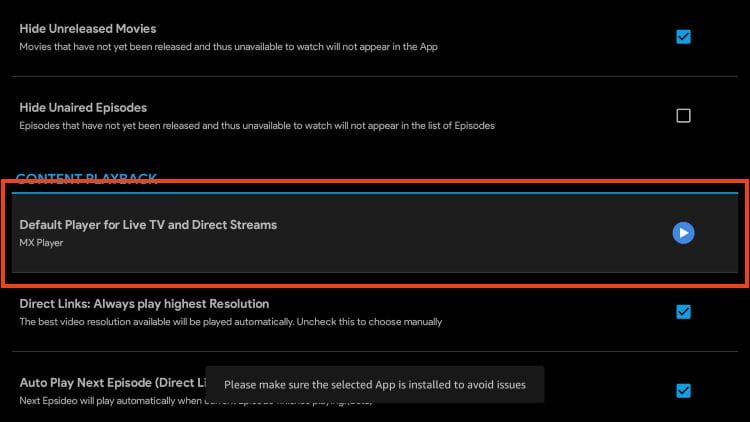
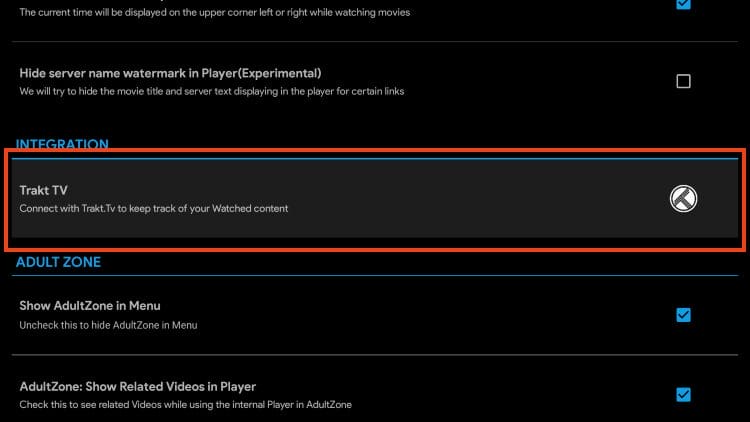
Trakt users can also integrate this service which will allow you to sync content across numerous platforms and devices.
Those interested in other content will also find Anime and Adult options that both play in HD quality.
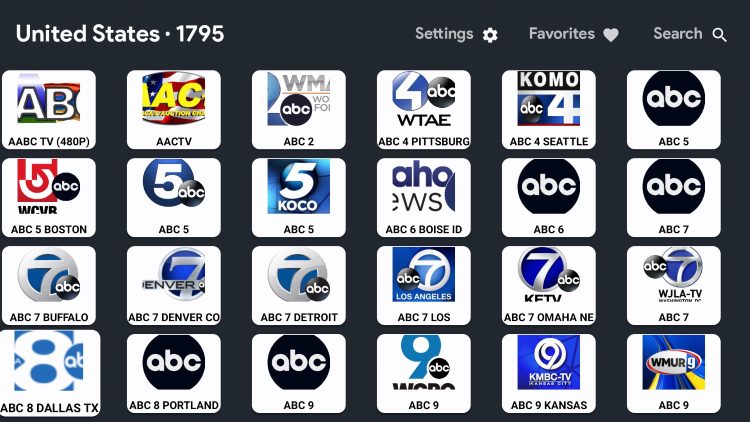
The Live TV Section features over 18,000 live channels in dozens of countries including the USA, UK, India, France, Italy, and more. We have found that many of these channels work, however, they are not available in high definition, and you may encounter buffering.
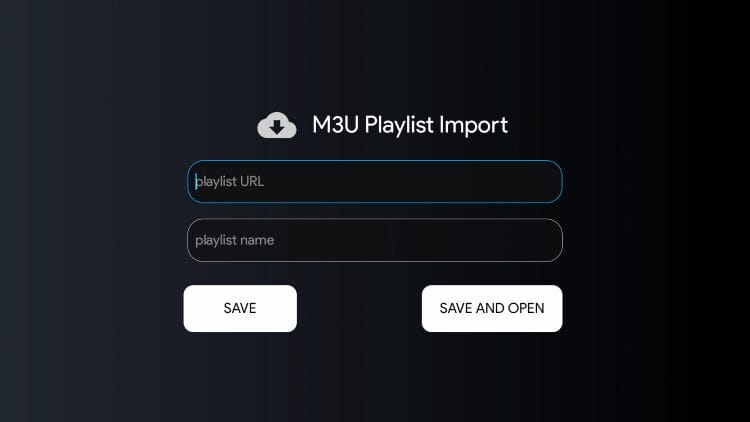
Another fabulous feature available is the ability to add/import an M3U URL from your preferred IPTV Service. This is something that we don’t see with many standard APKs and it makes Flix Vision an all-encompassing application.
You can find this under the “More” section of the left-hand menu bar. We have not had great luck getting this feature to work. If you are able to add your IPTV Provider, let us know in the comment section.
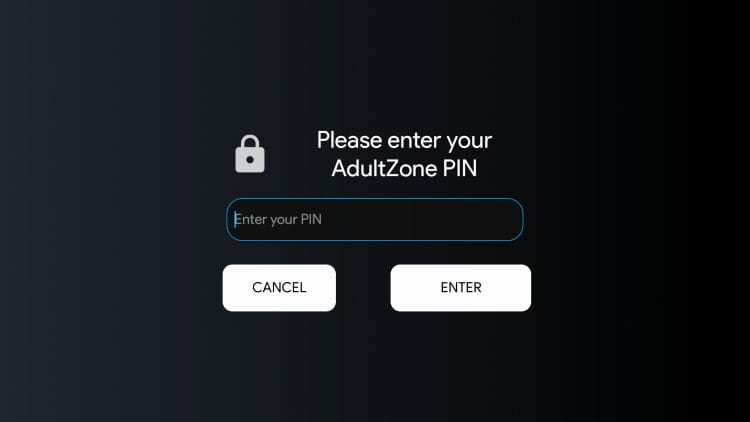
As noted previously, there is also an “AdultZone” to watch XXX content on Firestick or other media device. A PIN is required that users must create and enter in order to access these videos.
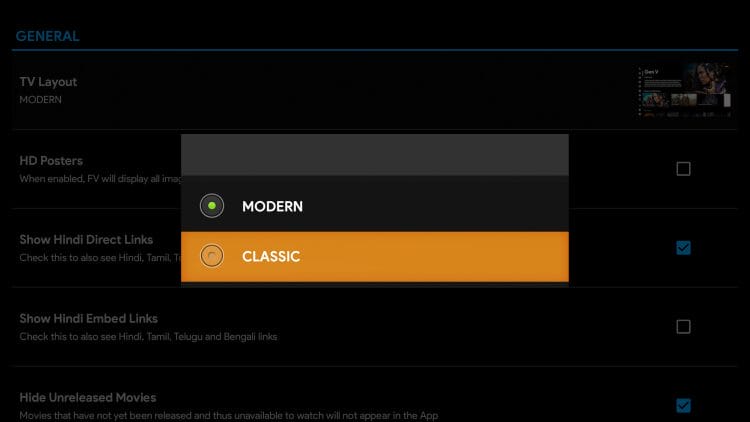
Diving into the Settings is a great way to personalize the app with various customizations. This includes the user interface with options to toggle the layout between Modern/Classic.
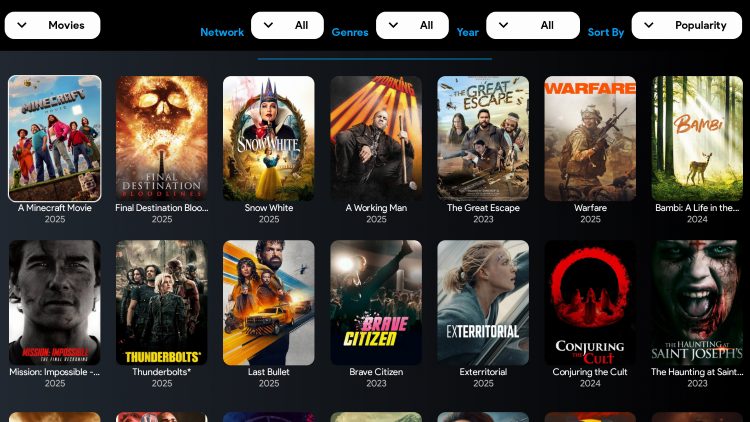
You can use the “Filter” tab to adjust filters including Network, Genres, Year, and Popularity.
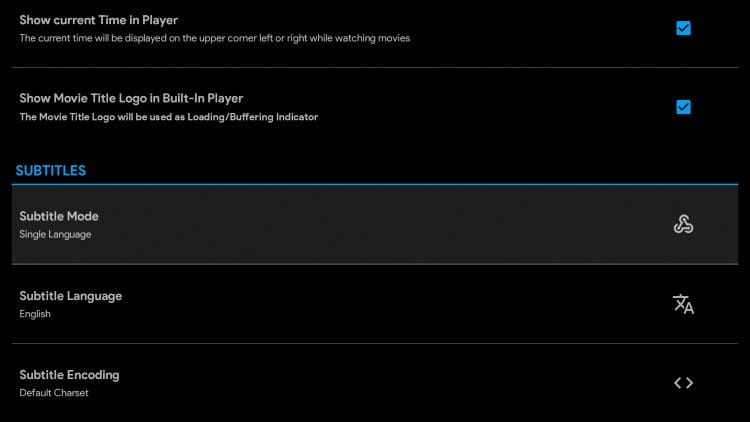
Those interested can also integrate subtitles for simple closed captioning.
Overall, you can’t go wrong with Flix Vision as there is something for everybody and it continues to be a force in the streaming landscape.
It is very important to make sure you use the official Flix Vision site to download the application from. Various impostor websites claim to have the latest version of the app but these are riddled with ads and may contain malware.
For more information, you can join the developers on their Discord or follow them on X.com.
It’s impossible for TROYPOINT to determine whether Flix Vision holds the proper licensing to deliver the content that they do.
It appears as though Flix Vision is distributing copyrighted content with permission from the owner.
Users can always access titles legally within the public domain. Works such as this are not protected by copyright laws and may be viewed without any legal ramifications.
In conclusion, the end-user is responsible for all content accessed through apps such as this. We recommend using 100% legal and verified streaming apps.
Overall, Flix Vision is a high-quality streaming app and it’s becoming a fan favorite among the streaming community. We rarely come across all-in-one applications like this that work well.
But remember that this is an unverified app and there are legal/safety risks associated with using it.
Have you tried installing Flix Vision? Let us know your thoughts on this app in the comments below.
This page includes affiliate links where TROYPOINT may receive a commission at no extra cost to you. Many times, visitors will receive a discount due to the special arrangements made for our fans. Learn more on my Affiliate Disclaimer page.



© IPTVSub is Proudly Owned by win-design