



 Written by admin
Use the step by step guide below that will show you How to Install ChillHub Launcher on Google TV, Android TV, and Fire TV Devices.
ChillHub is a new 3rd Party Launcher that is a fabulous alternative to the home screen interface provided on most streaming devices.
It is a free, minimalist launcher with no ads, tracking, or subscriptions and functions fabulously on Android/Google TV Boxes as well as Fire TV.
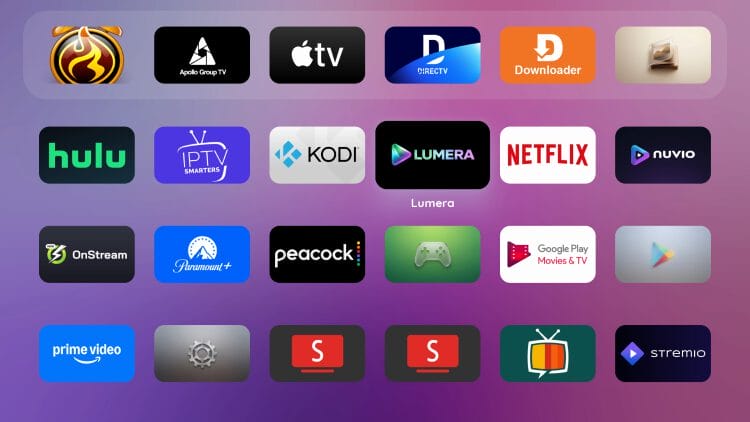
Apple TV users will notice a similirity between the stock interface/launcher these devices provide and the ChillHub Launcher as pictured below.
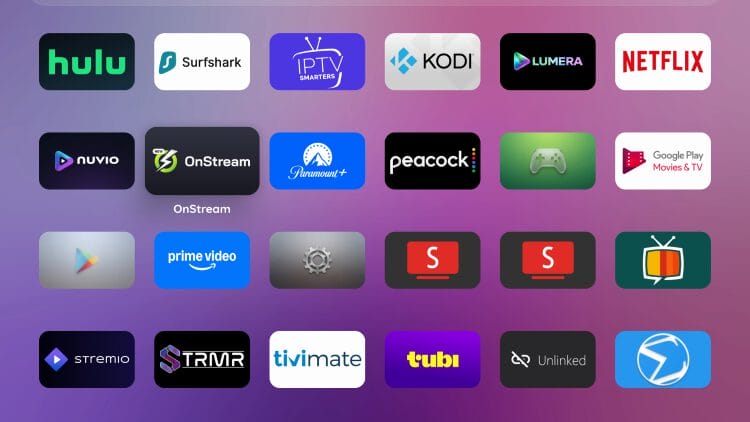
By installing and setting ChillHub as your launcher, you can transform your streaming device into an app-first dashboard with quick access to your favorite apps, customizable layouts, and a clutter-free home screen.
For these reasons and more, it is considered one of the Best Launchers available for Google/Android/Fire TV.
In this guide, we are using the Onn 4K Pro to install and configure ChillHub but these instructions will also work on any other Android based device you prefer.
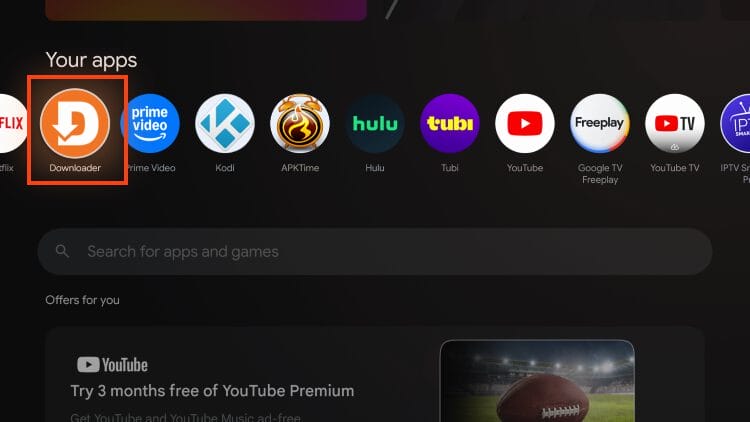
1. Install the Free Downloader App via Google Play or Amazon App Store and enable Unknown Sources for it. Launch Downloader from your Apps list.
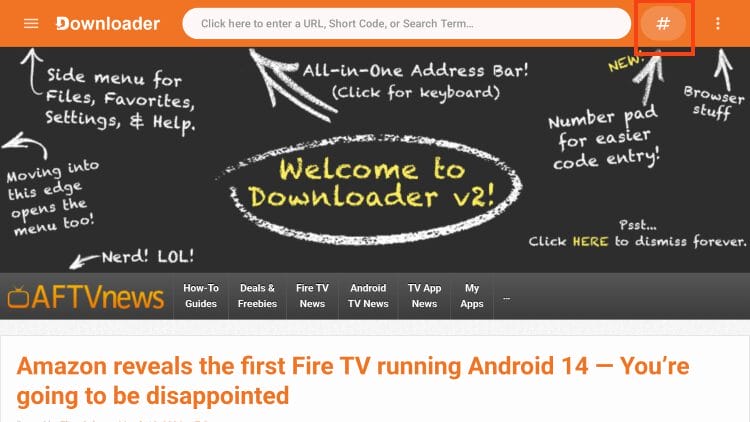
2. Click the Hashtag Icon next to the URL bar to launch the numerical keypad.
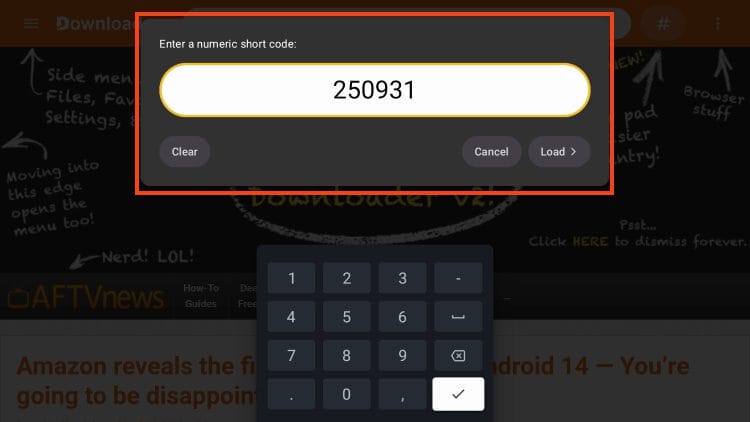
3. Type 250931 and click Load. (This is the Downloader Code to access the TROYPOINT Toolbox)
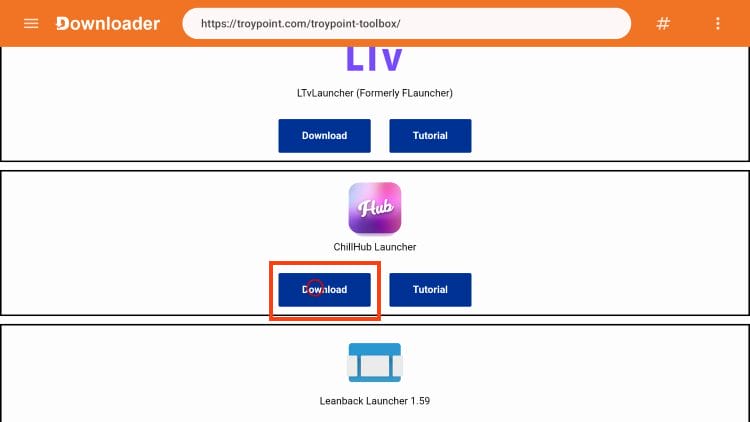
4. Once in the TROYPOINT Toolbox, scroll down to find ChillHub Launcher and click Download.
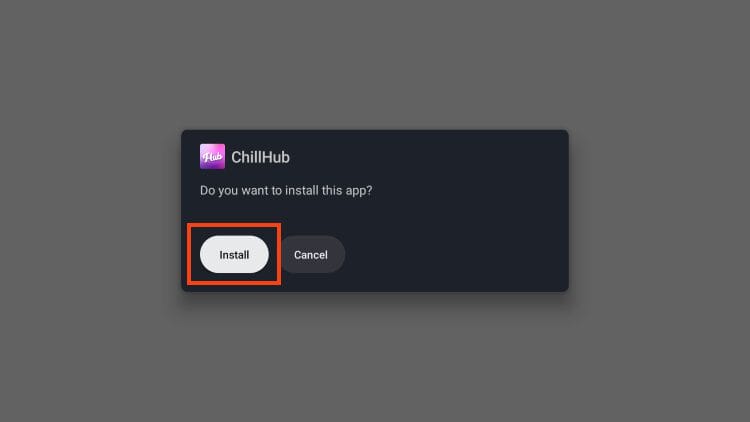
5. Click Install.
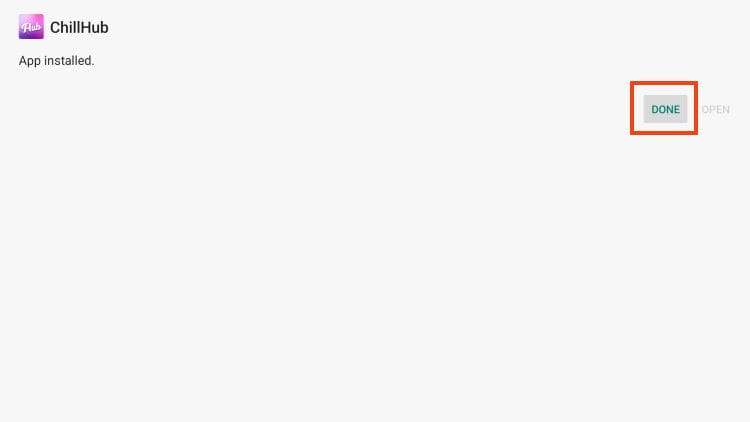
6. Select Done.
Your online activity is monitored by your ISP, app/addon/IPTV devs, government, and all websites.
🔒 Become anonymous while streaming & downloading with Surfshark VPN
Save 87% with 24-Month Plan + Get 3 FREE Months
Use on Unlimited Devices & Share 1 Account with Entire Family
CLAIM DEAL HERE
7. Choose Delete (this removes the installation file).
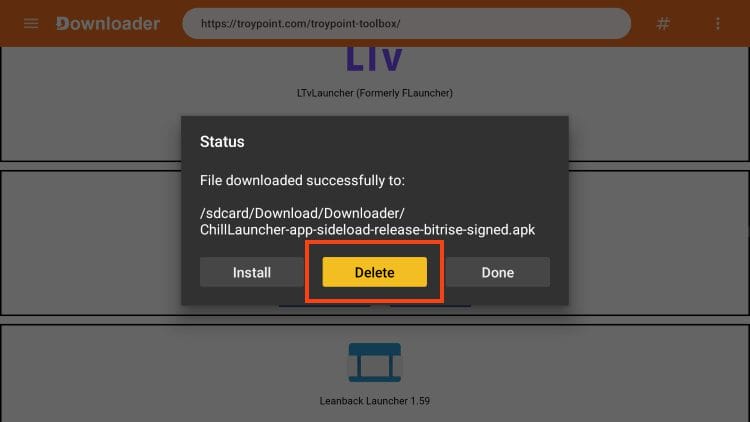
8. Click Delete again.
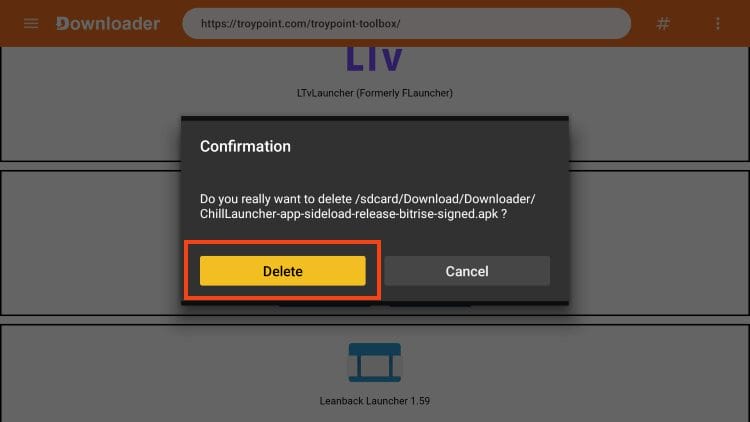
Installation of ChillHub Launcher is now complete!
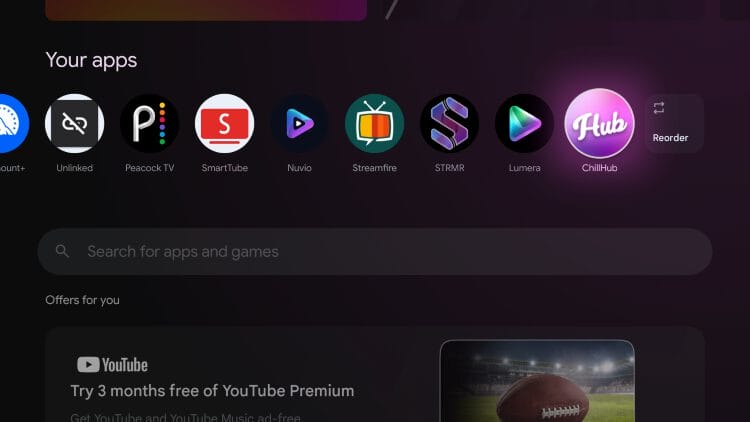
After installation if completed, you can launch the app for use from your home screen.
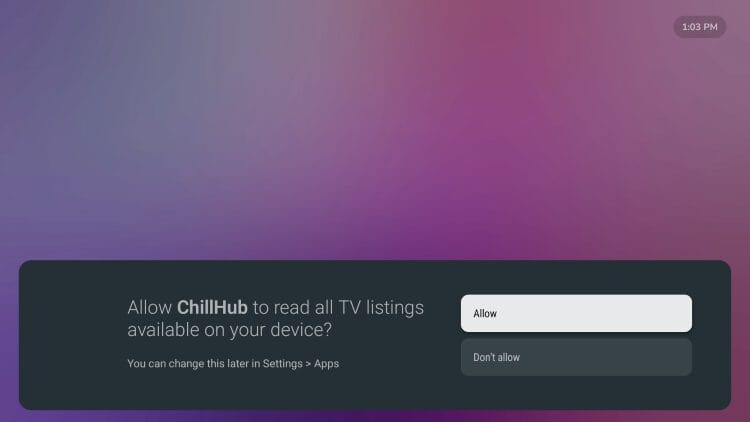
When prompted, select Allow.
You will then see the clean interface that ChillHub provides.
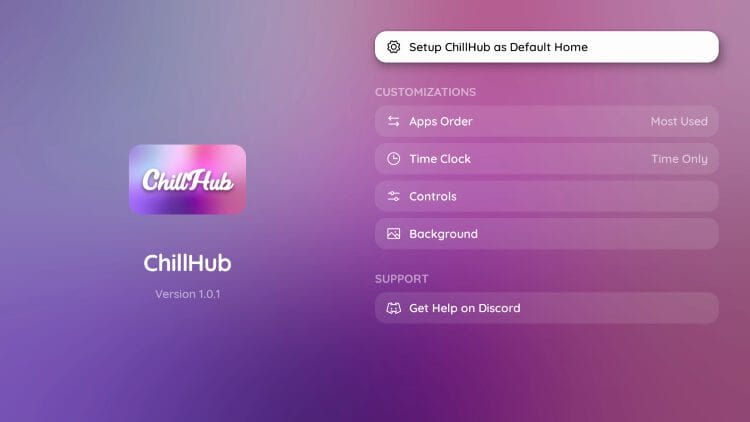
There are a few ChillHub Settings users can adjust including Apps Order, Time Clock, Controls, and Background.
Users can set it as default home using the Launcher Manager.
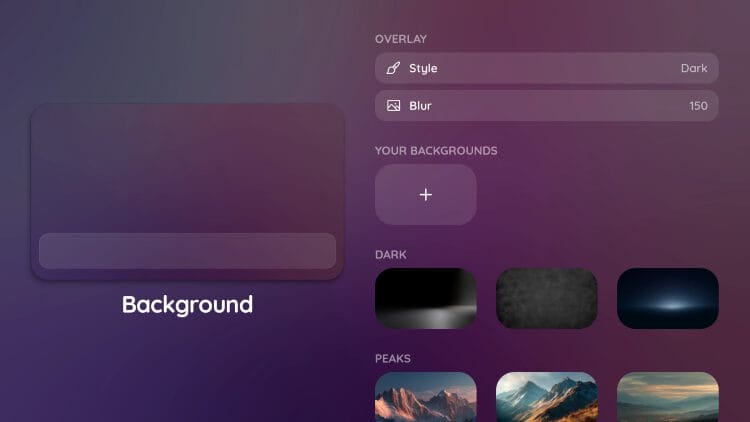
Editing the background color/style is a great way to personalize the launcher to your liking.
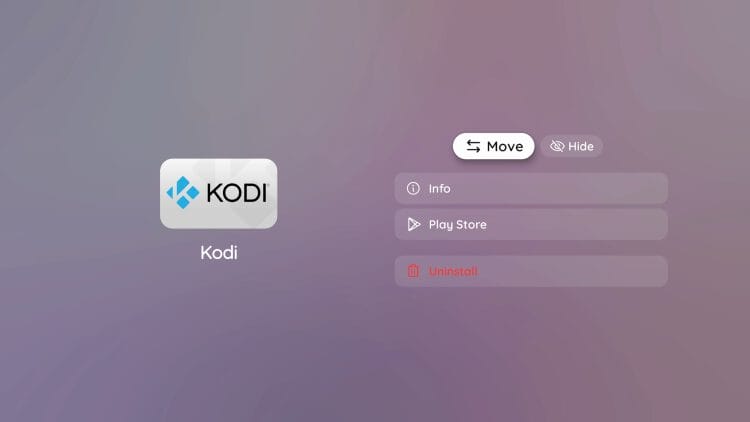
You can also Move around Apps by dragging and dropping them into your preferred location.
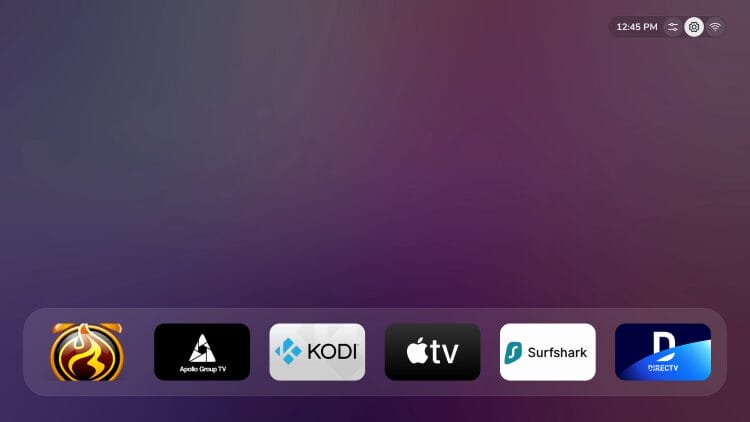
To access your Device Settings, click the Gear icon in the upper right hand corner.
Here is a full list of ChillHub Features pulled directly from the official GitHub Page.
Listed below are both the pros and cons of ChillHub Launcher that we have found with minimal testing.
The best feature ChillHub provides is the clean/simplistic interface that has no ads and no junk/clutter!
For more information, check out the official website.
Give it a try and let us know what you think in the comments below!
This page includes affiliate links where TROYPOINT may receive a commission at no extra cost to you. Many times, visitors will receive a discount due to the special arrangements made for our fans. Learn more on my Affiliate Disclaimer page.



© IPTVSub is Proudly Owned by win-design