



 Written by admin
DoDoStream is a free, open-source media hub application for watching films, shows, and more.
Use our guide to learn How to Install DoDoStream as well as a full review of this application pointing out both the good and the bad.
DoDoStream is a new, open source, “privacy-focused” APK available for installation on popular devices like Google/Android TV.
It works in conjunction with popular Stremio Addons to display content in a sleek user interface. We show you how to enable these in our guide below.
Unlike other popular APKs with open source capabilities, DodoStream does not require an account for use and is 100% ad-free.
NOTE: This app is currently in beta and therefore there are tons of bugs and issues still being ironed out as development continues.
In the guide below, we will install DoDoStream on an Onn 4K Pro. However, these instructions will also work for Fire TV/Firestick devices as well as any other Google or Android Box you prefer.
If you have an Android mobile device, you can also download this app using our step by step tutorial.
1. Install the Free Downloader App & enable Unknown Sources if you haven’t done so already. Launch Downloader from your home screen.
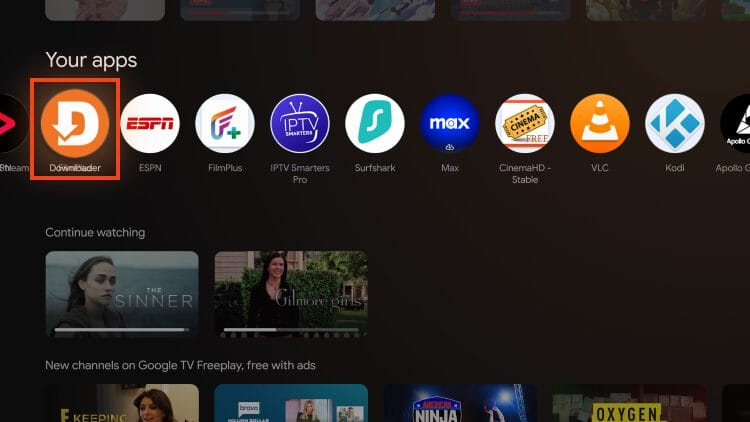
2. Input the Downloader Code for the TROYPOINT Toolbox which is 250931. Then click Go.
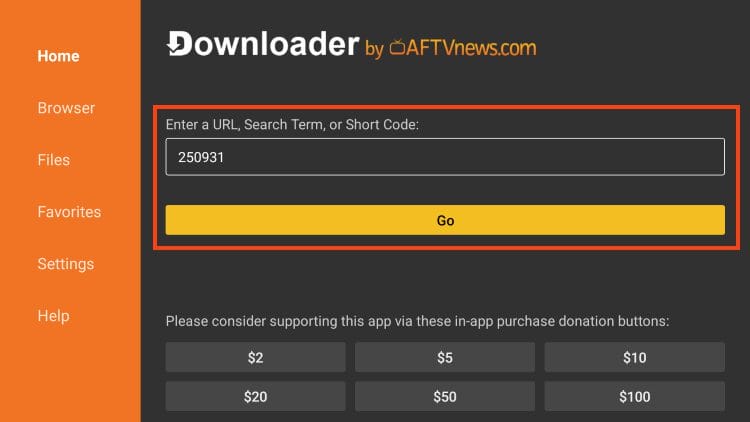
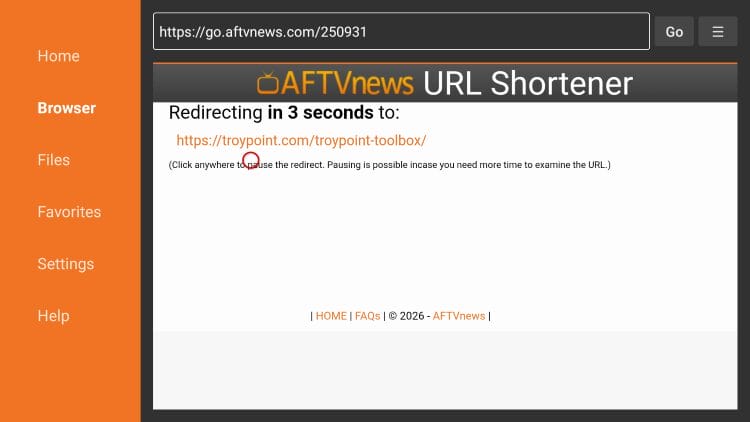
3. Wait a few seconds for the page to load.
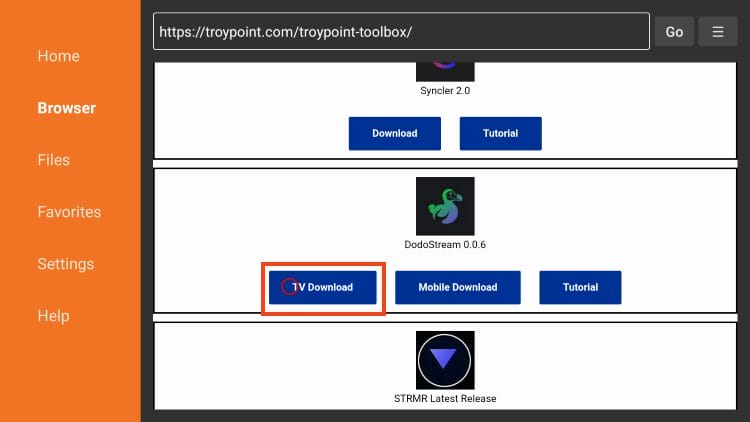
4. Scroll down to find the latest release of DoDoStream and click TV Download. If using a mobile device, choose the mobile version.
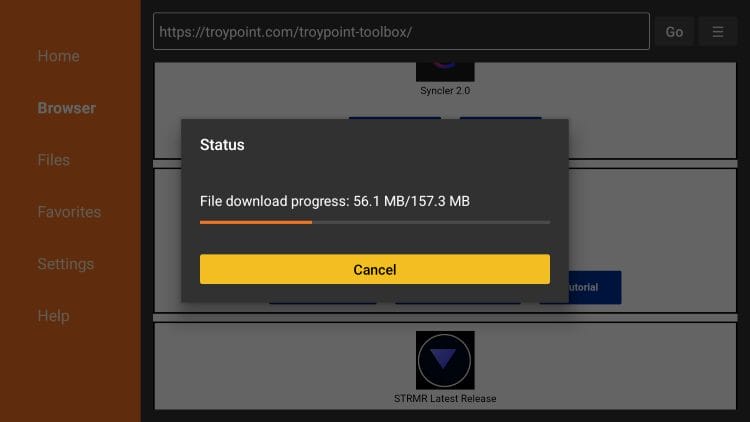
5. Wait for the app to install.
Your online activity is monitored by your ISP, app/addon/IPTV devs, government, and all websites.
🔒 Become anonymous while streaming & downloading with Surfshark VPN
Save 87% with 24-Month Plan + Get 3 FREE Months
Use on Unlimited Devices & Share 1 Account with Entire Family
CLAIM DEAL HERE
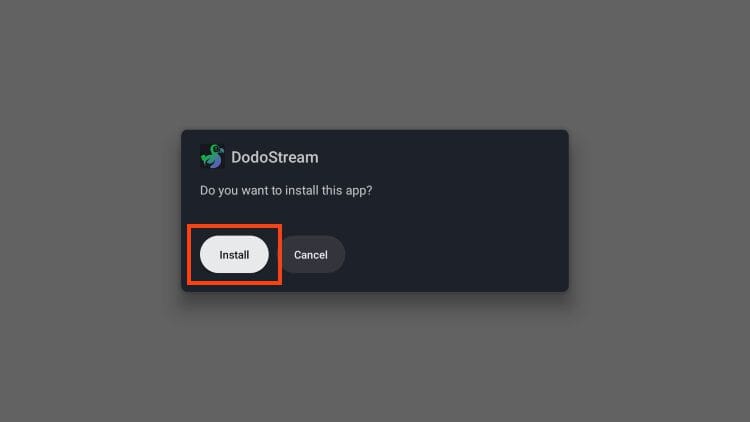
6. Click Install.
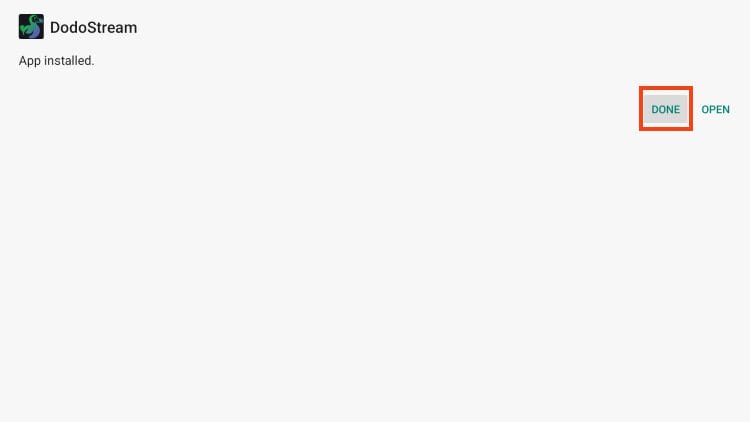
7. Choose Done.
8. Select Delete (this removes the installation file).
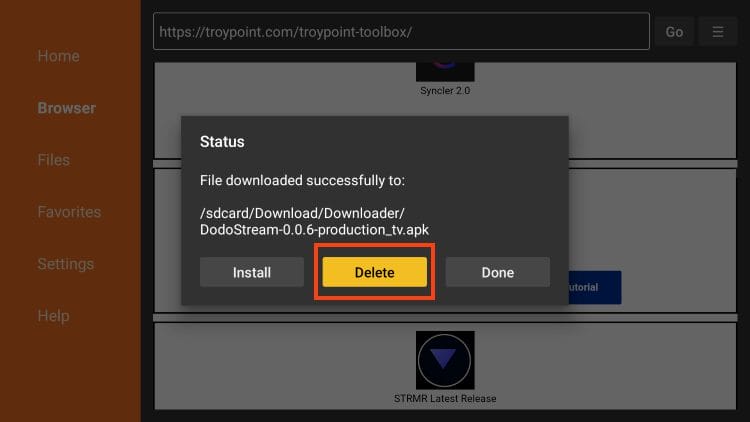
9. Click Delete again.
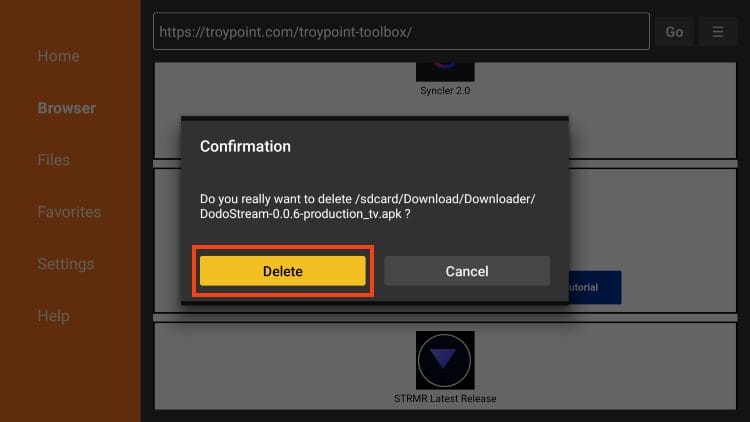
Installation is now complete! You can launch the application from Your Apps list.
As we referenced in the intro, DodoStream doesn’t work without a functioning Stremio Addon. You can easily integrate these within the Settings of the application.
1. Launch DodoStream and click the Settings button.
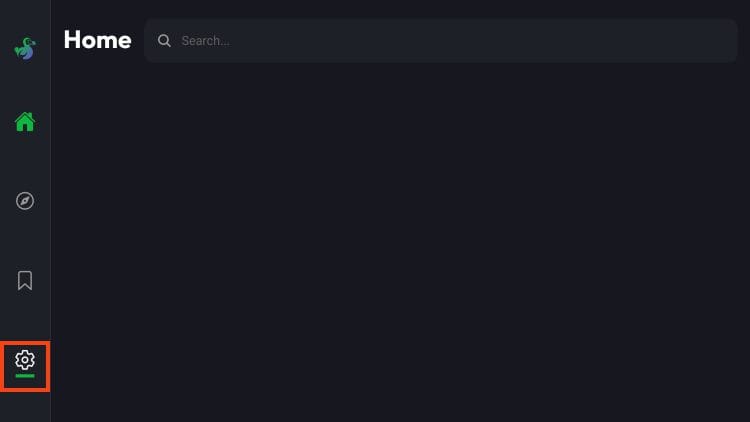
2. Choose Addons.
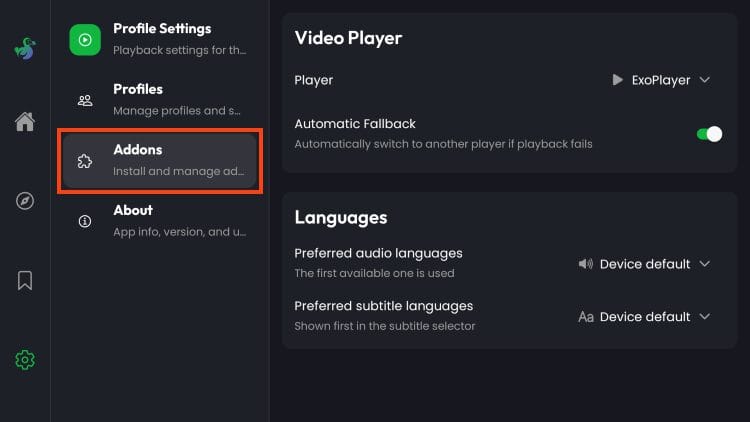
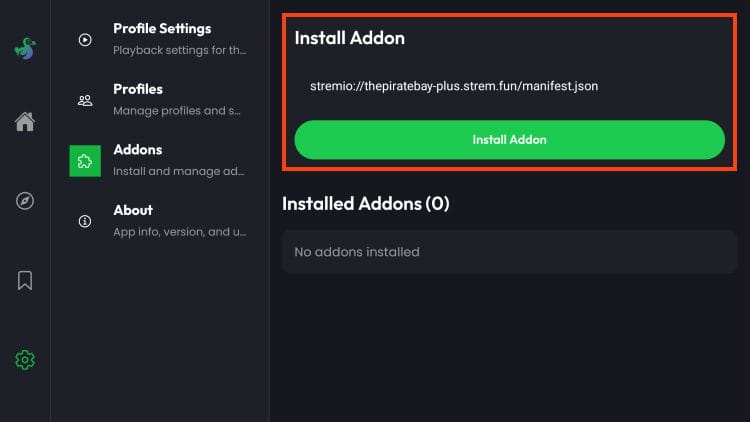
3. Click the URL bar and input the URL for your preferred Stremio Addon.
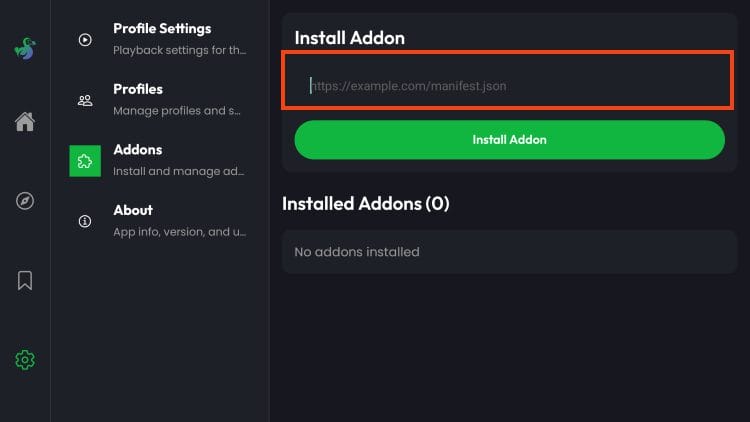
4. Select Install Addon.
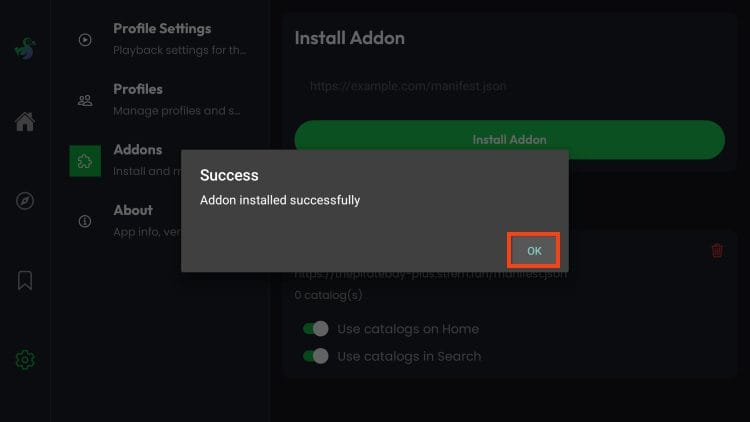
5. You will see Addon installed message.
Enjoy!
We are pleased with DodoStream’s simplicity as all it takes is the addition of a specific addon to find the content you are looking for.
As we have referenced, you may experience bugs and issues when navigating this platform and that is because it is still being developed and not fully stable. We expect performance to improve with time.
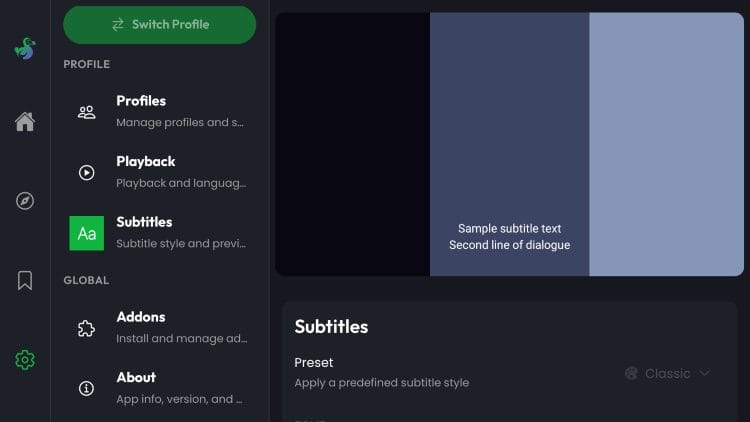
Within the Settings are a few useful items that you can adjust to add to your experience.
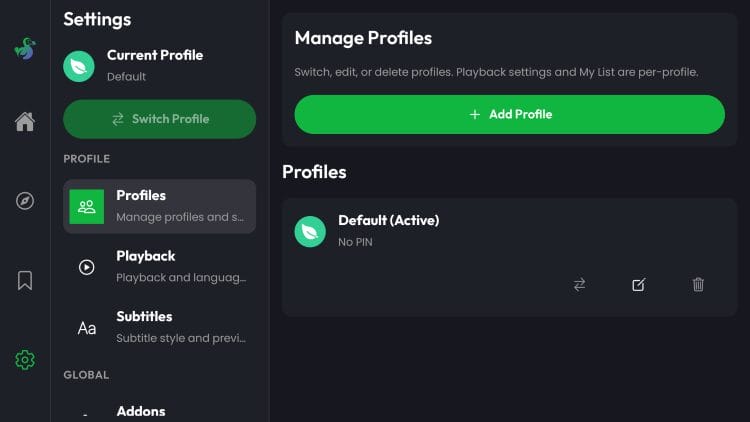
Users can set and manage various Profiles (& create PINS) to toggle different users and adjust preferences for Kids and more.
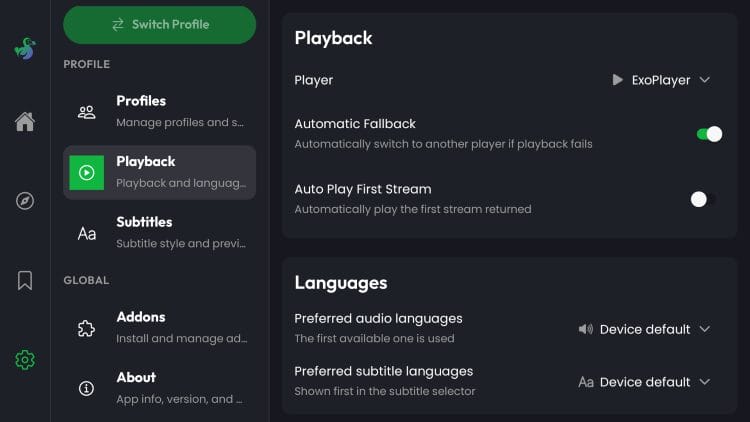
Within Playback are settings to enable different Video Players, Choose default languages, and more.
Subsitles Capabilities are also provided.
Overall, DoDoStream is a good new app that has potential and we hope to see it get some traction in the future!
There are some Pros and Cons to using DoDostream which include the following.
Because DoDoStream is still in beta, we do not recommend using this app everyday just yet. There are still tons of improvements that need to be made and we hope to see it get some changes soon.
For more information, check out the official GitHub Page.
If you install and test out this app, let us know what you think of it in the comments below!
This page includes affiliate links where TROYPOINT may receive a commission at no extra cost to you. Many times, visitors will receive a discount due to the special arrangements made for our fans. Learn more on my Affiliate Disclaimer page.



© IPTVSub is Proudly Owned by win-design