



 Written by admin
This guide features the STRMR Application with a detailed installation tutorial as well as a thorough review of this platform.
STRMR is a new streaming APK that works with various debrid services to provide Movies and Television Series for your viewing pleasure.
It also has Stremio Addon support so you can integrate your preferred 3rd party addons which is what the app uses to scrape for streaming links.
STRMR features a simple, well-polished user interface that makes browsing extremely easy on all compatible media devices.
While the preferred device is Android/Google TV, you can also install the APK on Firestick/Fire TV devices as well as Android phones and tablets.
In this tutorial, we are using the Onn 4K Plus from Walmart but our guide can be followed using any device you prefer.
IMPORTANT NOTE: STRMR requires users to sign in with a Google account to access the application. If you do not wish to use your personal account, we recommend creating a secondary Google account without your own personal information.
We have broken our guide down into 4 seperate steps which include installation, Google account authorization, debrid service integration, and Stremio addon install.
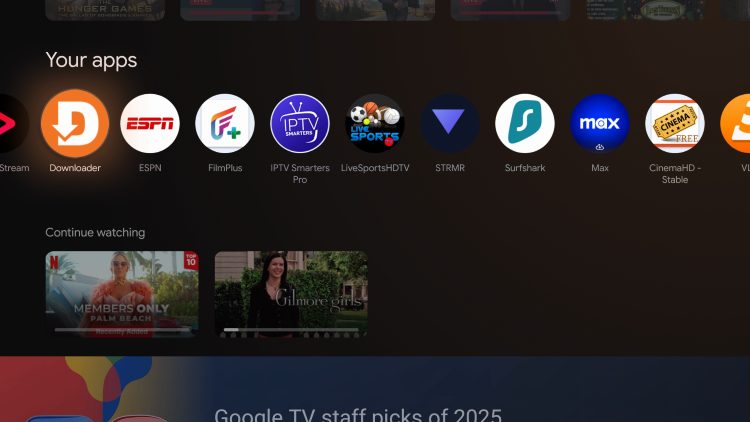
1. Install Downloader (if you haven’t already), and enable Unknown Sources to enable sideloading. Launch the application.
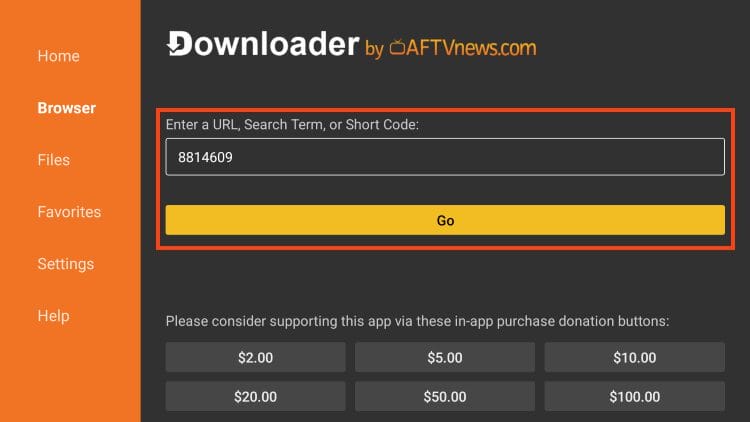
2. Click the URL bar and input the Downloader Code for STRMR – 8814609 and click Go.
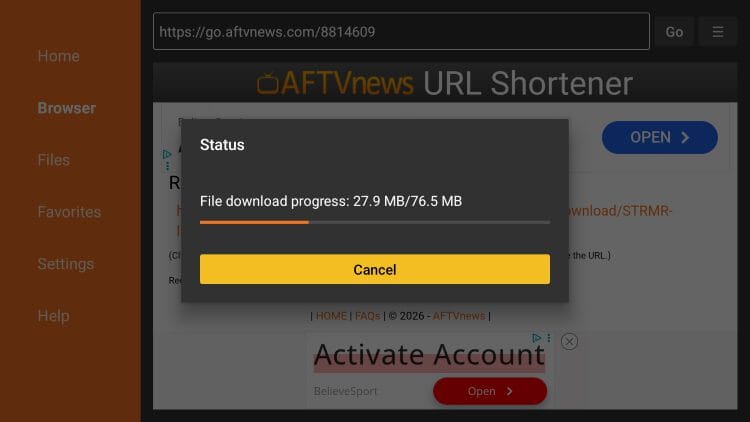
3. Wait for the app to download.
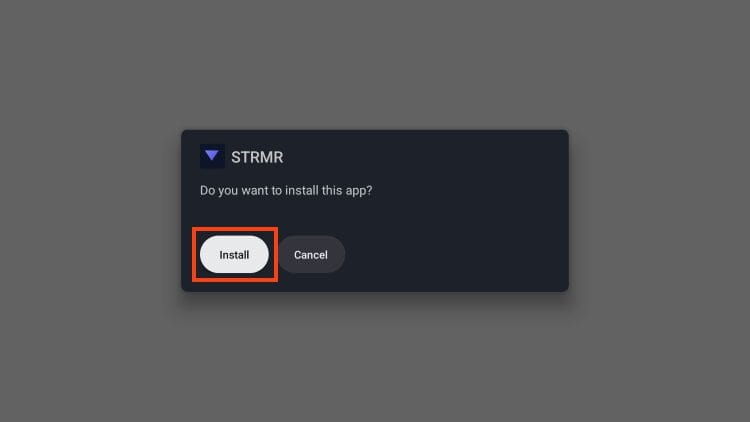
4. Click Install.
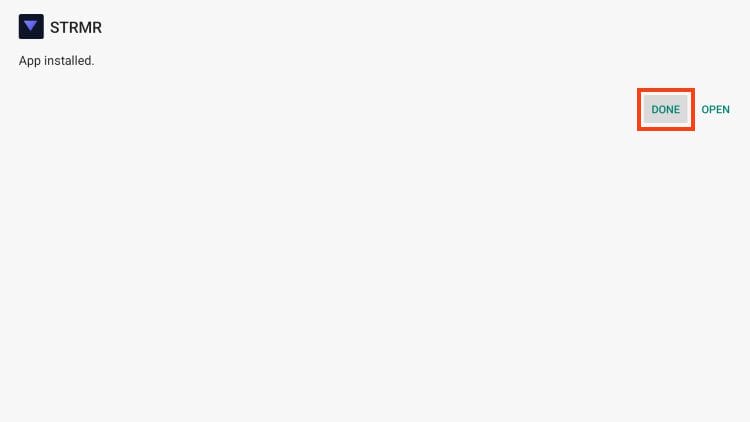
5. Select Done.
Your online activity is monitored by your ISP, app/addon/IPTV devs, government, and all websites.
🔒 Become anonymous while streaming & downloading with Surfshark VPN
Save 87% with 24-Month Plan + Get 3 FREE Months
Use on Unlimited Devices & Share 1 Account with Entire Family
CLAIM DEAL HERE
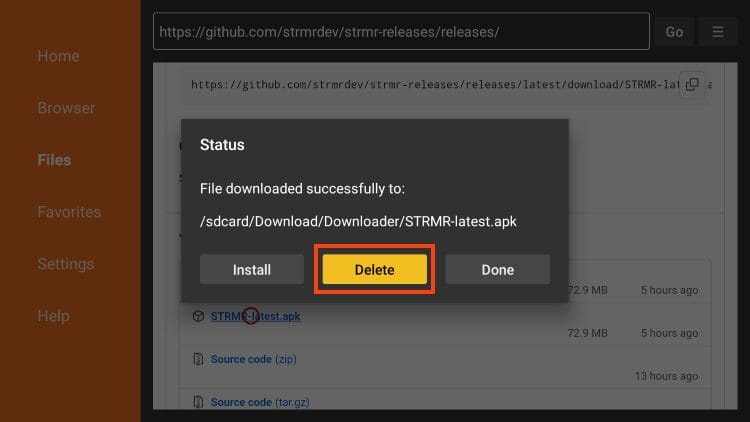
6. Choose delete (this removes the installation file and frees up space on your device).
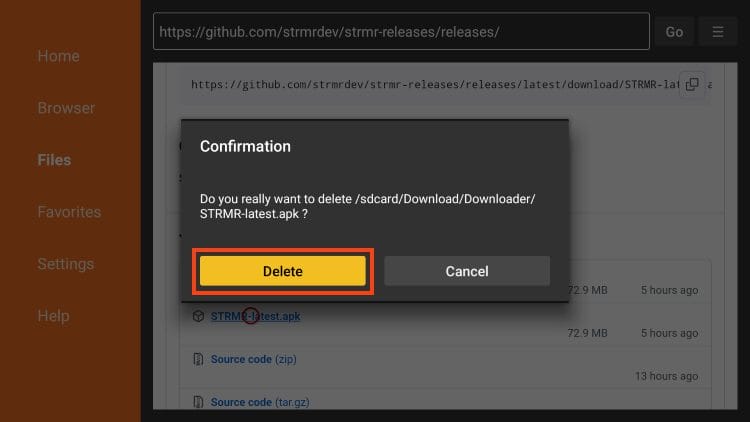
7. Click Delete again.
As referenced earlier, users must sign in to STRMR with a functioning Google account. If you are using a Google or Android Box like us, you’ll need to sign in on the device itself to use the app.
1. From the home screen of your device, select your profile as pictured below.
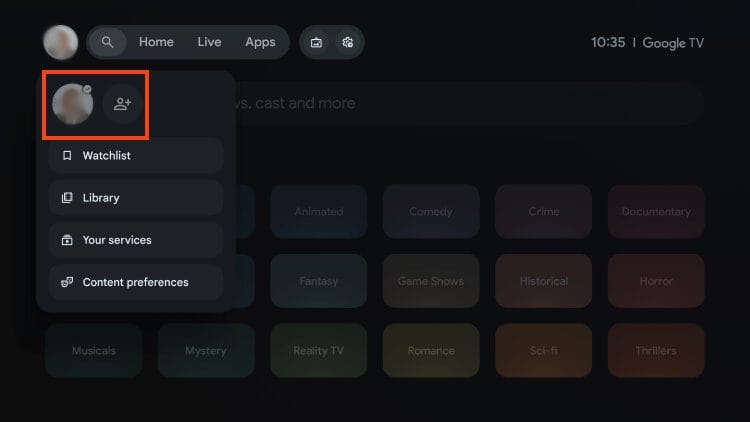
2. Choose Add Account.
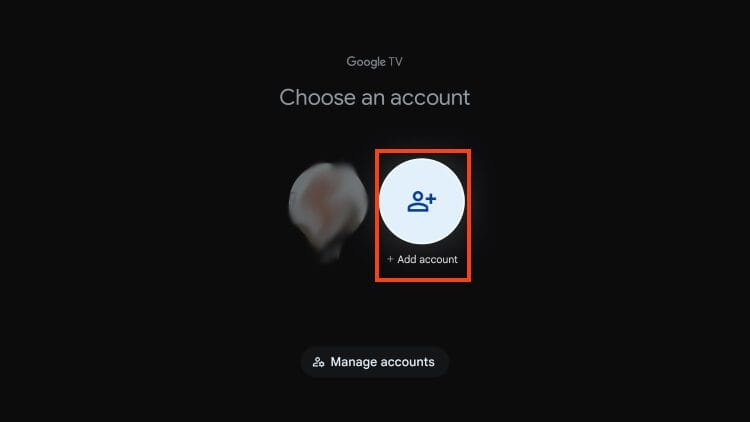
3. Select your preferred account.
We will now integrate a Debrid Service within the STRMR App. Currently, the following platforms are supported:
1. Open the STRMR app from Your Apps list.
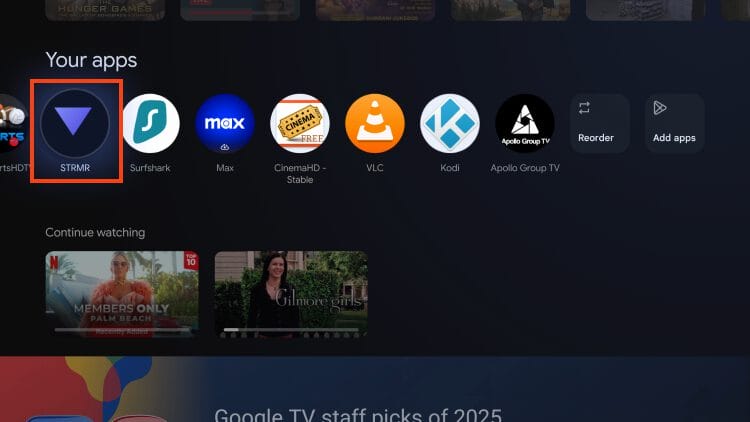
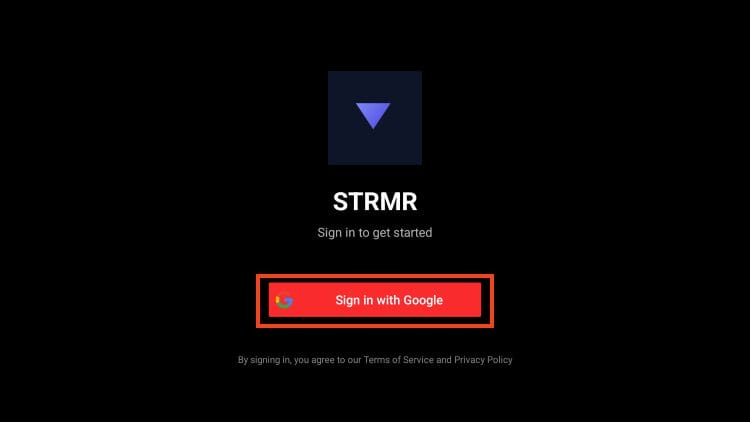
2. Choose Sign in with Google.
3. Select your “alternative” Google account.
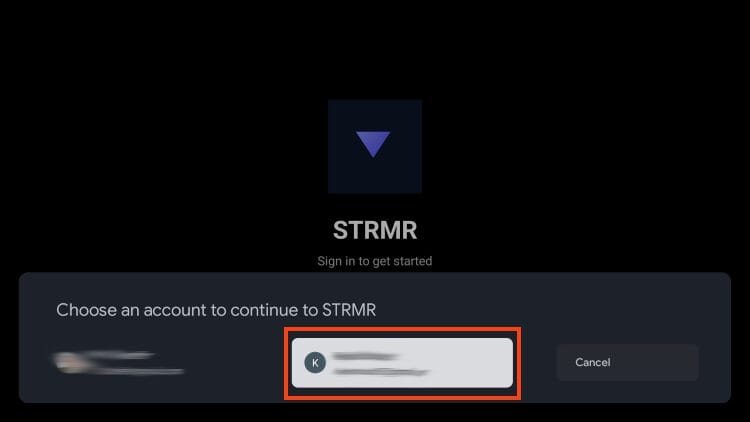
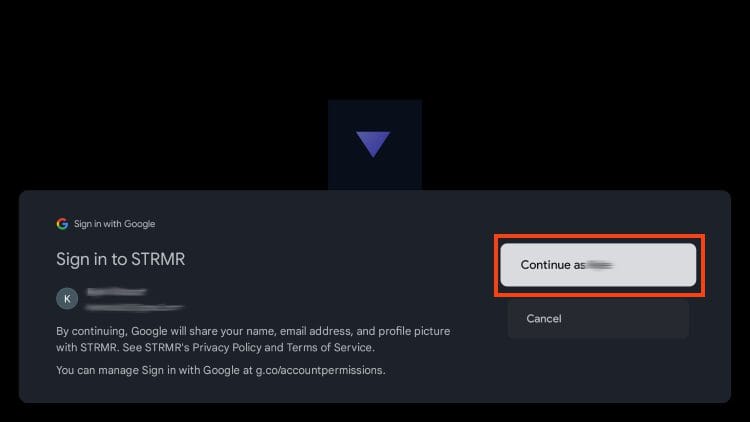
4. Click Continue.
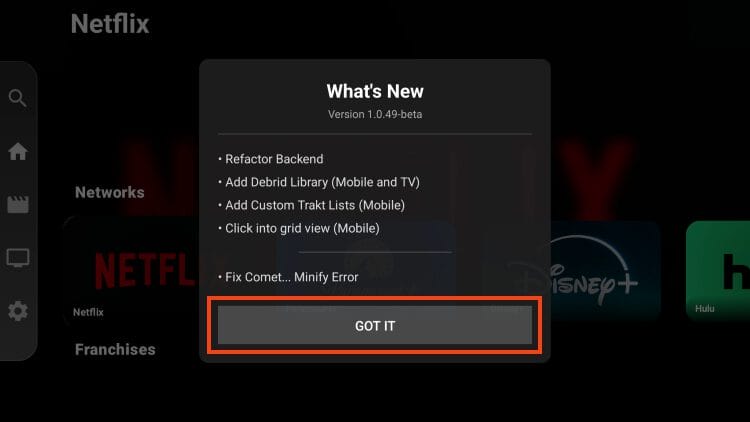
5. Choose Got It.
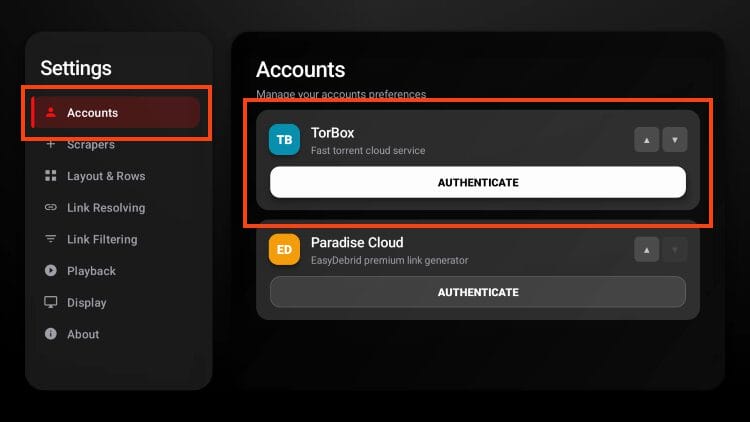
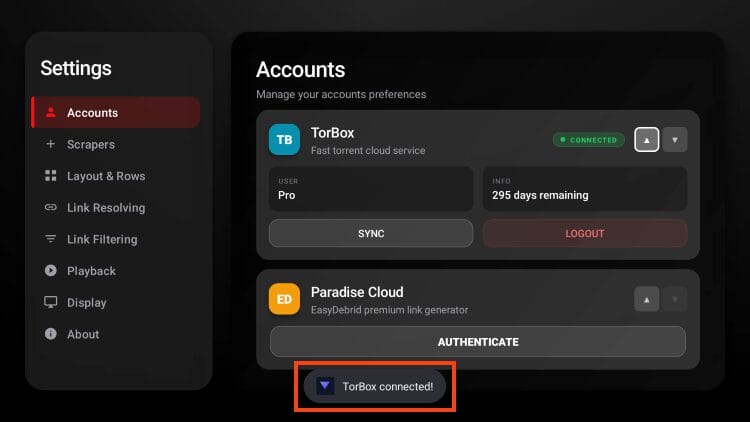
6. Open Settings and under Accounts, click Authenticate for your preferred Debrid provider.
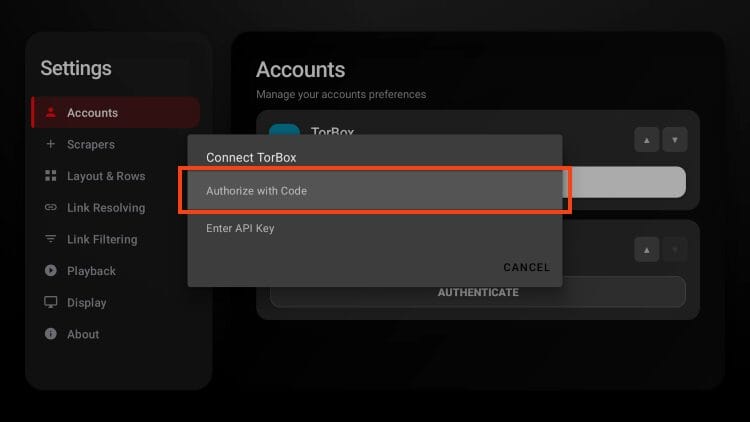
7. Choose Authorize with Code. (Or Enter API Key if you prefer)
8. Authenticate and you will see success message appear.
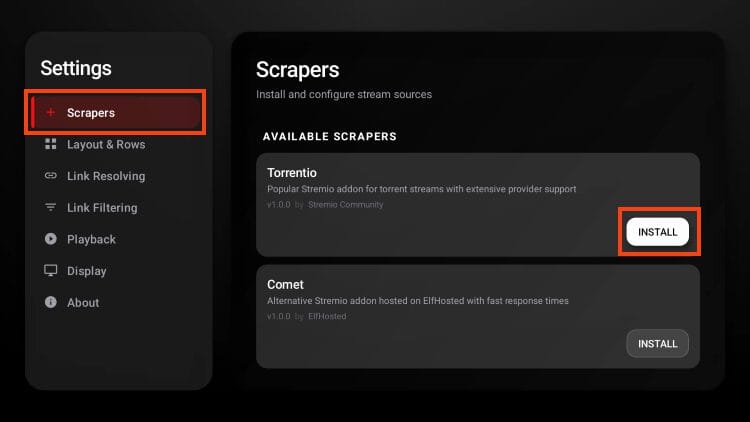
In order for streaming links to appear, we must also add a “Scraper” by integrating a Stremio Addon as shown below.
1. From the Settings menu, select Scrapers and click Install for your preferred Addon. We have chosen Torrentio.
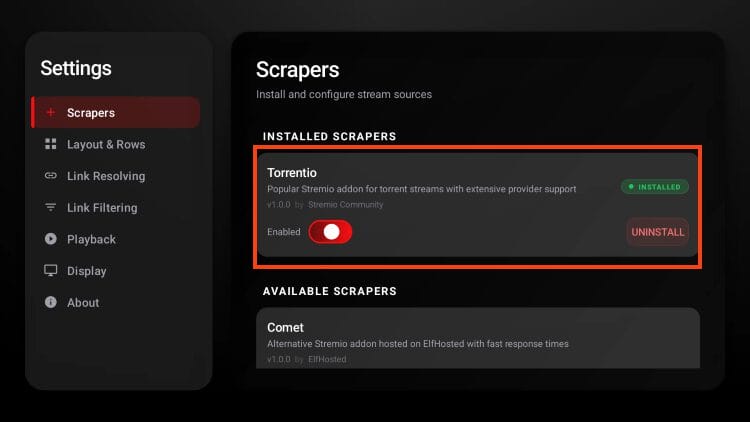
2. You will see “Installed” message for your addon choice.
There are a few added settings you can adjust to personalize the app to your liking.
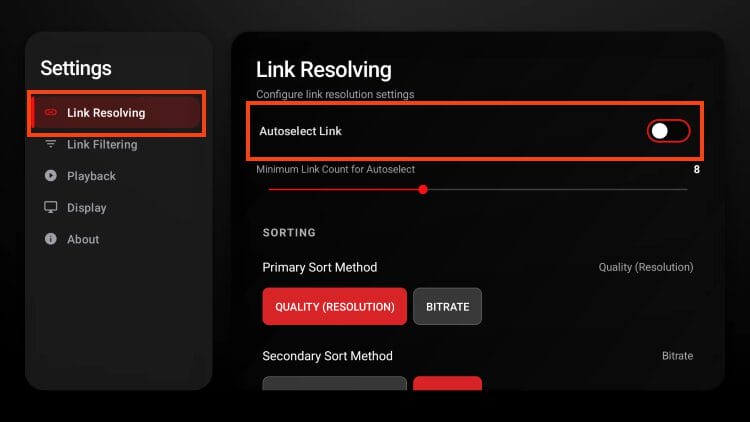
STRMR is automatically set to “auto-play” which means it will choose a streaming link for you. If you want to change this (which we suggest), you can do so under the Link Resolving tab in the menu bar.
Click the toggle for “Autoselect Link” to disable auto play.
Another great feature is the Link Filtering option where you can enable/disable various quality resolutions and adjust bitrate limits.
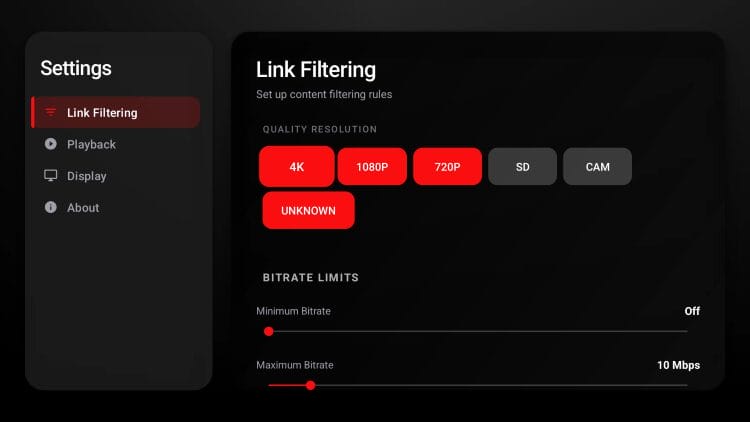
Once you have the app fine-tuned to your liking, you can begin watching films and shows by browsing the STRMR interface. Enjoy!
There are some positive and negative things about STRMR which include the following:
Overall, we are impressed with STRMR and the functionality it provides, serving up both Films and Shows that play in high definition.
While fairly new to the streaming landscape, it appears to function similarly to Stremio and various other APKs that require external scrapers for resolving.
We like this method as it adds and extra layer of personalization where users can integrate their preferred addons or other sources and watch HD media.
Unfortunately, the requirement of a Google Sign In is not something we like to see as doing this strips anonymity and will give developers access to some of your personal information.
If you are concerned with privacy at all, you may want to find a better alternative that doesn’t require registration and works without an email address.
We hope to see some changes to STRMR in the future and will monitor as it continues to receive development!
We are always happy to see new apps make their way to the cord cutting community and STRMR is a great option.
Unfortunately, many prefer not to use a google account to access applications and that is why most will consider an alternative outlet.
If you are interested, use our guide above to install the APK and give it a try on your favorite device.
Let us know what you think of it in the comment section below!
This page includes affiliate links where TROYPOINT may receive a commission at no extra cost to you. Many times, visitors will receive a discount due to the special arrangements made for our fans. Learn more on my Affiliate Disclaimer page.



© IPTVSub is Proudly Owned by win-design