


 Written by admin
The CloudStream APK is gaining tons of popularity lately and many are looking for the best repositories to install extensions within this application.
We have compiled a list of working repository URLs that you can use to install extensions for free films, shows, live content, and more.
While it may seem a bit confusing at the start, our guide will break it down step by step and explain the installation process and how you can use these platforms to your advantage!
If you haven’t already, you will want to make sure to install CloudStream on your device (Google TV/Android TV/Firestick) before diving into our list.
CloudStream is an “open source” application, similar to the likes of Kodi and Stremio which both function in the same manner.
Unlike other 3rd Party APKs, these platforms require integration of provider sources that come in the form of addons or in CloudStream’s case, “Extensions”.
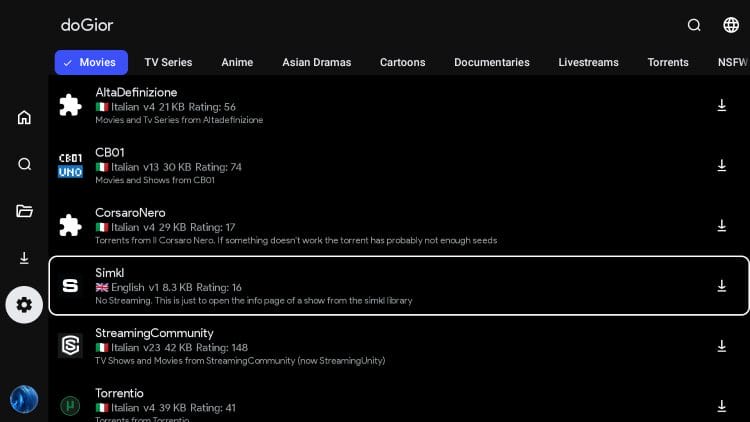
In order to find these extensions, users must input a Repository URL which contains one or more Extensions which you can then download for use.
These are what serve up the media you will stream within the application, and come in tons of different variations for almost any type of content you are looking for.
If you are still unsure of this process, use our step by step guide below the list that will show you how to install repositories and extensions on any device!
IMPORTANT NOTE: While many sites list “Shortcodes” for various Repositories, we have not had any luck getting these to work in the application. Unfortunately, you will likely have to input the entire URL. Learn how to simplify this process in our installation tutorial below.
Repo URL: https://raw.githubusercontent.com/self-similarity/MegaRepo/builds/repo.json
Extensions Provided:
Repo URL: https://raw.githubusercontent.com/self-similarity/MegaRepo/builds/repo.json
Extensions Provided: This repository contains all repos available for the CloudStream app. You can then delete/uninstall any you do not wish to use.
Repo URL: https://raw.githubusercontent.com/phisher98/cloudstream-extensions-phisher/refs/heads/builds/repo.json
Extensions Provided:
Repo URL: https://raw.githubusercontent.com/doGior/doGiorsHadEnough/refs/heads/builds/repo.json
Extensions:
Your online activity is monitored by your ISP, app/addon/IPTV devs, government, and all websites.
🔒 Become anonymous while streaming & downloading with Surfshark VPN
Save 87% with 24-Month Plan + Get 3 FREE Months
Use on Unlimited Devices & Share 1 Account with Entire Family
CLAIM DEAL HERE
Repo URL: https://raw.githubusercontent.com/CakesTwix/cloudstream-extensions-uk/master/repo.json
Extensions:
Repo URL: https://raw.githubusercontent.com/saimuelbr/saimuelrepo/refs/heads/main/builds/repo.json
Extensions:
Repo URL: https://pastebin.com/raw/Cd2g2tfz
Extensions:
Repo URL: https://raw.githubusercontent.com/NivinCNC/CNCVerse-Cloud-Stream-Extension/refs/heads/builds/CNC.json
Extensions:
Repo URL: https://raw.githubusercontent.com/SaurabhKaperwan/CSX/builds/CS.json
Extensions:
If you are new to the CloudStream software, use the guide below to learn how to install repositories and extensions following our screenshots below.
We are using a Fire TV Stick 4K Max but if you have a Google/Android Box such as the Onn 4K Pro, these instructions will work as well.
1. Launch the CloudStream app and open Settings.
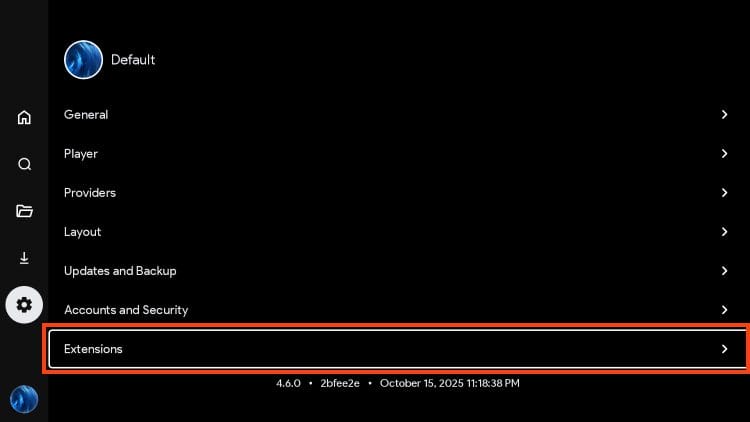
2. Choose Extensions.
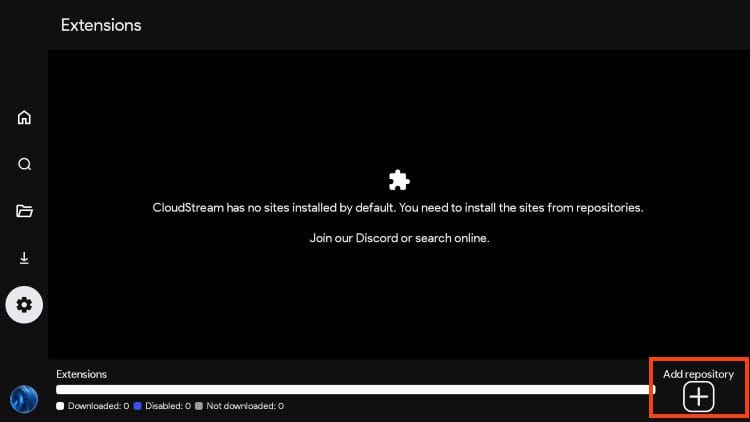
3. Select Add Repository.
4. You are then prompted to input a Repo Name (optional) and a Repository URL.
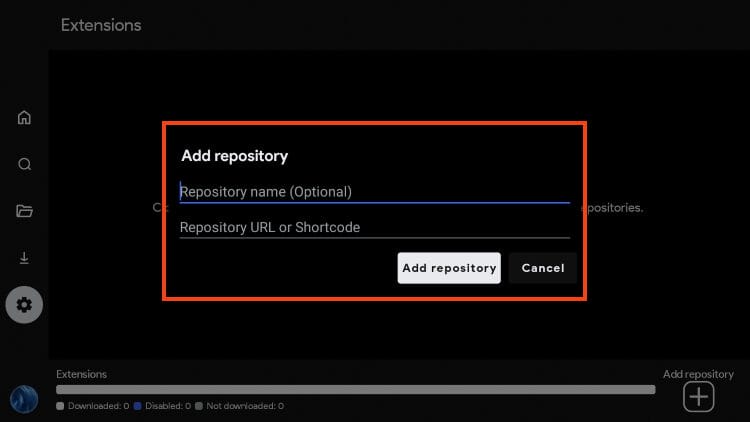
5. Input a Name of your choice and click Next.
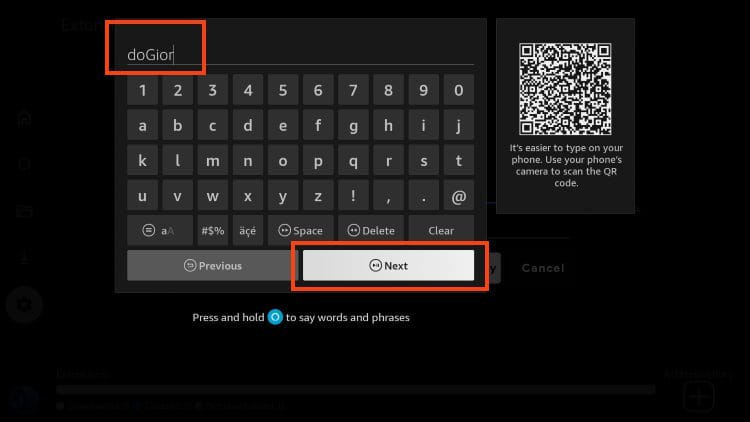
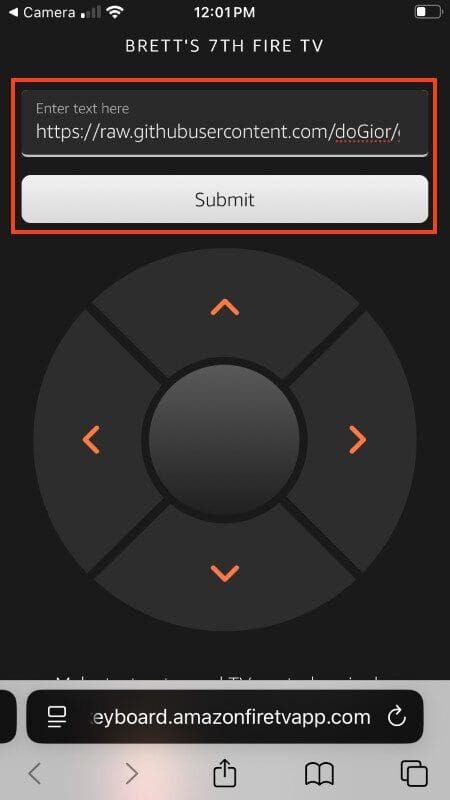
6. For the Repository URL, we suggest using the provided QR Code (if using a Firestick) and using the Fire TV App on your phone to type the long URL.
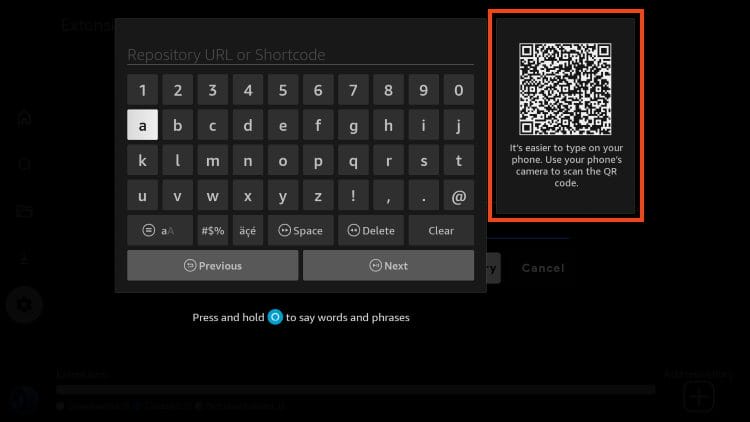
7. Click to launch your keyboard.
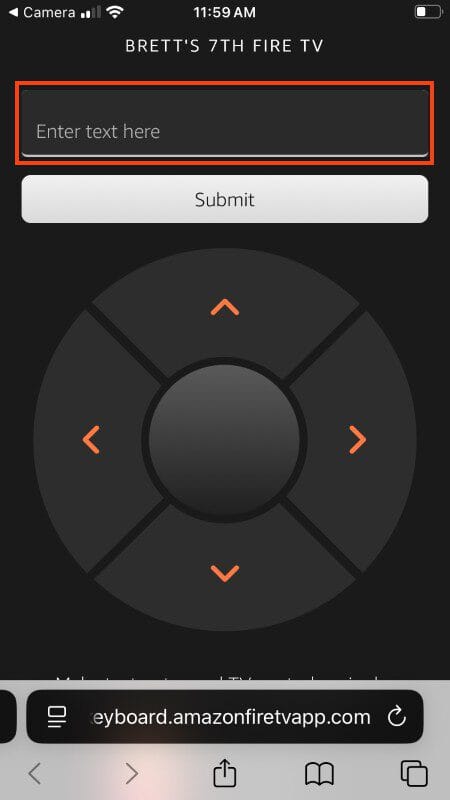
8. Input Repository URL of your choice from our list above and click Submit.
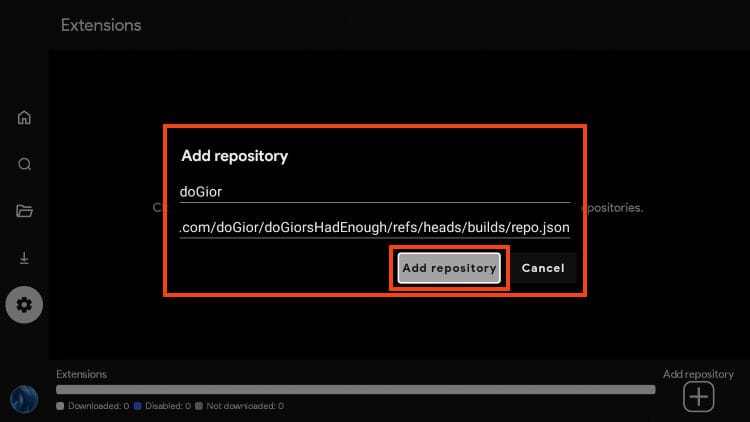
9. Return to your streaming device and click Add repository.
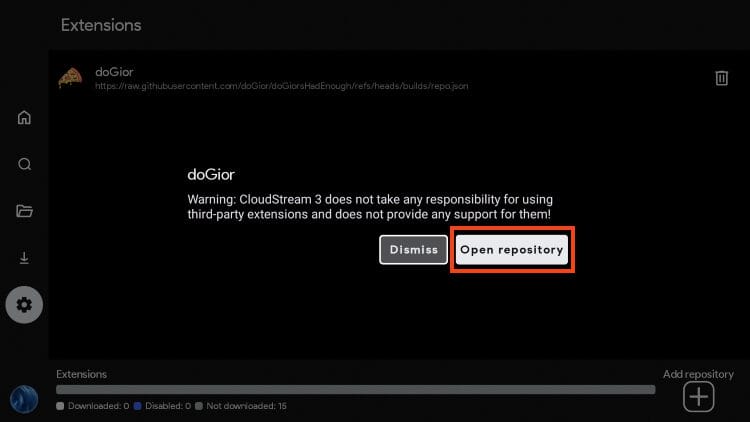
10. When prompted, click Open repository.
11. You are now in the CloudStream repository. You can see all extensions and sort via the categories listed at the top.
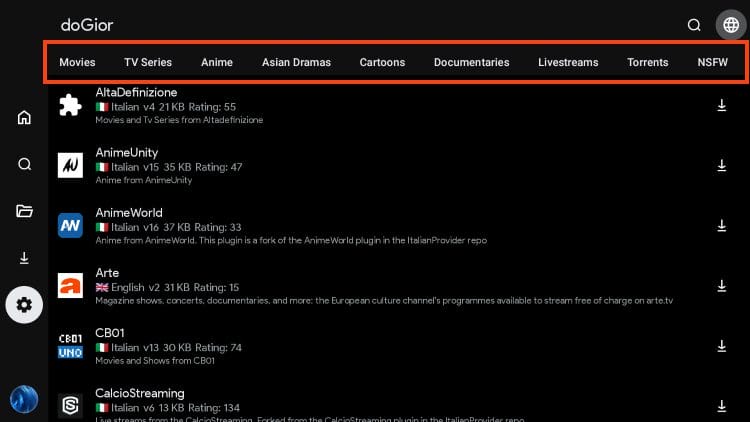
12. Choose a category to sort available extensions by what you want to watch.
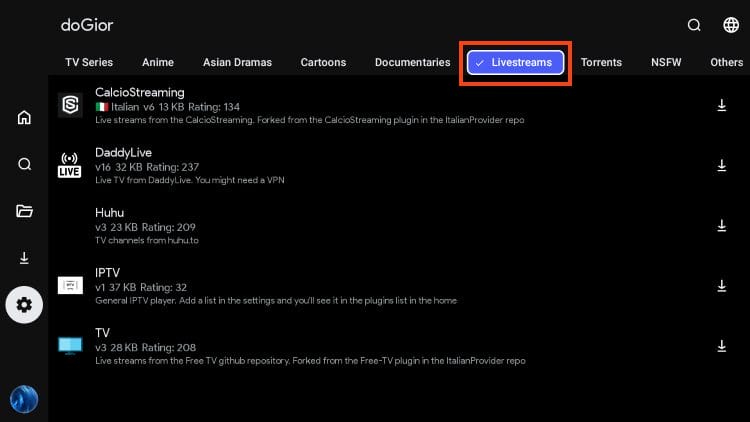
13. Click Download for the extension you wish to install.

14. You will encounter “Plugin Loaded” message.

15. Return to the home screen and in the upper right hand corner, select None.

16. Choose the category/content you want to stream with your preferred extension.

17. If prompted, choose a subcategory or Extension.

18. You can now browse all provided content.
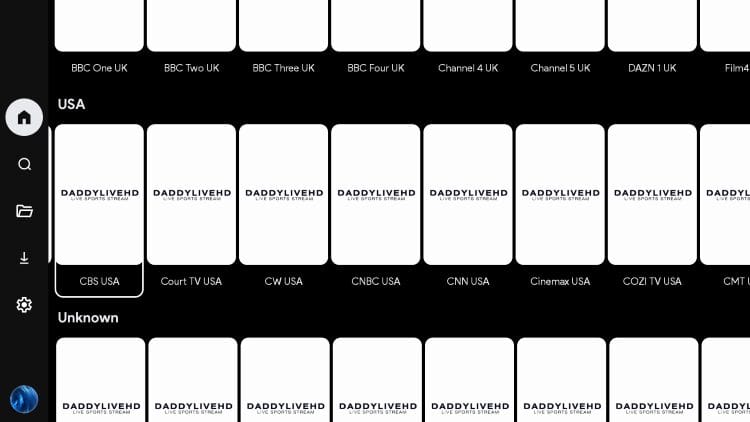
Enjoy!
When just getting started with this application, installing repositories and extesnsions may seem like a daunting task but hopefully our guide has simplified this process.
Using APKs like CloudStream which require provider integration is a great way to personalize these platforms and only install the plugins that you actually need.
We hope that more developers create repos/extensions for use on CloudStream and will add to this list when any arise.
If you have a CloudStream repository you use that we don’t have listed, let us know what it is in the comment section below!
This page includes affiliate links where TROYPOINT may receive a commission at no extra cost to you. Many times, visitors will receive a discount due to the special arrangements made for our fans. Learn more on my Affiliate Disclaimer page.




© IPTVSub is Proudly Owned by win-design