


 Written by admin
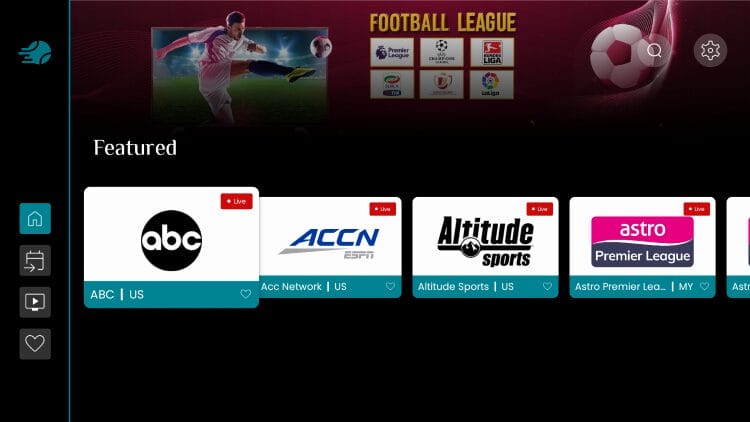
This guide shows how to install SportsFire APK for live sports and television on your preferred streaming box and more.

Those who own a media device with “sideloading” capabilities such as Amazon Firestick/Fire TV or Google & Android TV Boxes can easily download this app using our tutorial below.
If you own an Android mobile device or tablet, you can also install SportsFire and enjoy live matchups on the go!
We have both a video guide and a screenshot guide that walk you through this process step by step. Once installed, you can navigate through the library of content which includes free live television channels ranging from local news to national sports and more.
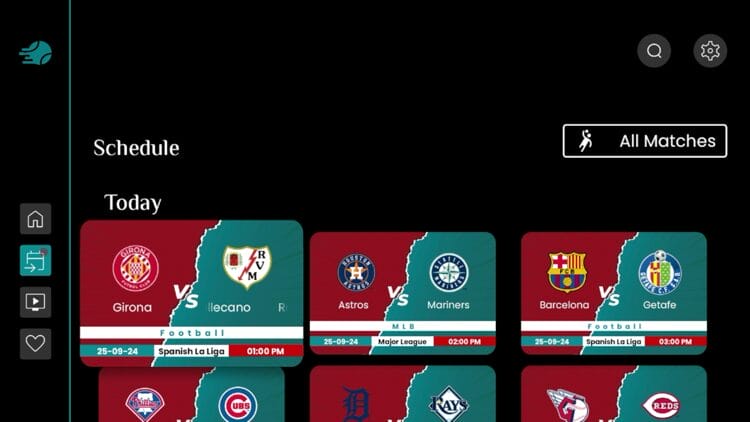
The best feature, however, is the built in schedule that is updated daily with just about every live sporting event you can think of so you don’t have to search through different platforms to find your game.
It works just like other popular apps or APKs with a fabulous user interface that will allow you to navigate through all channels/events so make sure you give it a try!
If you have never heard of SportsFire, you are in for a treat as this is one of the best apps out there to watch live sports and television on various streaming boxes.
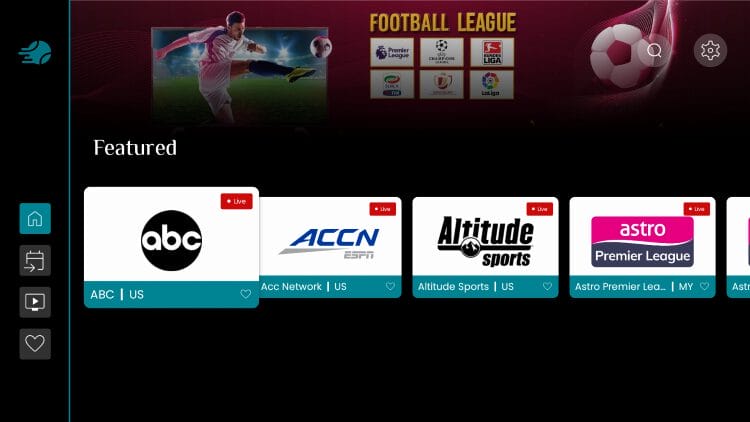
SportsFire is a high-level free IPTV application that focuses on sporting events and provides tons of live channels that play with little to no buffering.
This includes streams for football, basketball, baseball, hockey, and more. There are also various live options for news, entertainment, and more.
If you are used to accessing free sports websites to watch your favorite teams and games, you may want to consider making the switch to the SportsFire APK!
This app has all of the best live action without having to scour through tons of streaming sites and you don’t have to cast to your television as it can be installed on any media device. Currently, the most recent version is V2.0.7 with tons of updated features, improvements, and bug fixes.
Here’s an installation video for Firestick and Android TV/Google TV showcasing how to install both SportsFire and it’s sister app – StreamFire which are two of the most prominent Free IPTV Apps available today.
Important: Here are the updated Downloader codes that should be used to install these two apps. Do not use the codes that I used in the video!
SportsFire: 5709452
StreamFire:6647940
Get Surfshark VPN with Discount Here
Use the guide below to install SportsFire APK on your preferred streaming device.
1. Install the Downloader app on your device.

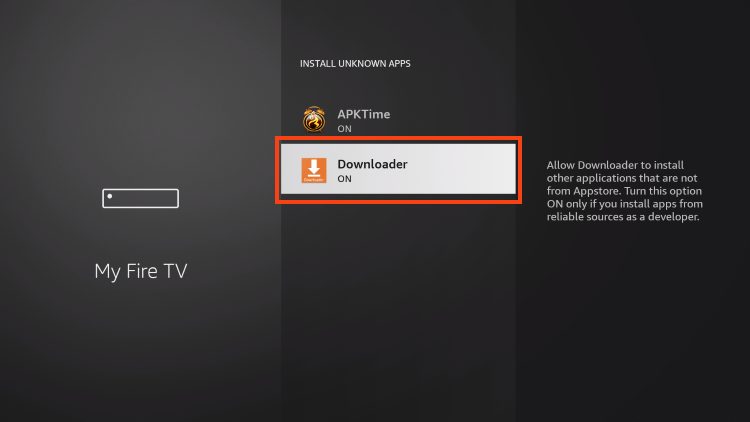
2. Turn on Unknown Sources within My Fire TV. You can also enable this within Settings for Google/Android Boxes as well.
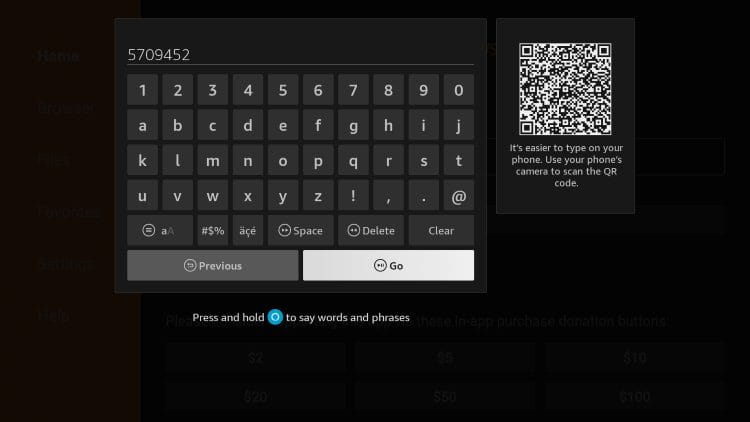
3. Launch Downloader and click the search box.

4. Enter the code 5709452 and click Go. (This is the Downloader Code for SportsFire).
NOTE: If this fails to load, you can use the official website – sportsfire.tv to install as well.
5. Wait for SportsFire to download.

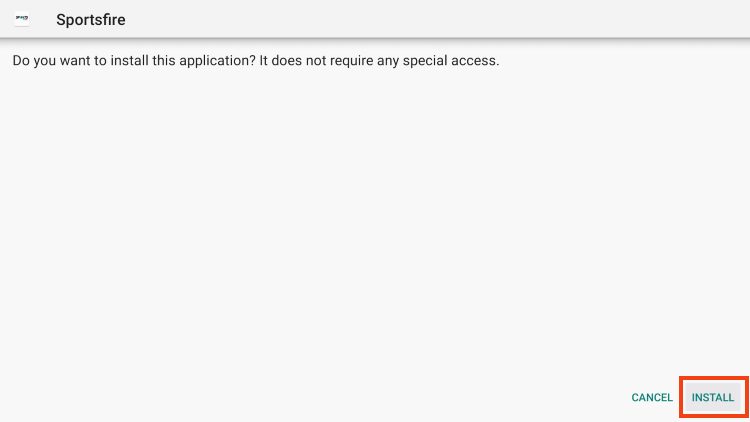
6. Click Install.
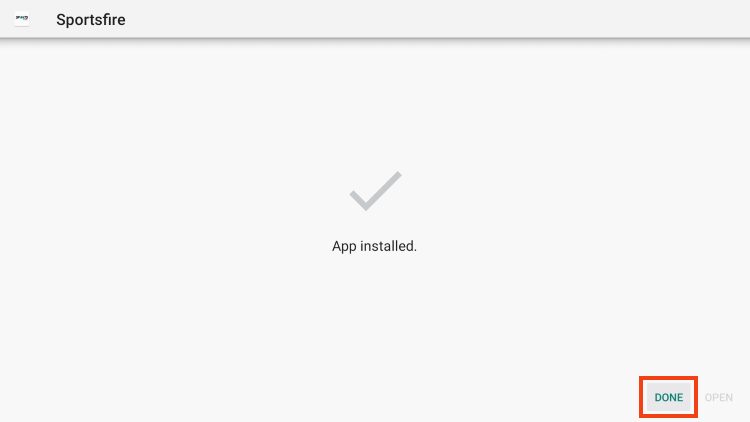
7. Click Done.
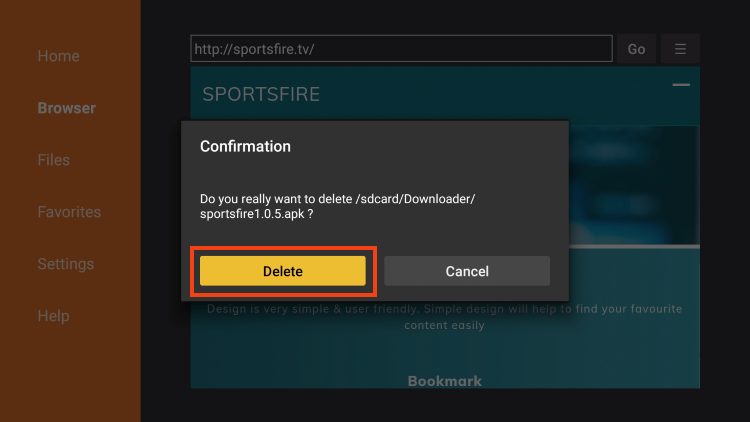
8. We are now brought back to the Downloader app. Click Delete to remove the installation file.

9. Click Delete again.
10. Locate SportsFire on your device and launch the APK.
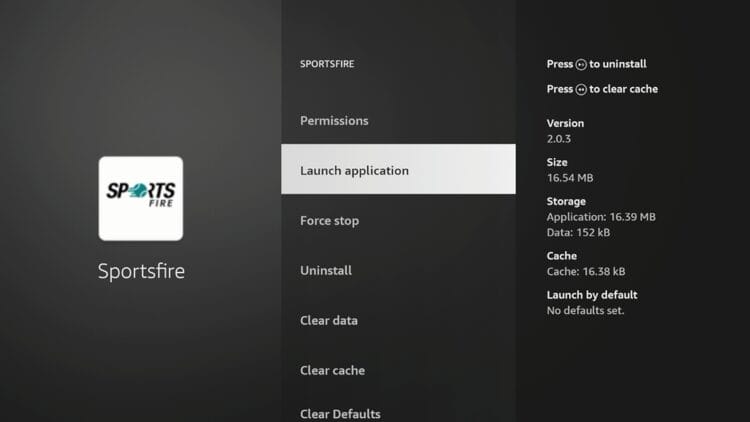
11. Wait a few seconds for the APK to load.

12. You have successfully installed SportsFire on your Firestick or Android device.

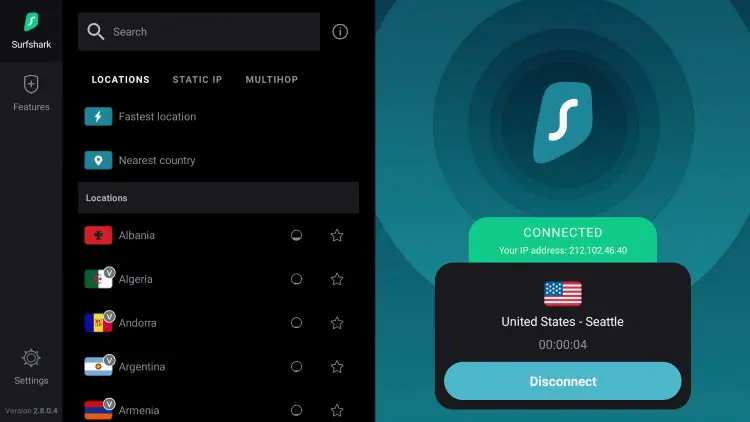
13. Before viewing content from SportsFire, we recommend you install Surfshark VPN on our device.
Surfshark VPN will protect our identity for unverified streaming apps where we do not know who the developer is and what they may do with our data.
Continue reading for more important information on the SportsFire TV APK.
SportsFire was built for use on television sets and may not function properly on smartphones/tablets that run the Android Operating System.
However, if you would like to install it you can do so with Downloader similar to the guide above. After downloading, you will need to use a 3rd Party TV Launcher such as Projectivy to locate and launch the app.
1. Install Downloader from the Google Play Store.

2. Open Downloader and click OK.
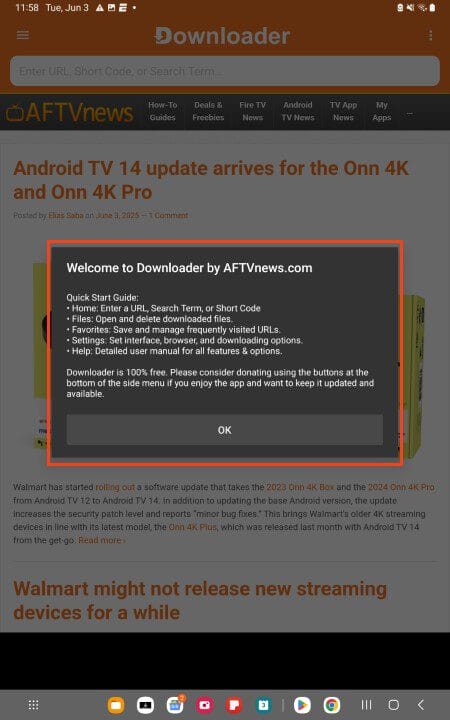
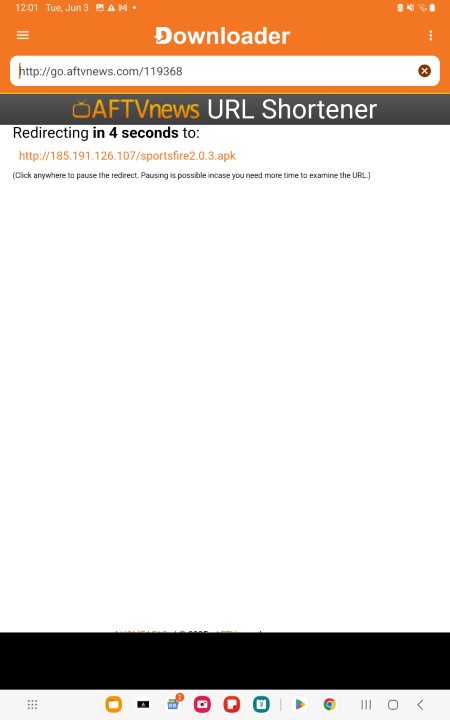
3. In the URL Bar, enter the SportsFire Downloader Code 4585605 (this is an updated code, do not use old code in screenshot below) and click Next or Go.

4. Wait for the file to install.
5. You will then see the “Unknown Apps message”. Click Settings.

6. Select the toggle to enable Unknown Apps for Downloader and then click Install.

7. If you encounter the Play Protect message, select Install anyway.
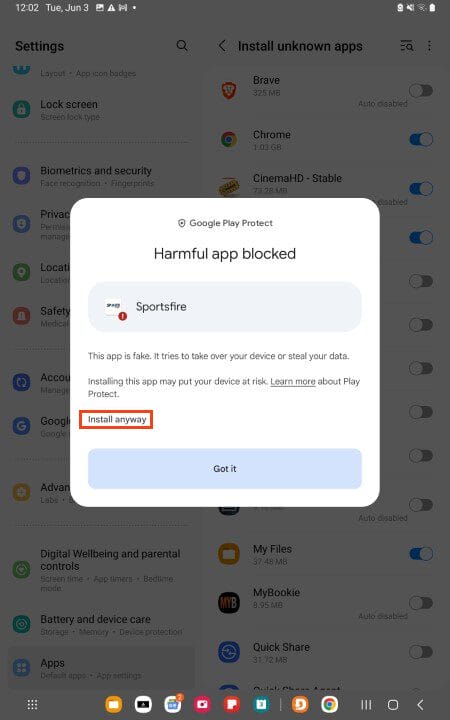
8. Choose Done.
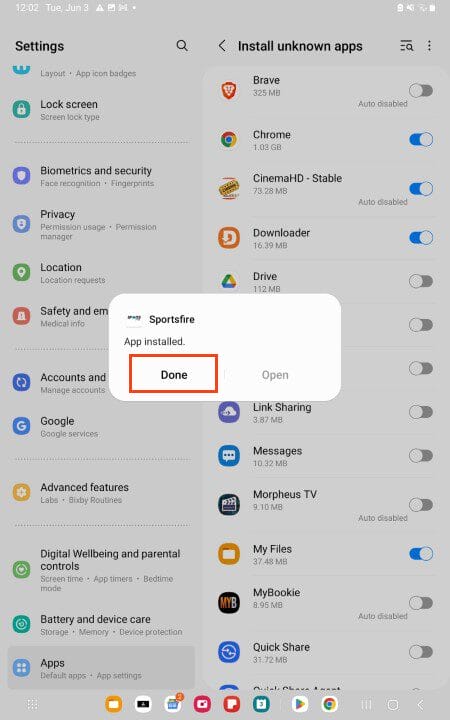
NOTE: You can only locate the installed SportsFire app if using a 3rd party launcher. We suggest Projectivy or another popular option.
As popularity has increased, many are trying to take advantage of this platform by creating websites and applications with the SportsFire name/brand.
You can even find fake sites that provide download links for the SportsFire application, but these should be avoided as they are not official platforms.
We installed an APK file from one of these websites and scanned it with VirusTotal. As you can see, there are numerous malicious files found that can cause your device harm and even put your personal data at risk.
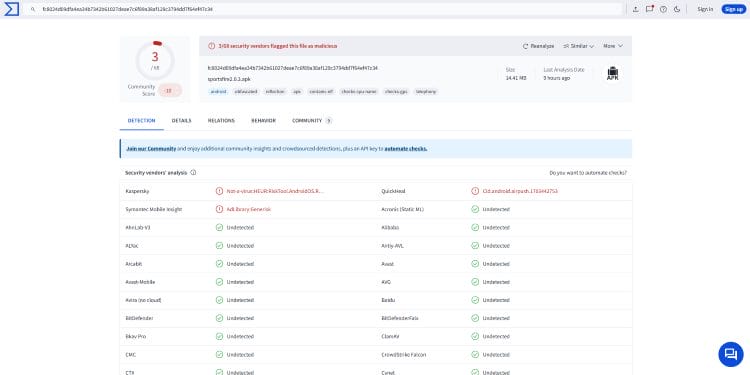
It is essential to avoid these fake websites as most are riddled with ads and malware. Make sure you are only using the official SportsFire site that we provide in our tutorial above.
SportsFire is one of the best sports streaming options available today for many reasons.
This includes its ability to play live broadcasts for sporting events and other channels with little to no buffering.
Upon testing, we have found that nearly all channels play with no issues and are often available in high definition.
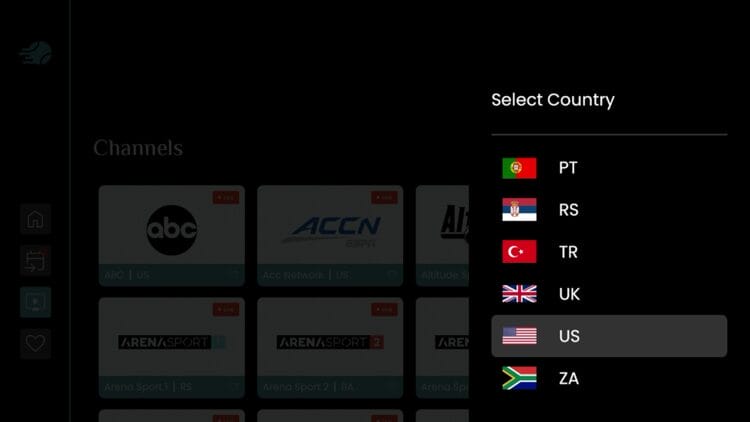
There are also various country options to filter channels, which will narrow down the list of streaming options. This includes the US, UK, Canada, Spain, France, Denmark, Australia, and more.
With the ability to add channels to favorites, change languages, and more, this app may just be the last streaming option you’ll need for live sporting events.
As of this review, SportsFire serves up over 200 free live channels that cover every sport that you can think of.
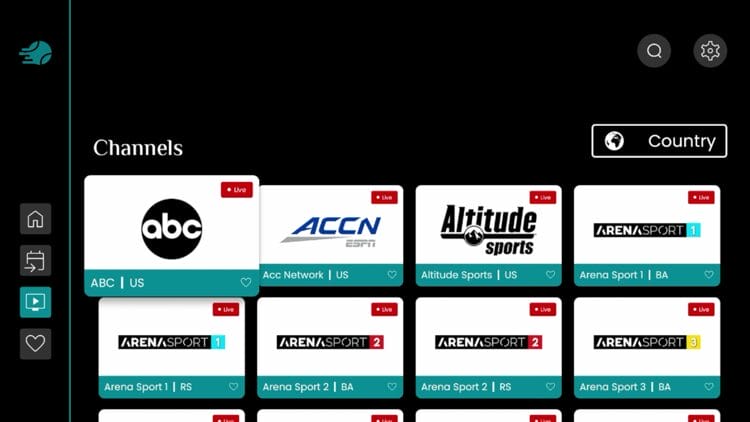
While these channels typically play with no buffering issues whatsoever, not all of them are broadcast in high definition. For more quality live TV options, we strongly recommend viewing our IPTV guide for the best IPTV services available.
SportsFire serves up live sports channels in an easy-to-use format with various options to choose from.
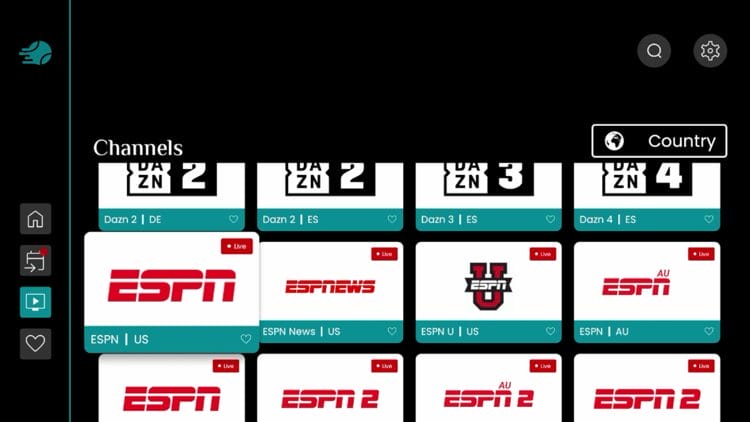
Channels can be filtered by Country to minimize the long list of channels for easier navigation.
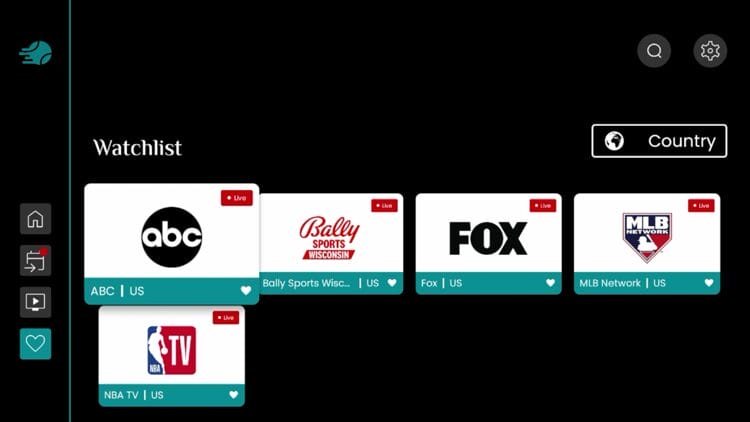
Users can easily add channels to favorites by long pressing on their remote when hovering over the preferred option.
You can then access your Favorites via the Watchlist located in the left hand menu.
The best feature SportsFire provides is the daily schedule that stays updated with current events.
Users can browse through all matches and sporting events to find live options with ease.
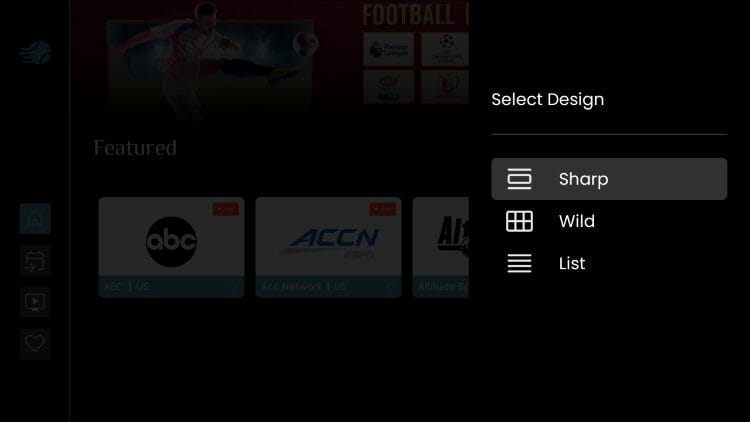
The SportsFire Settings panel comes with limited functions but focuses on what’s important.
This includes the ability to edit the default home page, toggle live game notifications, save search history, and more.

Users can toggle between varios Designs including Sharp, Wild, and List.
You can also check for updates to ensure your application is up to date and you are using the latest version.

SportsFire supports English, French, and Italian Languages.

If you have any comments, questions, or concerns, you can reach out to the developers/operators via their customer support outlet on the official website.

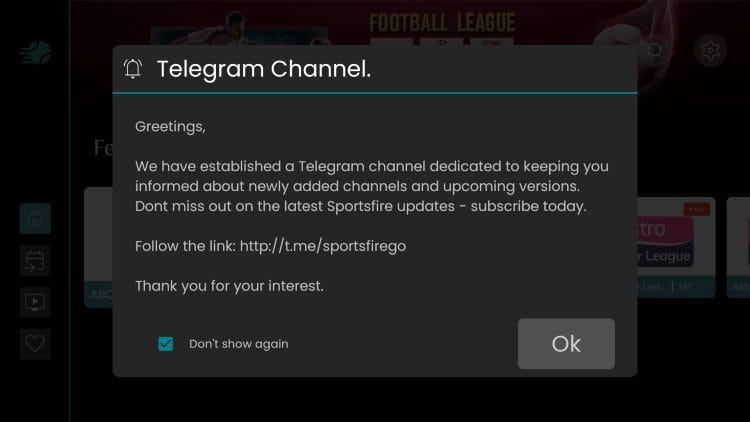
Upon launching the app, you are also provided with the SportsFire Telegram Channel. Joining is the best way to get the latest news and updates from the official SportsFire team.
Most free streaming applications depend on ads to produce revenue, but at this point, that’s not the case for SportsFire.
As of now, SportsFire is 100% ad-free but many times this is bait used to get a strong user-base before pushing ads.
Time will tell but more than likely ads will be coming or some sort of upgrade that will allow you to pay for HD streams similar to an IPTV provider.
SportsFire may also be selling data associated with identifying IP addresses that are tied to each user.
This is another reason why users should always be connecting to a quality VPN prior to installing or using this free sports streaming APK. A VPN assigns users an anonymous IP Address so they remain anonymous when using questionable apps such as this.
One of the most important factors to determine before using this 3rd party platform is whether or not it is safe to use.
We always scan “unverified” sources such as SportsFire with VirusTotal and you can see a report of this scan below.

VirusTotal did find two suspicious files within pertaining to viruses/malware. When we see flagged files in VirusTotal, a trusted VPN is almost required to protect your identity and security.
How to Install Best VPN for Firestick & Android
Within the Privacy Policy & Terms of Services on the SportsFire APK’s Official Website, the following is stated.
The users acknowledge that the use of this service is made at their own discretion and risk, thus holding SportsFire harmless of all liability. SportsFire neither holds nor is responsible for the content to which the user has access through this service. SportsFire is unable to guarantee that the services are up to date, free of defects, errors, bugs, viruses, or that such defects shall be fixed…
The above disclaimer posted on the official website of this application should be a warning sign.
TROYPOINT can’t determine whether these unverified applications hold the proper licensing.
At first glance, it would appear that SportsFire is distributing copyrighted content without the proper licensing.
This article shall serve as an in-depth informational review of the SportsFire APK and only that. This is not a recommendation or promotion to install and/or use the application.
This review outlines all risks and vulnerabilities when using this unverified free sports streaming app. Use at your own discretion after reading this in-depth report.
Most questionable streaming sites do not include a Terms of Service page but surprisingly, SportsFire does.
The following legal language is posted on their official website under their Terms of Service page.
Intellectual property
By using our services, you may access contents that do not belong to SportsFire. Any such content is the exclusive responsibility of the party that makes it available to users. SportsFire may therefore not guarantee that such content is not in breach of third party rights. As a consequence, SportsFire may not be held responsible for the content or the potential breach of third party rights. The use of our services does not grant any rights of ownership over their intellectual property or that of the content accessed. These terms and conditions do not grant the right to use trademarks or logos that appear on our service, whether held by SportsFire or third parties. As a search tool, SportsFire dynamically indexes the contents of streams used on the web at any given time. The indexed contents may only be controlled at source by the party that uploads them onto the web. Should the holder of a copyright consider that her/his right have been breached, she/he must address the source to request its withdrawal.
In conclusion, the end-user is responsible for all content accessed through SportsFire and other unverified streaming apps.
For years, many have been searching for a reliable application to watch live sporting events for free and the SportsFire APK checks all of the boxes.
We are pleased that the developers keep it updated and are continually trying to improve performance for all users!
Just remember the legal/security risks of using unverified streaming options and be sure to protect yourself.
Are you a fan of this media app? Let us know what you think in the comments below!
This page includes affiliate links where may receive a commission at no extra cost to you. Many times, visitors will receive a discount due to the special arrangements made for our fans. Learn more on my Affiliate Disclaimer page.



© IPTVSub is Proudly Owned by win-design