


 Written by admin
Use our instructional guide below to learn how to install Watchio Live Stremio Addon on any device.
This tutorial provides step by step instructions for installation that takes less than a minute and will provide users with full access to Watchio Live’s library of channels.
Watchio Live is a well-known live streaming website that features live television across the globe. Currently, users can stream over 5500 channels from 150+ countries with various categories to choose from.
However, instead of accessing the Watchio Live website, you can view all channels from this platform easily with the compatible Stremio Addon that works flawlessly!
Using this in conjunction with other Addons for Video on Demand make the Stremio application a media powerhouse and one of the Best APKs available for free content.
Unlike other popular Stremio Addons, Watchio Live is available in the “Community” addon list so you don’t have to copy/input a URL to install it. Continue reading below!
NOTE: Make sure you have already installed and set up the Stremio app on your device before following our instructional guide.
You can install Watchio directly through the app on any device where Stremio is installed. Once installed it will then Sync to all of your favorite devices like Google TV/Android Boxes and Firestick/Fire TV.
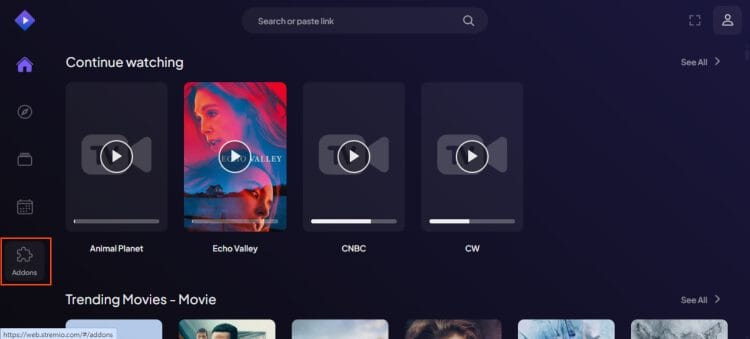
1. Launch Stremio and from the home screen, click Addons.
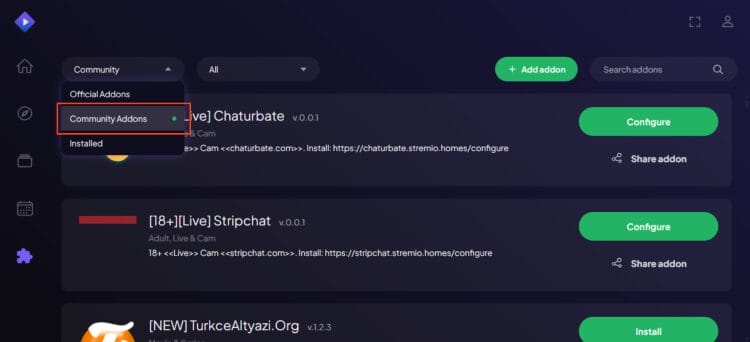
2. Choose Community Addons.
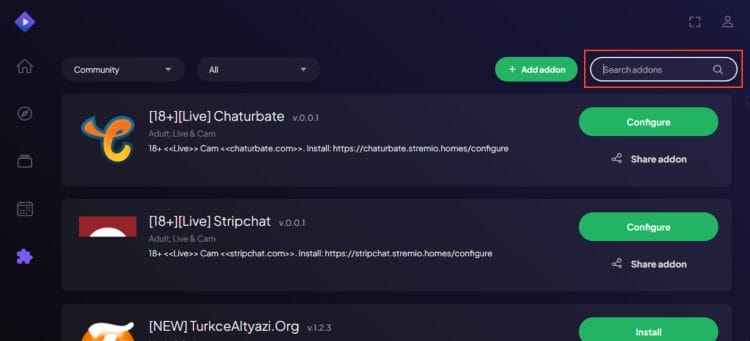
3. Click the search box in the upper right hand corner. Search doesn’t appear on all devices and if that’s the case for you just scroll down until you come to Watchio.
4. Search for Watchio.
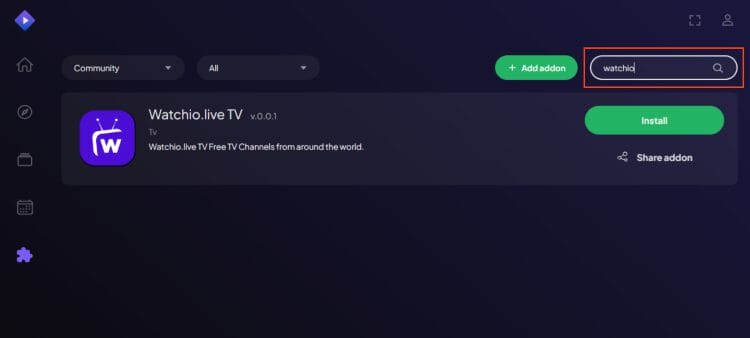
5. Click Install.
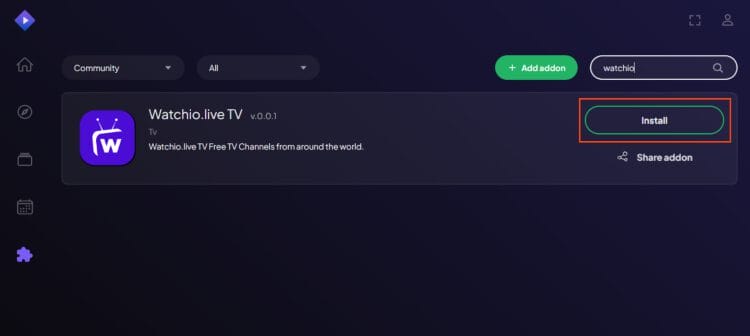
6. Watchio Live will instantly download.
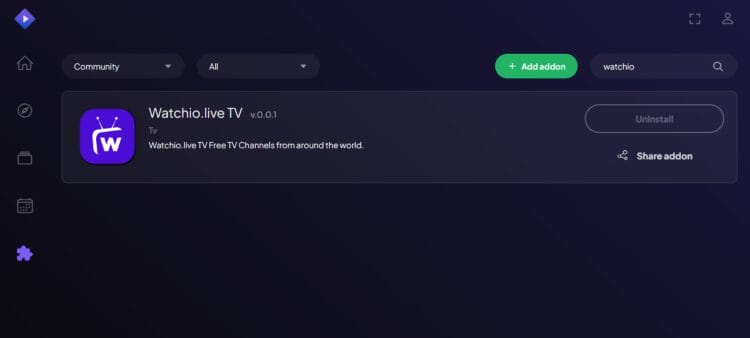
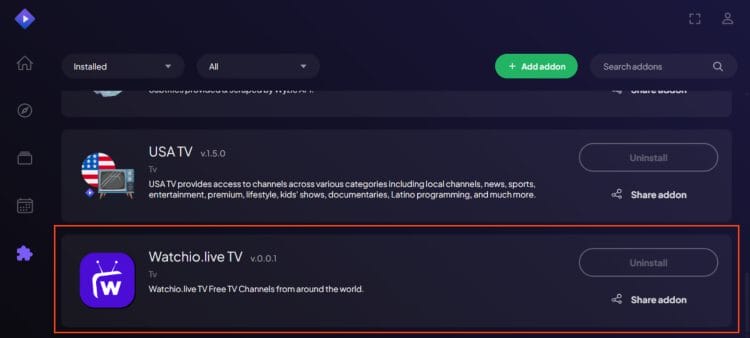
7. Go to your Addons list and you will see Watchio Live now displayed.
8. You can now browse all channels available from the addon.
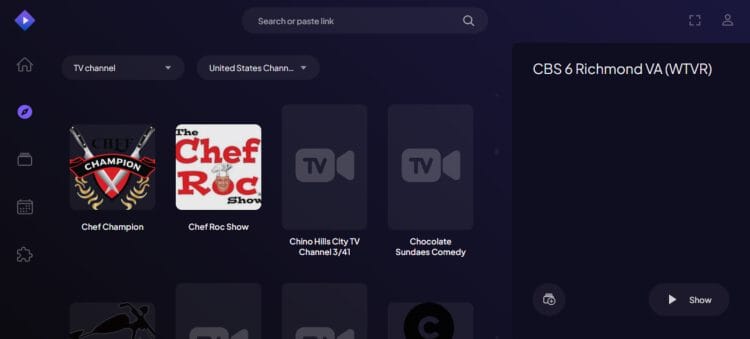
If you open the Stremio app on any other device (Firestick, etc.) the addon will already be installed so you can access streams without reconfiguring/downloading.
Enjoy!
If you have used or are interested in Watchio Live, installing the Stremio addon is likely the best way to access this platform as you can do so without using a web browser.
By installing the addon, you get the exact same content as the official website and don’t have to leave the Stremio App to enjoy the channels provided.

As noted, the addon syncs daily so it is always updated with the latest streams as it pulls directly from the streaming site.
We tested it thoroughly and found that many channels work well but not all of them. If you are looking for a reliable live provider, make sure to check out our list of IPTV Services that won’t buffer and are always available.
Let us know what you think of the Watchio Live Stremio Addon in the comment section below!
This page includes affiliate links where TROYPOINT may receive a commission at no extra cost to you. Many times, visitors will receive a discount due to the special arrangements made for our fans. Learn more on my Affiliate Disclaimer page.



© IPTVSub is Proudly Owned by win-design