


 Written by admin
Surfshark has just added a new tool to that is a welcome addition for anyone who wants added protection when viewing/opening emails from Gmail — the Email Scam Checker.
Built to protect users from phishing emails, this tool uses AI to scan your inbox and flag anything suspicious before it becomes a problem. With scams rising fast, this is a welcome upgrade for anyone serious about digital privacy.
This tool is part of the Chrome extension for Surfshark users. Once it’s set up, it works directly with your Gmail account.
When you receive an email, the checker scans it for signs of fraud. That includes things like fake sender names, shady links, and language designed to trick you into clicking or sharing personal information.
If something seems off, you’ll get a clear warning — no guesswork required. This is a great way to ensure you aren’t putting your personal information at risk from data thefts and more.
Phishing emails are getting smarter. Every day, over 3 billion of them are sent, and many are crafted using AI to look real. From fake banking alerts to password reset scams, they’re made to trick even careful users.
Here’s the real danger: clicking one bad link can lead to stolen accounts, drained bank funds, or malware infections on your device.
That’s why Surfshark’s new scam checker is a big deal — it helps block those threats before they can do damage.
To use this tool, you’ll need an active Surfshark One or One+ subscription. If you don’t have one of these already, you can sign up instantly HERE.
Follow these steps to initiate the email scam checker for your Gmail account.
1. Open the Chrome Web Store and search for the Surfshark VPN Extension.
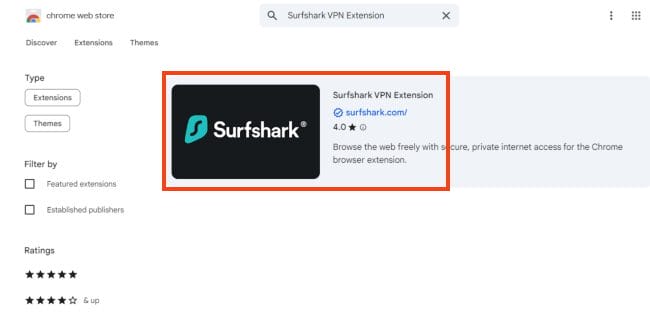
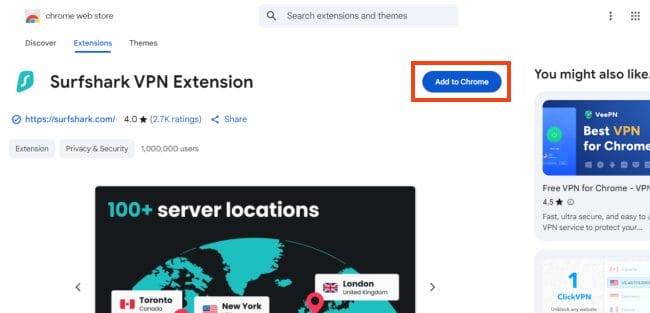
2. Click Add to Chrome.
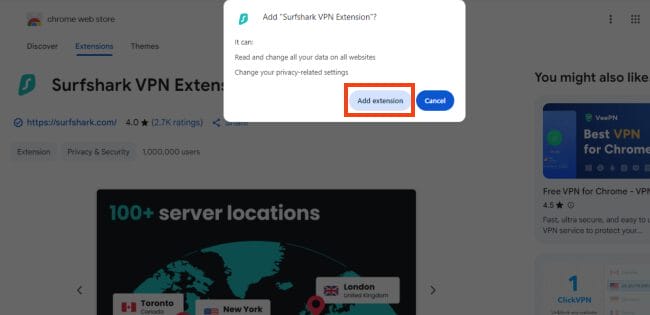
3. Select Add extension.
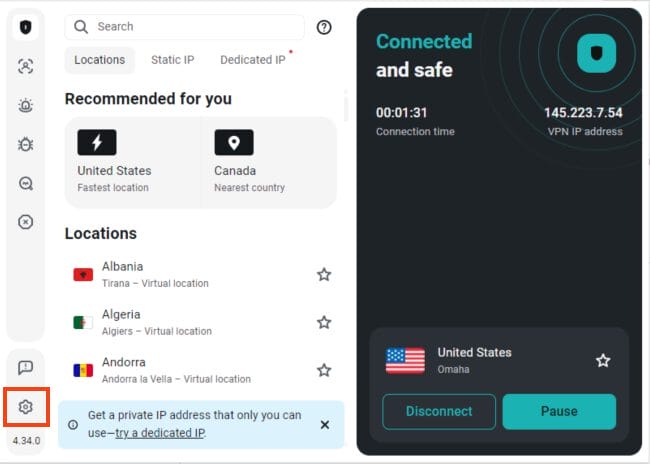
4. Launch the Surfshark VPN Extension and open Settings.
5. Select Email scam checker.
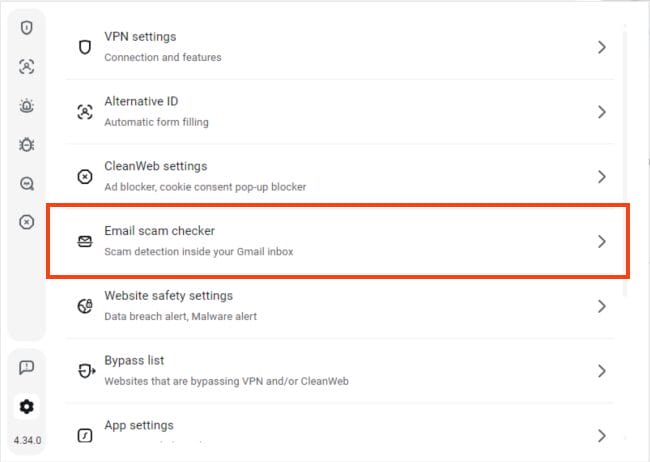
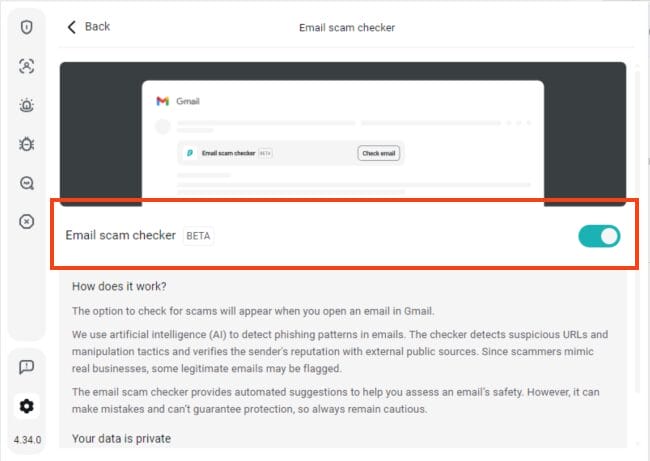
6. Click the toggle to turn this feature On.
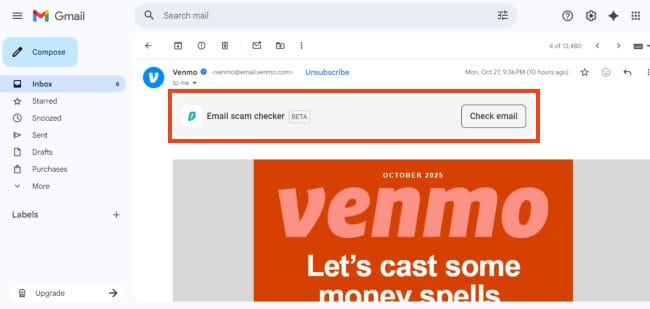
7. Launch Gmail and open an email of your choice. You will see the Email scam checker option. Click Check email.
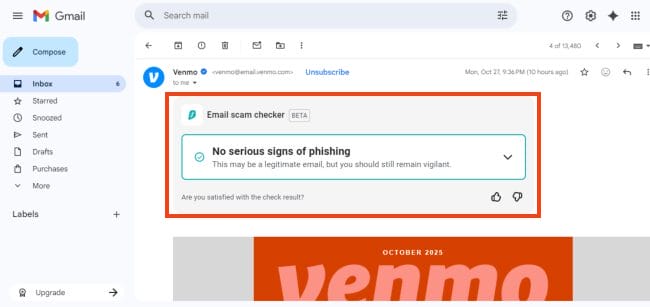
8. Your scan results will display.
TROYPOINT TIP: Surfshark has the ability to function simuntaneously on unlimited devices, so your entire family can use this tool too.
Some users may wonder how the AI behind this works. Surfshark has built the system so that all scans run on servers they fully manage. No outside company handles your data, and nothing is stored for future use.
Once the scam check is finished, the data is erased immediately. No copies. No sharing. No training for future AI. Just protection, then it’s gone.
For more info, see their Privacy Policy.
With phishing attacks getting harder to spot, having a tool like this makes sense. Surfshark’s Email Scam Checker is easy to use, doesn’t store your data, and adds another layer of protection to your inbox.
If you’re already using Surfshark, make sure to try this new feature. If not, this might be the upgrade worth getting.
Sign up for Surfshark With Discount
What do you think of the latest feature from Surfshark that will scan your emails for scams/phishing attacks. Let us know in the comments below!
Be sure to stay up-to-date with the latest streaming news, reviews, tips, and more by following the with updates weekly.
This page includes affiliate links where iptvsubscrib may receive a commission at no extra cost to you. Many times, visitors will receive a discount due to the special arrangements made for our fans. Learn more on my Affiliate Disclaimer page.



© IPTVSub is Proudly Owned by win-design