


 Written by admin
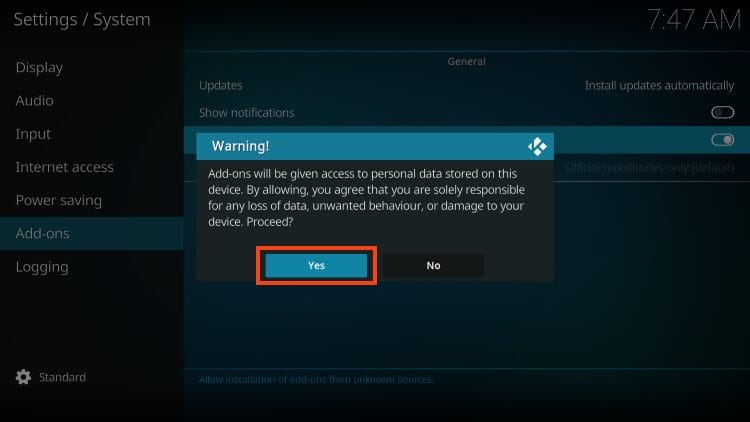
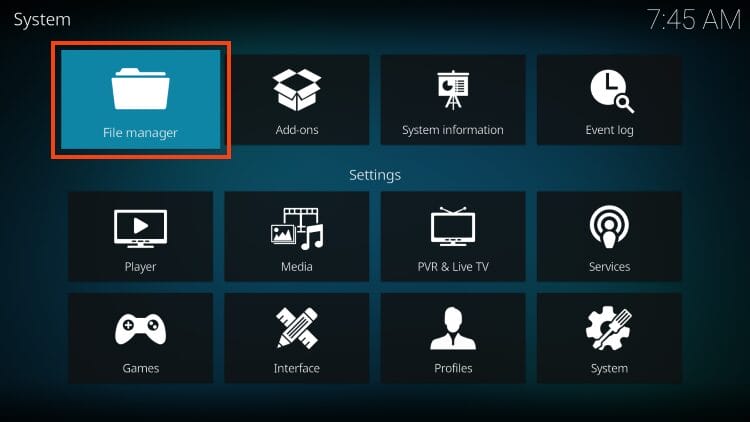
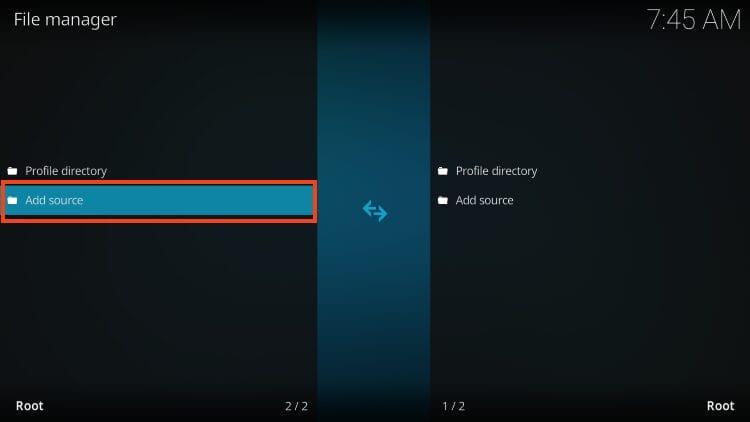
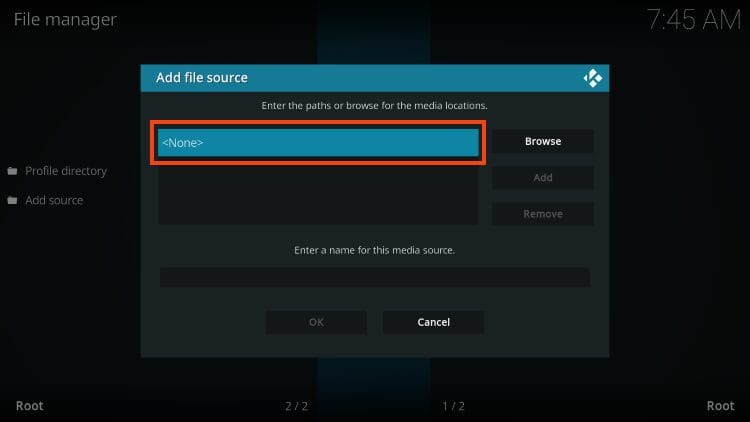
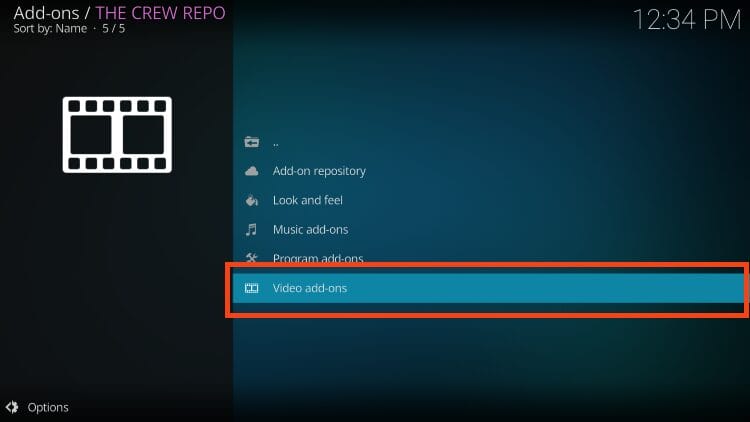
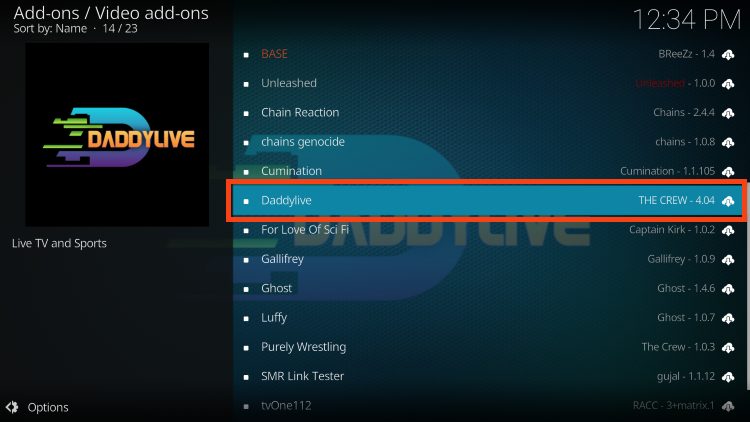
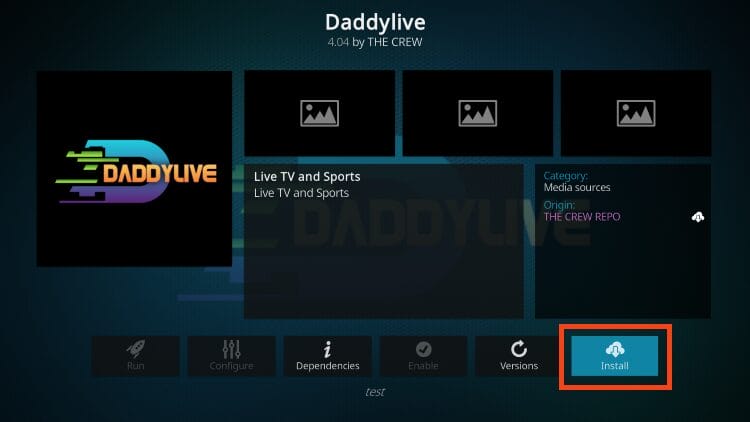
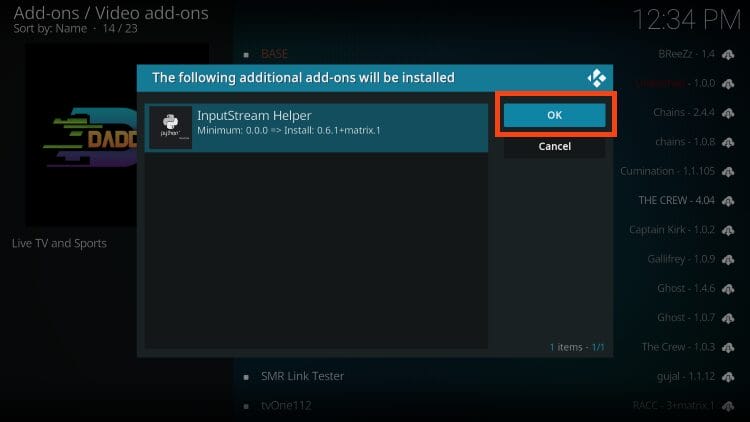
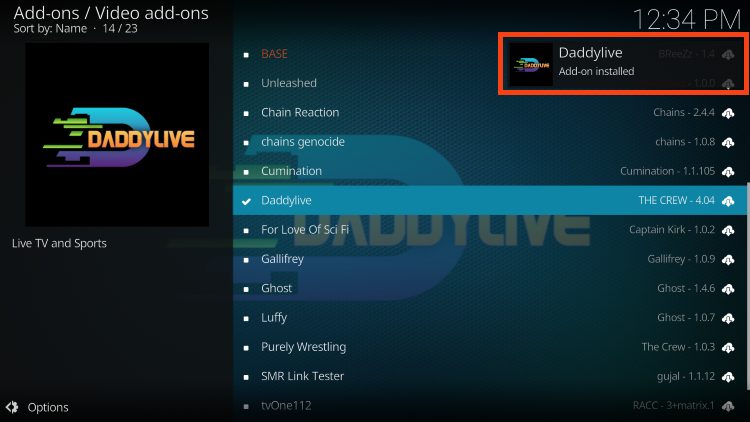
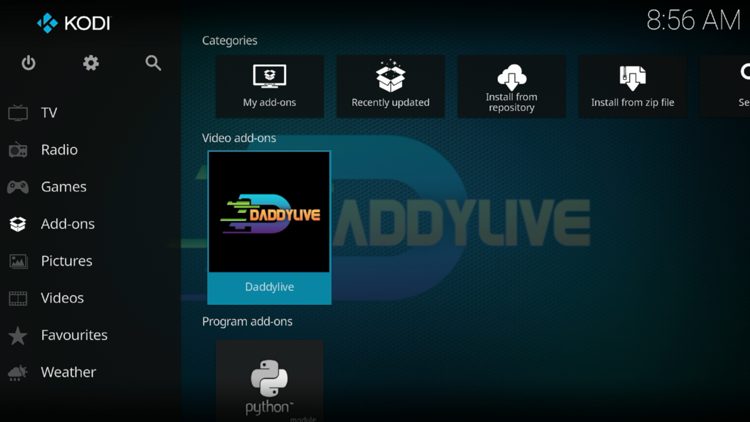
The following guide shows how to install the DaddyLive Kodi Addon on Firestick, Android TV, or any device with Kodi capabilities.
This is a quick process that is well worth your time as DaddyLive is one of the most notable platforms available for live streaming media!
We have updated our guide with the newest method for installation and we recommend reading the details/features guide below the download tutorial for more information on this addon.
DaddyLive is a well-known add-on for streaming live television and sports. It features one-click ability so that you can watch your favorite channels and games instantly on any device.
If you have ever used DaddyLive in the past, you know that it is a free sports website to watch live events and matches.
However, many do not know that you can also install it in the form of a sports add-on, which is the best way to access this platform because it removes ads and can be installed on any device!
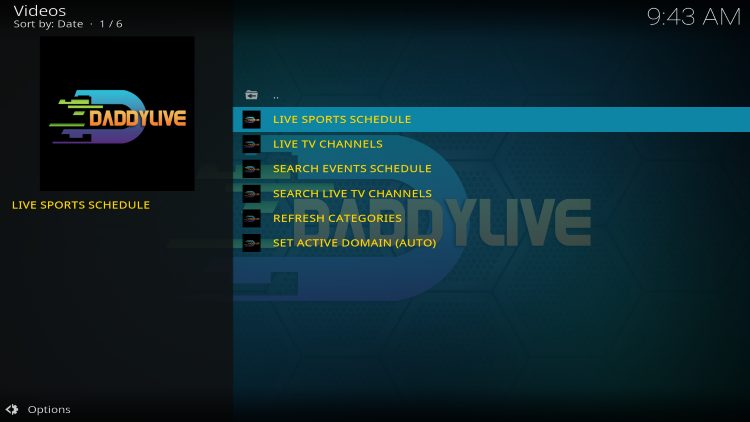
As you can see in the screenshot below, there are various live streaming options to choose from and all of them work incredibly well. Give it a try!
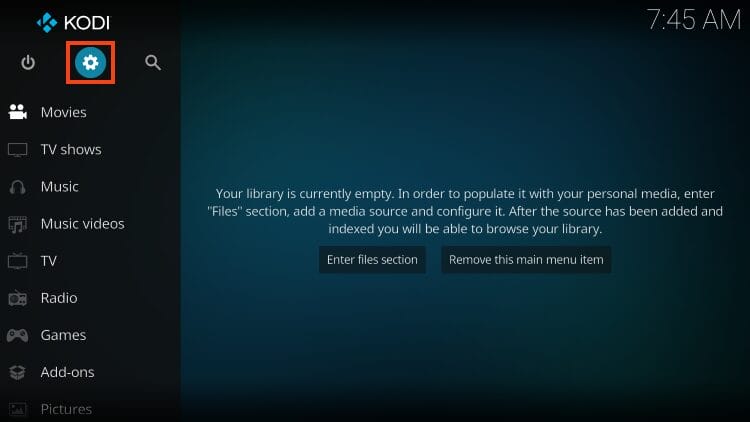
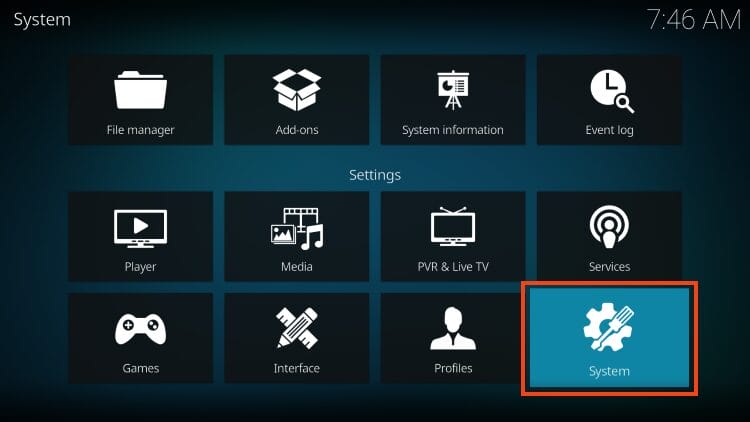
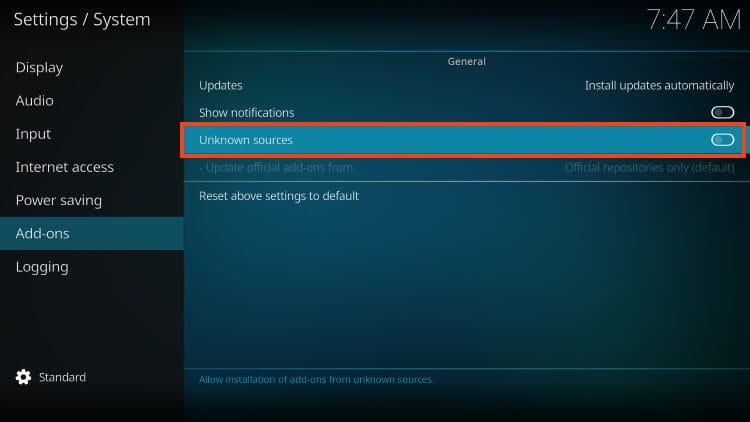
In this tutorial we are using an Amazon Firestick to install the DaddyLive add-on, but these instructions will also work for any Kodi device including Android TV/Google TV, PC, phone, tablet, and more.
Continue reading for a step by step guide and don’t forget to let us know what you think of Daddylive in the comment section below!

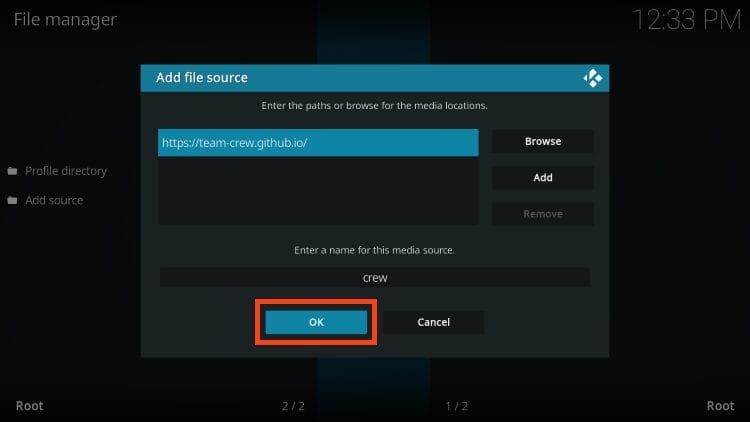
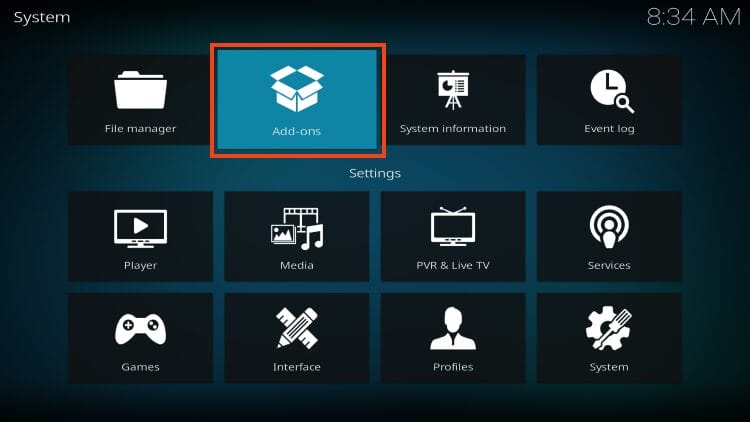
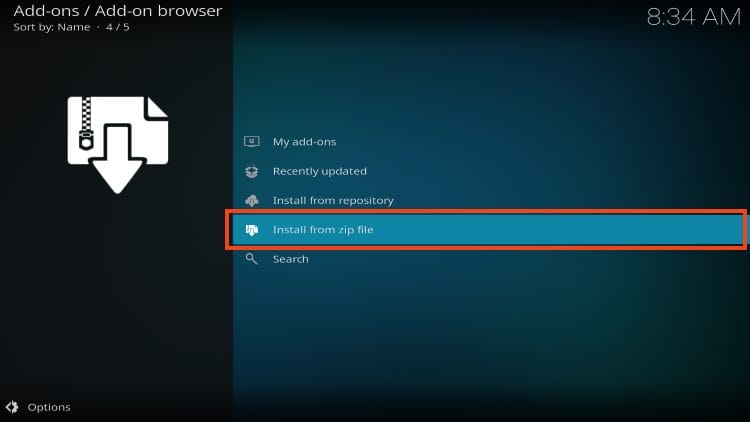
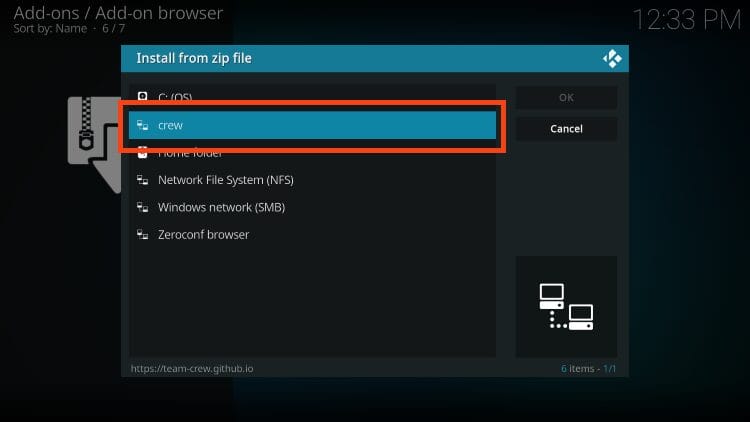
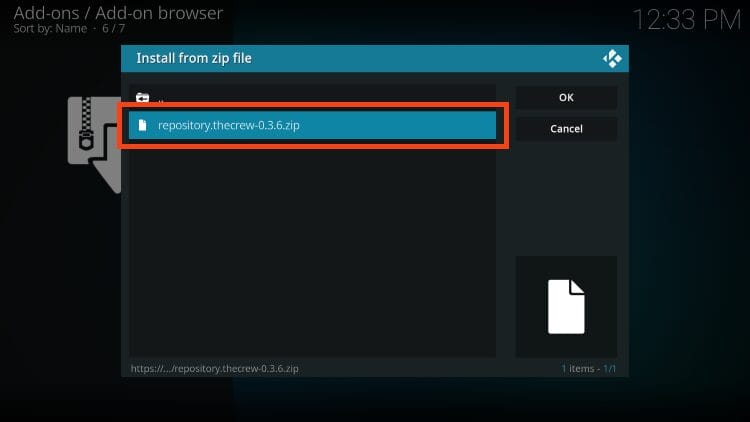
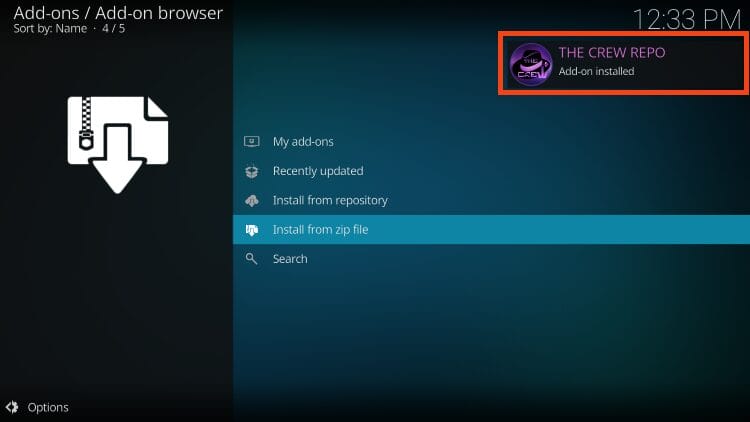
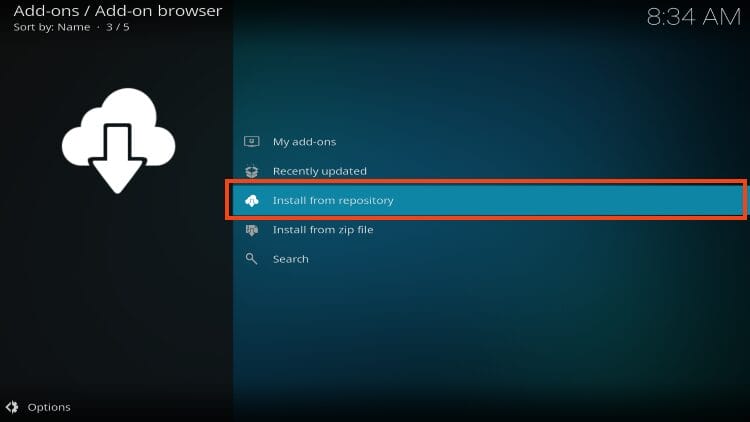
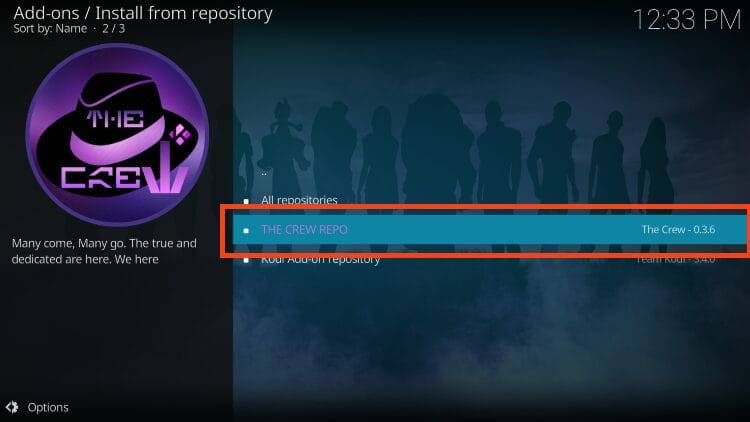
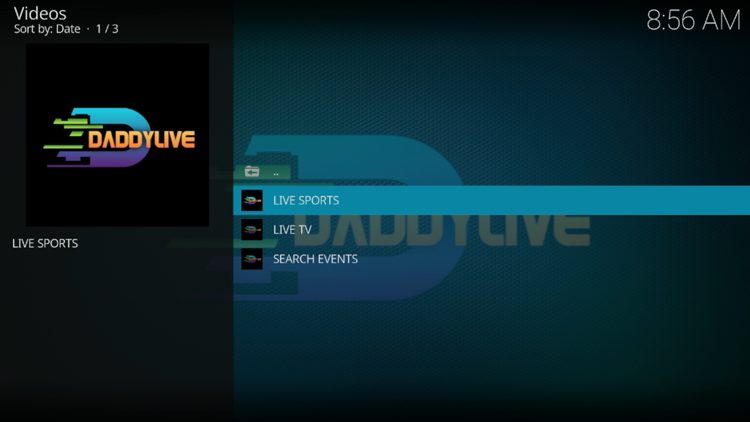
The DaddyLive add-on presents a simple interface with five options to select from – Live Sports, Live TV, Search Events, Search Channels, and Refresh Categories.
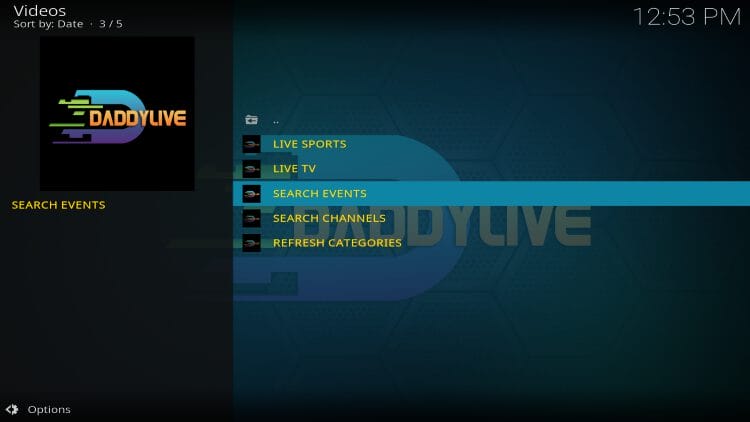
Inside the Live Sports option users will find dozens of sports categories including Soccer, Basketball, Baseball, Football, Wrestling, Motorsport, Cricket, and more.
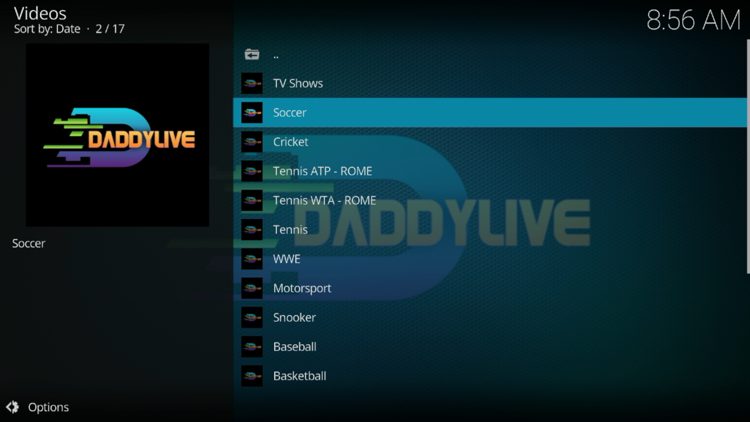
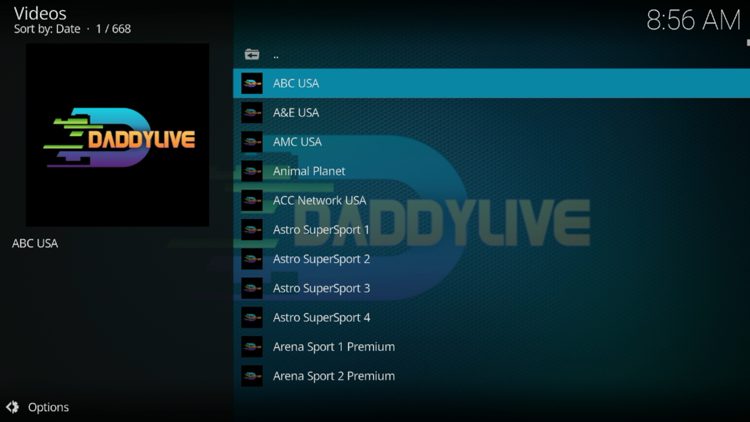
In addition to live sports streams, users will also find hundreds of live channels from around the world. Notable channels include ABC, AMC, ESPN, FOX Sports, CBS, and others.
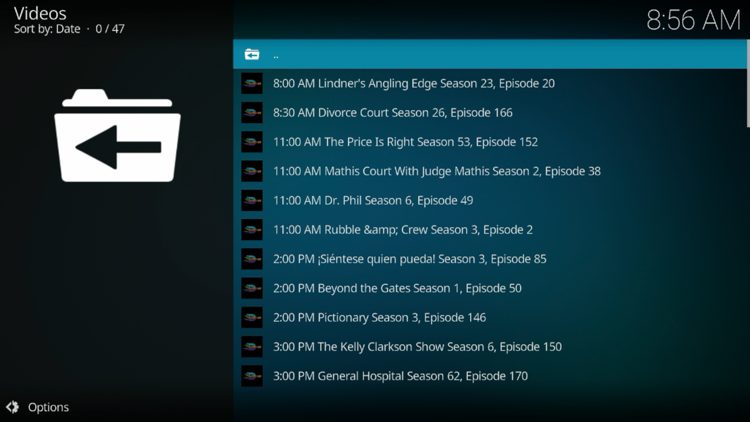
Another nice feature of DaddyLive is the addition of on-demand TV shows and documentaries.
As referenced earlier, this add-on is built around the official website for DaddyLive which is visited by millions looking for live streaming links.
The problem is that the website is filled with popups/advertisements that are nearly impossible to get rid of, even when paired with the CleanWeb feature from Surfshark.
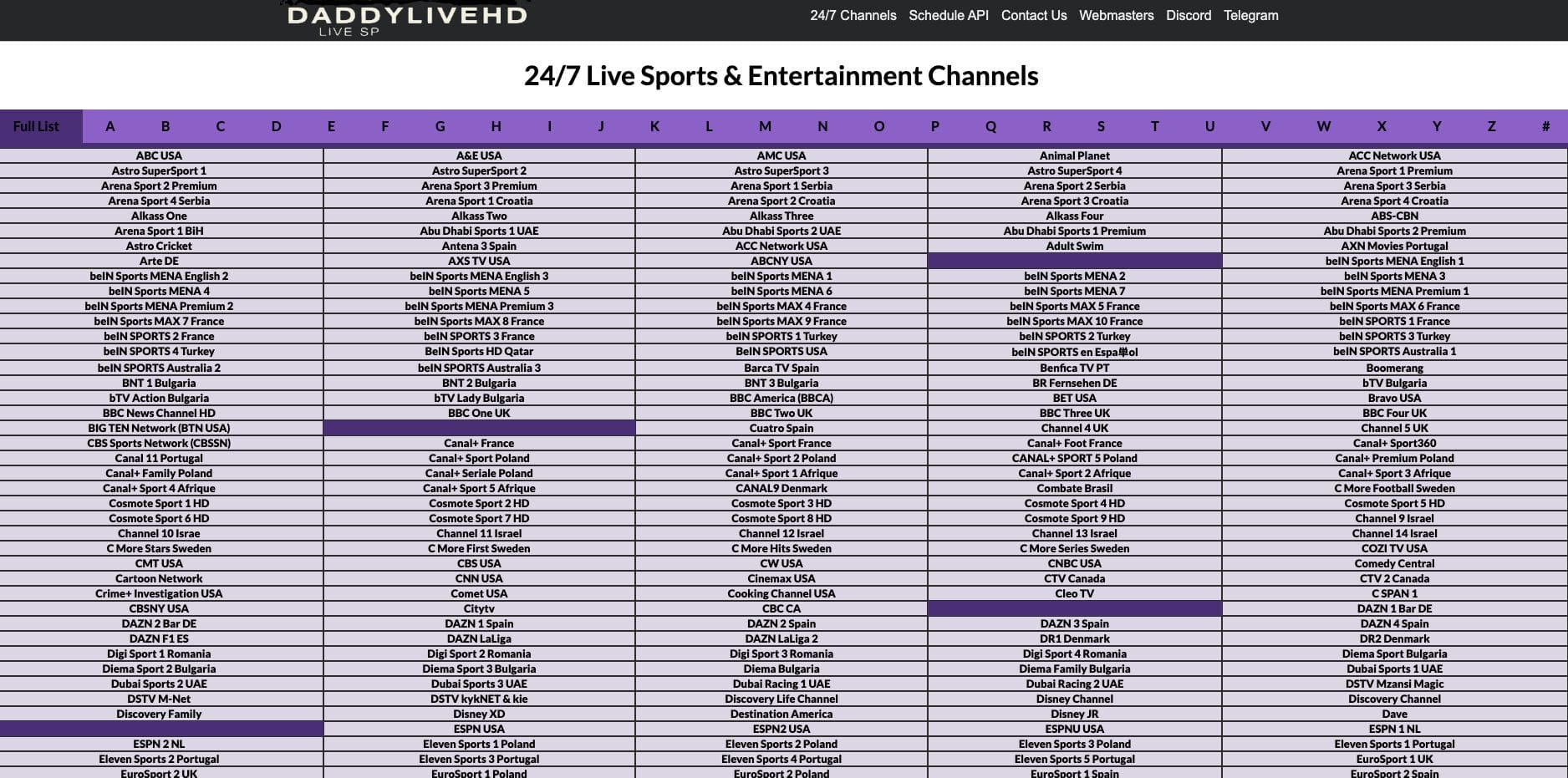
This is why thousands have opted to install the Kodi add-on version as a replacement for the website that provides the same content but without the hassle of ads!
It’s impossible for TROYPOINT to determine whether these unverified add-ons/apps hold the proper licensing.
If and when an add-on is deemed illegal, we notify our users immediately and update reports on our Website to reflect that information.
At first glance, it would appear that DaddyLive is distributing copyrighted works without consent.
The end-user is responsible for all content accessed through unverified add-ons. For verified options, see our list of legal streaming apps.
As with any unverified app/addon, we scanned the repository URL with VirusTotal. Pictured below is a screenshot of this scan.
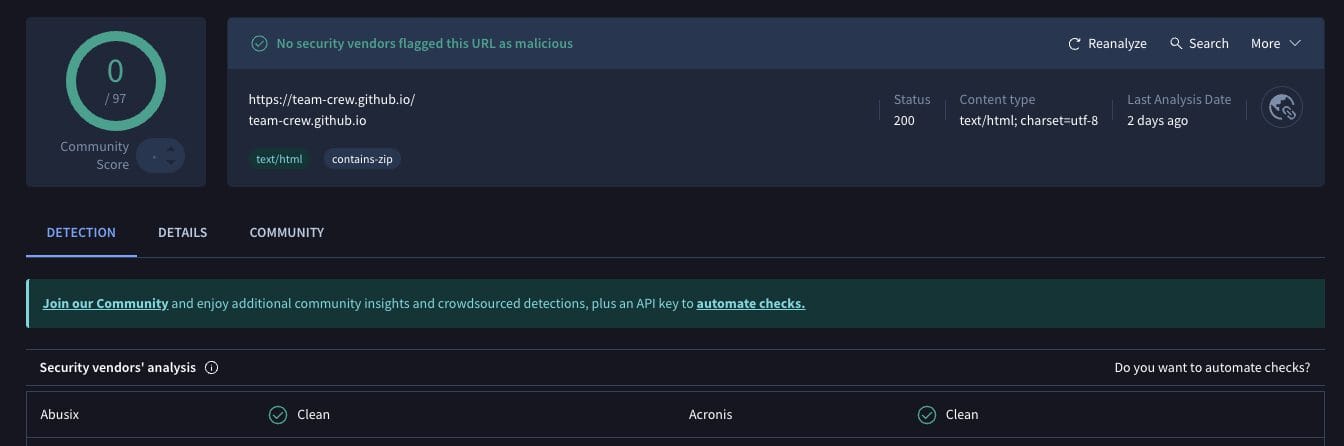
VirusTotal did not find any suspicious files within the DaddyLive repository URL. However, we should always protect ourselves when streaming content from unverified 3rd party add-ons.
The best way to protect yourself is with our #1-ranked VPN Provider. A VPN will provide you with an anonymous connection while using questionable add-ons such as this. See our VPN on Firestick tutorial for more details.
For quite some time now, DaddyLive has been the go to addon for both live television channels and Sports within the Kodi software.
If you haven’t given it a try, do so today and see for yourself just how fierce it is!
Are you a fan of DaddyLive? Have you used it before to watch live sports? Let us know what you think in the comments below!
This page includes affiliate links where iptvsubscrib may receive a commission at no extra cost to you. Many times, visitors will receive a discount due to the special arrangements made for our fans. Learn more on my Affiliate Disclaimer page.



© IPTVSub is Proudly Owned by win-design